
Robots.txt cannot be used for noindexing because it blocks crawlers from seeing the noindex directive. Google retired support for the unofficial robots.txt noindex rule on September 1, 2019, after announcing the change on July 2, 2019.
The mistake usually appears during a cleanup project. A site owner finds internal search pages, filtered product URLs, staging paths, or old utility pages appearing in Google, adds a Disallow rule, and expects those URLs to disappear. Later, Search Console still reports them as indexed, or the URLs appear in search with little or no page information.
That outcome isn't a software bug. It follows directly from how Google separates crawling from indexing. The crawler needs access to a page before it can read an instruction telling Google not to include that page in search. A robots.txt block removes that access.
Table of Contents
- The Robots.txt No Index Dilemma
- Understanding Crawling and Indexing Separation
- The Retirement of the Unofficial No Index Rule
- Reliable Methods to Remove Pages from Search
- Implementing the Correct Removal Workflow
- Troubleshooting with Google Search Console
- Key Takeaways and Best Practices
The Robots.txt No Index Dilemma
A business owner notices that internal search results are appearing in Google. The pages aren't useful as search landing pages, and some expose combinations of filters that visitors rarely need to find directly. The owner adds rules such as Disallow: /search/ and Disallow: /filter/ to robots.txt, then waits for the URLs to vanish.
They don't.
The pages may remain known to Google because another page links to them, an external site references them, or Google discovered the URLs before the block was added. Google can't reliably fetch the blocked pages, but it can still know that the URLs exist. The result is a confusing status: the owner has blocked crawling, yet the URLs can remain eligible for search visibility.

The same problem affects pages that carry a noindex meta tag. If the robots.txt file prevents Googlebot from retrieving the HTML, Googlebot can't read the tag. The site owner has issued two instructions that work against each other, one preventing access and the other requiring access.
Practical rule: Decide whether you want to stop a crawler from fetching a URL or stop a page from appearing in search. Those are different jobs.
Many articles still answer the wrong question. Robots.txt controls crawling, not indexing, and Google explicitly says a page must be crawlable for a noindex rule to work, as described in Google's guidance on robots.txt and crawling. Use a crawl budget optimization resource when the issue is excessive fetching, not when the primary goal is permanent deindexing.
Understanding Crawling and Indexing Separation
A robots.txt rule operates before page content is available. Googlebot checks the file when deciding whether it may request a URL or resource. Because the crawler may never retrieve a blocked document, robots.txt cannot place a page-level instruction inside that document.
Indexing happens after access. Once Google can fetch the page, it can process the content and directives delivered in the HTML, such as a robots meta tag, or in an HTTP response header. The noindex directive controls whether the page is eligible to appear in search results. It does not control whether Googlebot may request the URL.
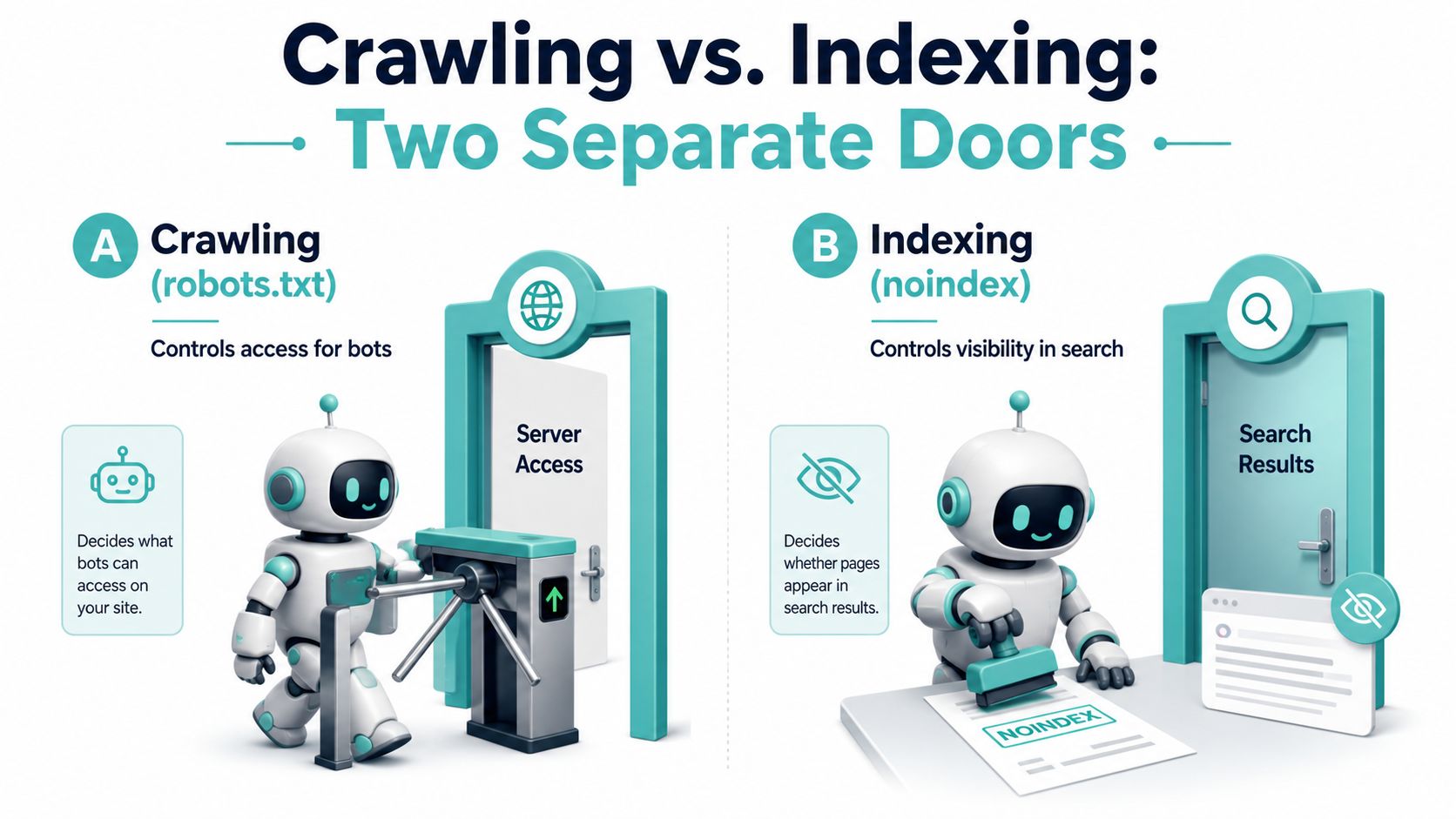
Google's robots.txt documentation explains the access function of the file. A blocked URL can still be known to Google through external links or earlier discovery, even though Googlebot cannot retrieve its content to process page-level directives.
The cause and effect
Consider a URL with both configurations:
- robots.txt blocks the path.
- The HTML contains
<meta name="robots" content="noindex">.
Googlebot follows the crawl restriction and does not request the page. It therefore cannot read or confirm the noindex tag. The tag exists in the source, but it cannot influence processing until the crawler can access that source.
This distinction determines how an audit should classify the issue. A blocked URL belongs under access configuration, while a page that should leave search belongs under indexing policy. The remedies use different files and should not be combined into one ticket. Review the intended outcome first, then verify the relevant URL in Google Search Console to confirm whether Google can fetch it and which directive it received. A technical SEO audit checklist helps teams review robots.txt rules, page-level directives, and conflicting configurations together.
The Retirement of the Unofficial No Index Rule
Older SEO tutorials sometimes show noindex inside robots.txt, usually in a format that looks familiar to anyone who has worked with meta robots tags. That advice can appear credible because some search engines or older crawler behavior may have seemed to honor it. It was never a reliable, officially supported Google directive.
Google announced the retirement on July 2, 2019, and formally ended support on September 1, 2019, according to Google's announcement about unsupported robots.txt rules. Google explained that the robots exclusion protocol had become an internet standard after 25 years, while unsupported and unpublished rules such as robots.txt noindex would no longer be processed.
What changed in practice
A rule like this is not a dependable removal method:
User-agent: *
Noindex: /private-page/
Google ignores unsupported noindex rules in robots.txt. The file can still contain valid crawl instructions, but it can't serve as a page-level indexing control.
The change matters because old configurations often remain in production long after the original developer or SEO consultant has moved on. A site may contain a Noindex line that looks intentional, while Google treats it as irrelevant. Don't preserve it as a fallback. Remove unsupported rules, decide whether the path needs crawl control, and apply a supported page-level directive when search exclusion is the actual objective.
Reliable Methods to Remove Pages from Search
When a page should remain accessible to users but shouldn't appear in Google, use a supported noindex directive. Google accepts that directive through the page's HTML or through an HTTP response header, provided Google can crawl the URL and retrieve the instruction.
For standard HTML pages, the usual implementation is a robots meta tag in the document head:
<meta name="robots" content="noindex">
This suits internal search pages, selected filter combinations, utility pages, and other HTML documents that need to function for visitors but shouldn't serve as organic search entry points. Keep the page crawlable so Googlebot can read and process the tag.
The other option is an X-Robots-Tag response header:
X-Robots-Tag: noindex
This is useful for non-HTML resources, such as PDFs or other files that can't contain an HTML meta element. The header travels with the server response, but it has the same access requirement. Google must be able to request the resource and receive the header.
| Method | Best fit | Operational requirement |
|---|---|---|
noindex meta tag |
HTML pages | Allow Googlebot to crawl the page |
X-Robots-Tag: noindex |
Non-HTML files and server-controlled responses | Allow Googlebot to retrieve the resource |
Google states that noindex is a page-level directive delivered through a meta tag or HTTP response header, not through robots.txt. If robots.txt blocks the URL, Google can't crawl it to see the instruction, so the URL may remain in search until the block is removed. Google's documentation for blocking indexing describes this relationship directly.
Robots.txt still has a legitimate role. Use Disallow when you want to manage crawler access, reduce unnecessary fetching, or keep bots away from areas that don't need to be crawled. Don't use it as a substitute for deindexing, and don't assume it provides privacy. Sensitive or private content needs access control, not an SEO directive.
Implementing the Correct Removal Workflow
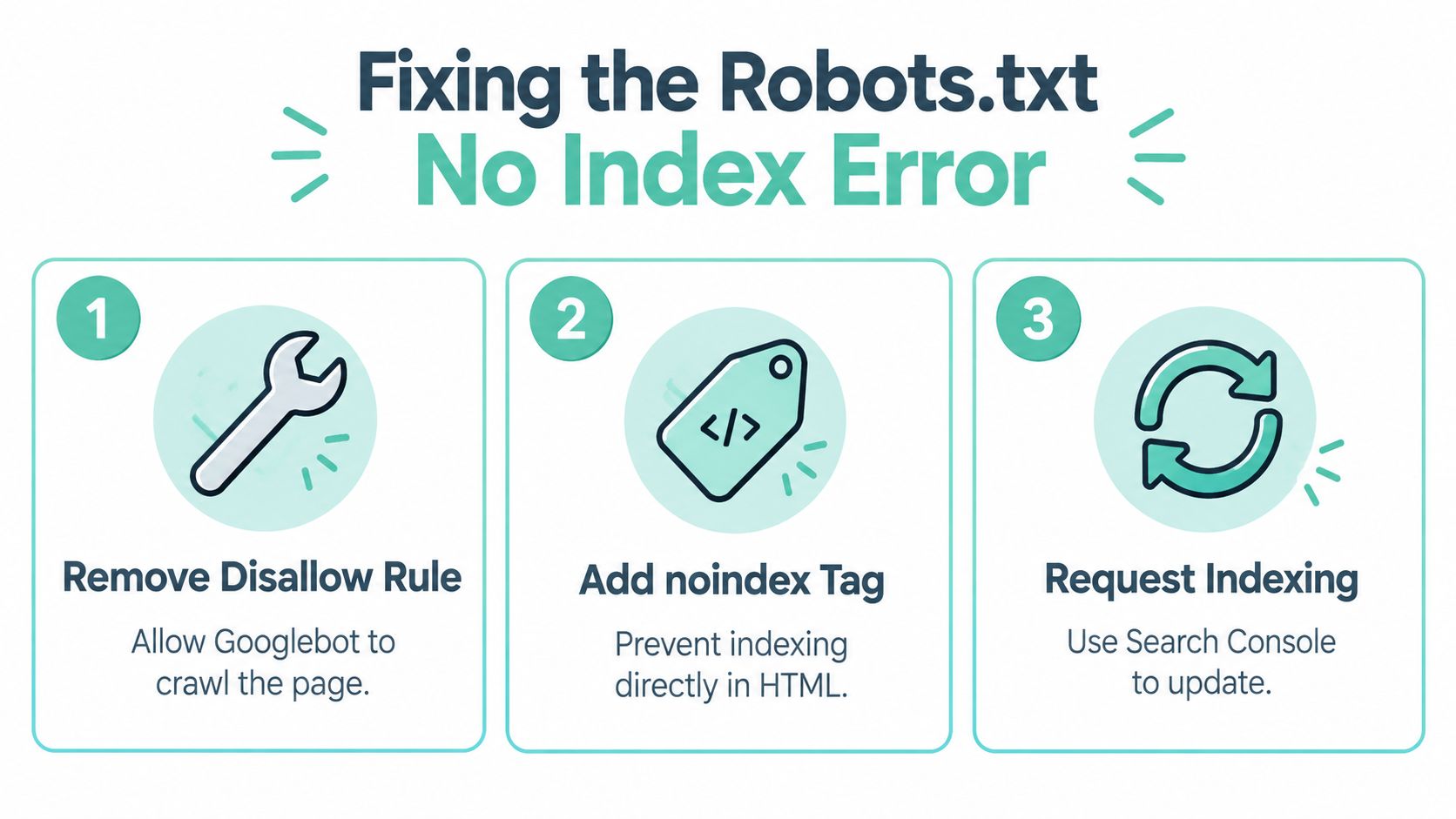
Fixing a robots.txt no index conflict requires a deliberate sequence. Changing both controls at random can make diagnosis harder because Google needs to retrieve the updated page before it can process the new instruction.
Start with the intended outcome
Classify the URL before editing anything.
- Search exclusion: The page should work for users but shouldn't appear in organic results. Use a crawlable
noindex. - Crawl management: Google shouldn't fetch the path because crawling it has no operational value or creates unnecessary load. Use robots.txt where appropriate.
- Privacy or restricted access: Users and bots shouldn't access the content. Use authentication or server-level access controls.
Only the first scenario calls for a noindex workflow. The third requires stronger protection than either robots.txt or a meta tag.
Open access long enough to read the directive
Remove the Disallow rule that blocks the URL or its relevant path. Check for broader rules that may still prevent access, including a parent directory rule or a bot-specific configuration. A seemingly permitted URL can remain blocked by another matching rule.
Next, add the appropriate page-level instruction:
<meta name="robots" content="noindex">
For a non-HTML resource, return:
X-Robots-Tag: noindex
Don't add a second robots.txt noindex rule. It won't strengthen the implementation.
Verify the response Google receives
Use the live page and Google Search Console's URL Inspection tool to confirm that the public response matches your plan. Check the rendered source for the meta tag, or inspect the server response for the X-Robots-Tag header. Also review internal links and XML sitemaps so the URL isn't being promoted as an important indexable destination elsewhere.
Google Search Console's help documentation says that when a page is blocked by robots.txt, Google can't see a noindex or nosnippet meta tag. It recommends removing the block before relying on noindex, as explained in Google's Search Console guidance.
After the page becomes crawlable and the directive is present, request a fresh crawl through URL Inspection. The request doesn't replace the directive. It gives Google a way to revisit the page, while the page-level noindex supplies the lasting instruction.
Finally, monitor the URL after deployment. If it remains indexed, look for caching, redirects, alternate URL variants, canonical inconsistencies, or a different template that serves the tag only on some responses. The workflow succeeds only when Google can access the exact URL that needs removal.
Troubleshooting with Google Search Console
A client may remove a noindex tag, change robots.txt, and still see the URL in Google. The usual cause is a workflow gap: the team changed one response, while Google inspected another URL variant or an older fetched version. Search Console helps isolate that conflict.
Start with the exact URL shown in the index report. Do not substitute a similar path or the page you expected to be affected. Query parameters, trailing slashes, protocol changes, redirects, and canonical signals can produce different crawl and indexing outcomes.
Enter the URL in the URL Inspection tool and review the inspection details. Check these questions in order:
- Can Google access the exact URL?
- Does
robots.txtblock it? - Is indexing allowed?
- Does the response contain the intended
noindexdirective? - Is this the canonical URL you meant to change?
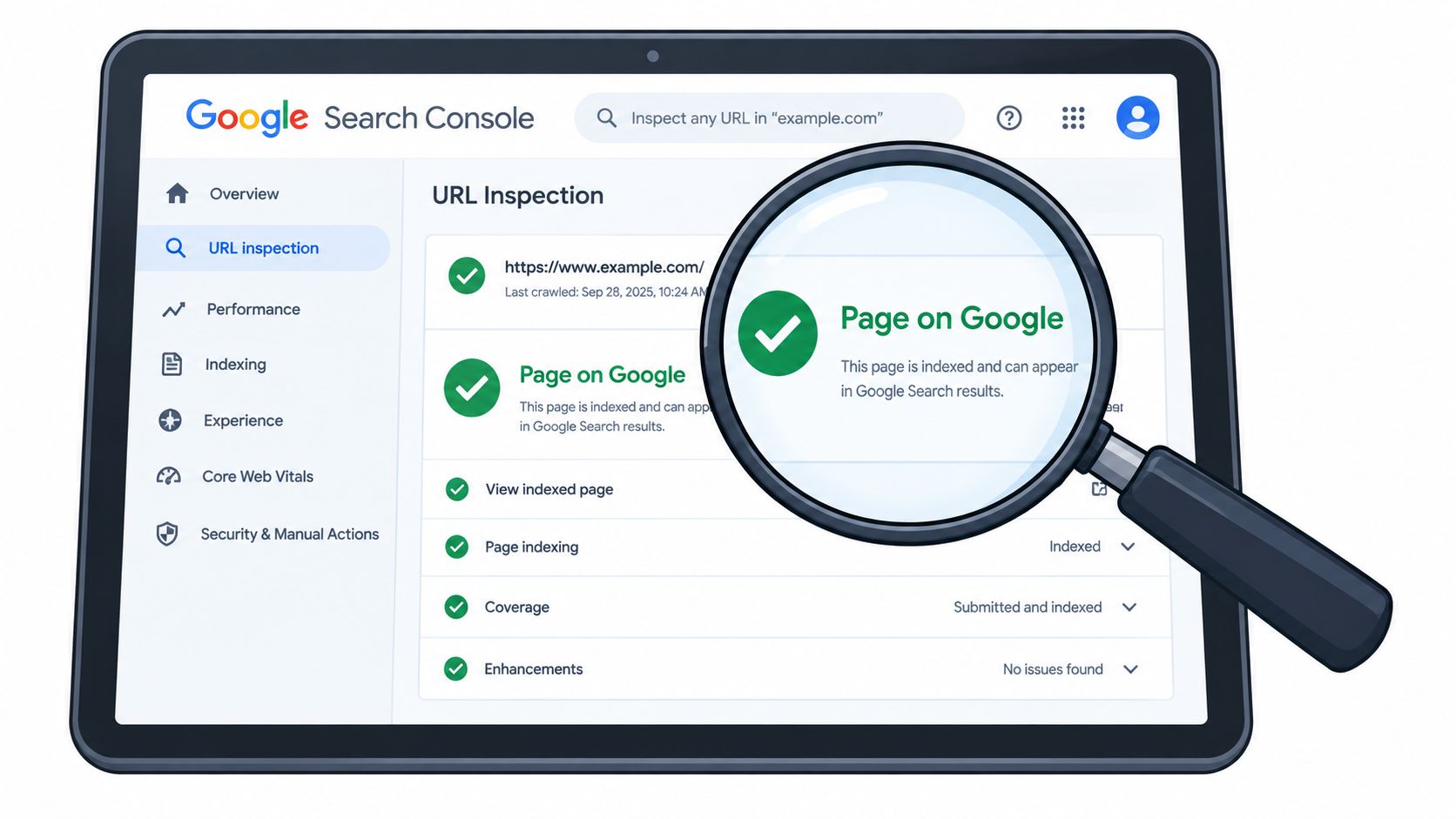
Read the result as a sequence
A robots.txt block must be resolved before Google can process a page-level noindex. If the URL is accessible but remains indexable, inspect the HTML source and response headers. The directive may be missing, malformed, limited to particular user agents, or absent from the response Google received.
If the live test shows the correct tag while the indexed report shows the previous state, request indexing and allow Google to recrawl the URL. Search Console can reflect deployment changes with a delay, so compare the live inspection with the indexed information instead of relying on one status label.
Use the Google Search Console resource library for related inspection workflows, then apply a site crawler to find recurring template conflicts. Search Console verifies representative URLs from Google's perspective; a crawler shows whether the same implementation problem affects larger URL groups.
Verification matters: A source-code check confirms that your server sent a directive. URL Inspection helps establish whether Google could access and process it.
Inspect the robots.txt file itself as part of the diagnosis. Search Console's robots.txt reporting tools provide recent fetch history and access to earlier file versions. That record can explain why a rule that looks correct now did not govern Google's previous request. Compare the reported fetch with the deployment time, then retest the exact affected URL after the file and page response agree.
Key Takeaways and Best Practices
The central rule is simple: robots.txt controls crawling, while noindex controls indexing. A blocked URL can still be discovered and indexed, and Google can't read a noindex instruction on a page it isn't allowed to crawl.
Use this checklist before changing directives:
- Define the outcome: Decide whether you need search exclusion, crawl management, or genuine access restriction.
- Keep removal pages crawlable: Remove conflicting robots.txt blocks when Google needs to read a noindex directive.
- Choose the right format: Use a meta tag for HTML and an
X-Robots-Tagheader for non-HTML resources. - Protect private content properly: Use authentication or server controls for staging, internal, or sensitive material.
- Inspect the exact URL: Check the live response, canonical version, headers, source, and Search Console status.
- Review at scale: Look for template-level conflicts across filtered URLs, internal search pages, and utility paths.
- Use robots.txt intentionally: Reserve it for crawler access and operational control, not as a permanent deindexing command.
The old robots.txt noindex approach is no longer a reliable Google workflow. A clean implementation gives Google access to the page, places the indexing instruction where Google can read it, and verifies the result through Search Console.
Digital Skyrocket plans, builds, and optimizes lead-generating websites for service businesses, combining technical SEO, local SEO, answer engine optimization, and conversion-focused improvements. Visit Digital Skyrocket to discuss a technical audit or website project that connects search visibility with qualified inquiries.