A law firm can have strong practice pages, a roofer can have solid city pages, and an HVAC company can offer exactly what people need. Yet the pages that should bring in calls often sit behind technical problems no one notices until leads flatten out. Important URLs get blocked in robots.txt, service pages load poorly on mobile, duplicate versions split authority, or Google doesn't keep the right pages indexed.
That's why a useful technical SEO audit checklist doesn't start with whatever tool warning looks loudest. It starts with business impact. For lead-generating service businesses, the first question is simple. Which pages should produce consultations, estimate requests, or phone calls, and what's stopping those pages from being found, crawled, indexed, rendered, and trusted?
The workflow below follows that order. Each check includes a severity level, a practical test, an implementation detail, and a service-business example. The point isn't to collect warnings. It's to remove visibility blockers first, then improve performance, search presentation, and the path from search visit to inquiry. Google's own documentation made that shift more concrete when page experience became a ranking signal and Core Web Vitals entered mainstream SEO evaluation in 2021, with thresholds for LCP, FID, and CLS published in its page experience guidance (Google Search Central page experience details).
One ground rule matters throughout. If you cite outside material in your own process docs or client notes, link to relevant educational blog content, not competitors' conversion-focused pages.
Table of Contents
- 1. XML Sitemap Validation and Optimization
- 2. Mobile Responsiveness and Core Web Vitals
- 3. Robots.txt and Crawl Directives Audit
- 4. Internal Linking Structure and Anchor Text Analysis
- 5. HTTPS Implementation and SSL Certificate Validation
- 6. Meta Tags Optimization Title Tags and Meta Descriptions
- 7. Canonical Tags, Redirects, and URL Structure Consistency
- 8. Page Load Speed and Server Performance Optimization
- 9. Structured Data Markup and Schema.org Implementation
- 10. Crawlability and Indexation Status Verification
- Technical SEO Audit: 10-Point Comparison
- Turn Findings Into a Fix-First Roadmap
1. XML Sitemap Validation and Optimization
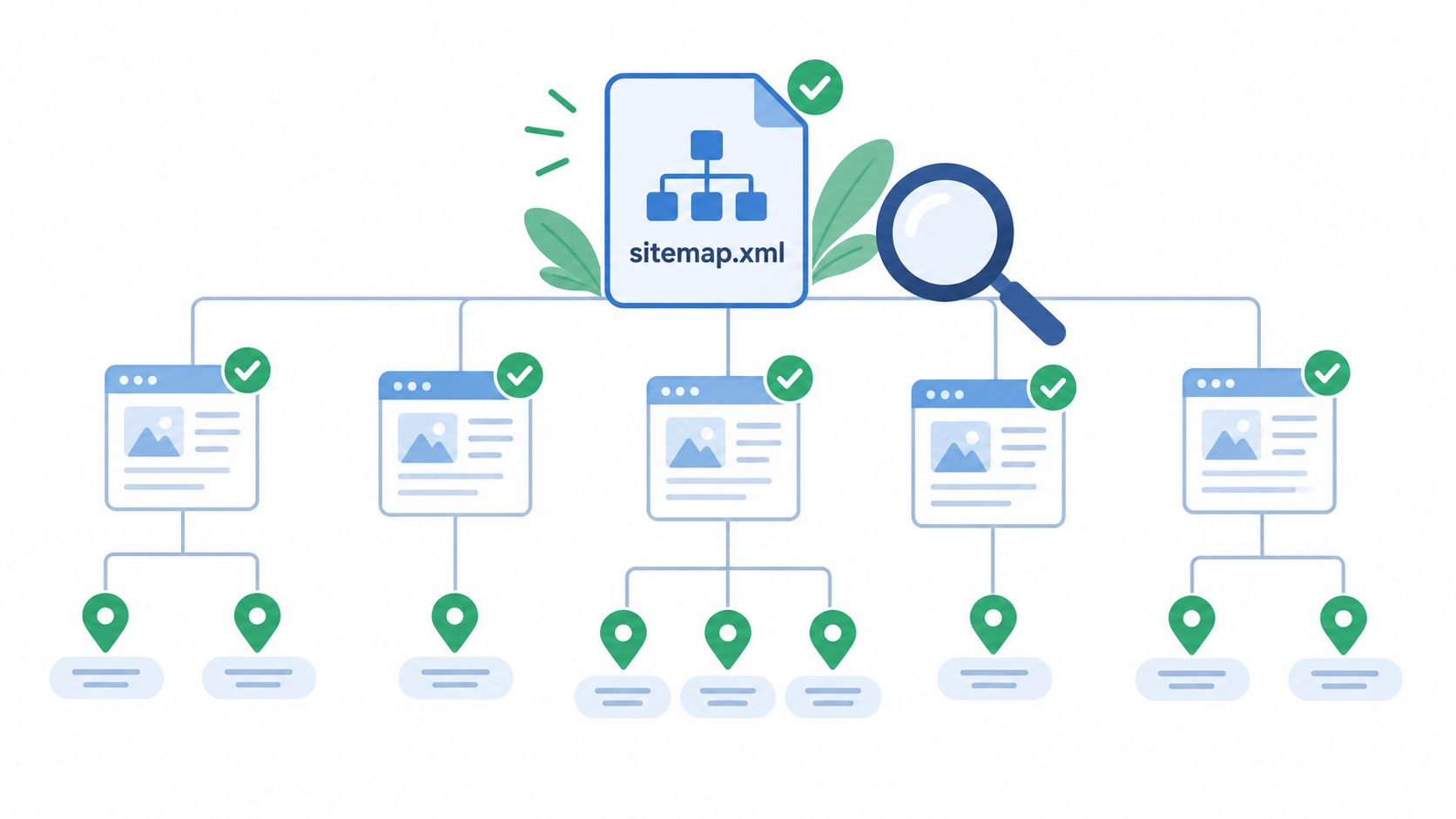
For many service businesses, the sitemap is where technical order starts showing up. If a multi-location firm launches new city pages but leaves them out of the sitemap, discovery slows down and troubleshooting gets messy fast.
Severity: High when key service or location pages are missing. Medium when the sitemap exists but includes junk URLs.
Test: Open the sitemap manually, crawl it in Screaming Frog, and compare it against indexable URLs and internal links.
What to check first
XML sitemaps should stay under 50 MB uncompressed and no more than 50,000 URLs per file. Larger sites should split them into a sitemap index with child sitemaps by section, such as services, locations, posts, or products, according to this XML sitemap audit guidance.
For a Texas roofing company with 15 service area pages, that usually means a clean sitemap index with one file for locations and another for blog content. For a personal injury firm, separate practice-area and attorney-profile sitemaps can make validation simpler and help isolate indexing problems faster.
- Validate only canonical URLs: Remove redirected, noindexed, duplicate-parameter, and 404 URLs.
- Check reachability: The sitemap should return HTTP 200 and be referenced in robots.txt.
- Review
lastmod: Only update it when content changes.
If you want a reference point for structure, this sample sitemap for a website is useful for comparing how a clean sitemap should be organized.
Practical rule: If a page matters enough to rank, it should usually be in the sitemap, internally linked, canonicalized to itself, and eligible for indexation. Missing one of those signals creates avoidable ambiguity.
2. Mobile Responsiveness and Core Web Vitals
A lot of service businesses still review page speed on desktop, then wonder why mobile leads lag. That's backwards. Mobile is where layout instability, delayed interactions, and oversized hero sections usually show up first.
Severity: Critical when lead pages fail badly on mobile. High when issues are template-wide.
Test: Use PageSpeed Insights for diagnostics, then confirm field performance in Search Console's Core Web Vitals report.
Use field data, not wishful thinking
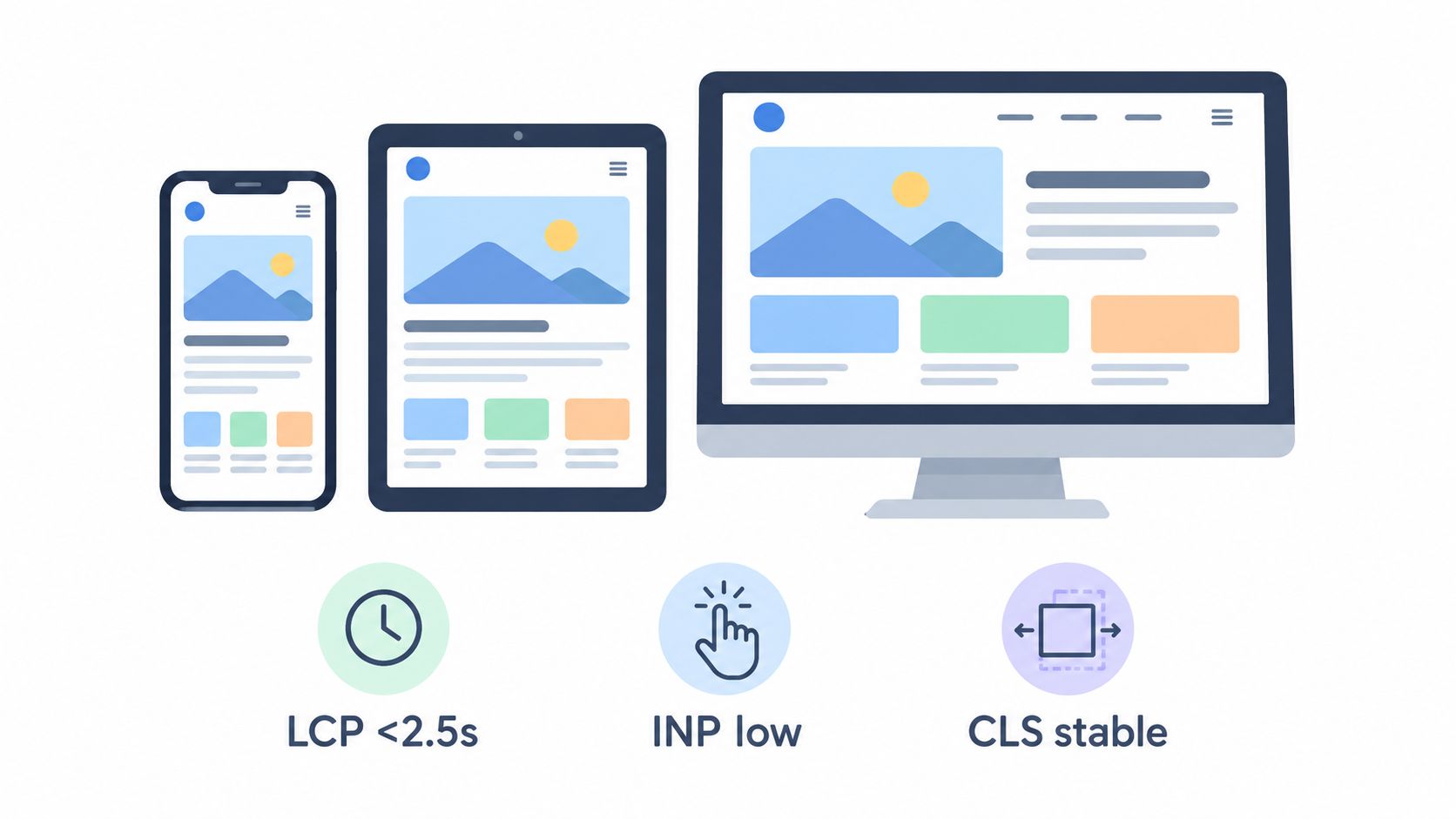
Search Console's Core Web Vitals report is the benchmark I trust most for audit decisions because it uses real user data from the Chrome User Experience Report and aggregates it over a 28-day rolling window, which Google documents in its Core Web Vitals report help page. The current thresholds there are LCP at 2.5 seconds or less, INP at 200 milliseconds or less, and CLS at 0.1 or less.
That matters for a law firm or contractor site because a page can look fixed in a lab test while Search Console still shows poor URL groups. An HVAC homepage might pass a fresh Lighthouse run after image compression, but if real mobile users are still dealing with a heavy booking widget and shifting review badges, the field data won't improve immediately.
- Fix LCP first: Compress hero images, preload the main above-the-fold asset, and cut render-blocking CSS.
- Fix INP next: Delay non-essential JavaScript, especially chat tools and slider scripts.
- Fix CLS early on forms: Reserve space for badges, sticky bars, and embedded calendars.
A roofing company's emergency repair page often suffers from giant before-and-after galleries. A dental practice might have forms that jump as insurance widgets load. A personal injury firm may have oversized video headers that slow down the first meaningful paint on mobile. Different symptoms, same diagnosis path.
3. Robots.txt and Crawl Directives Audit
Small mistakes cause outsized damage. A site can look fine in the browser and still tell crawlers to stay away from the pages that matter.
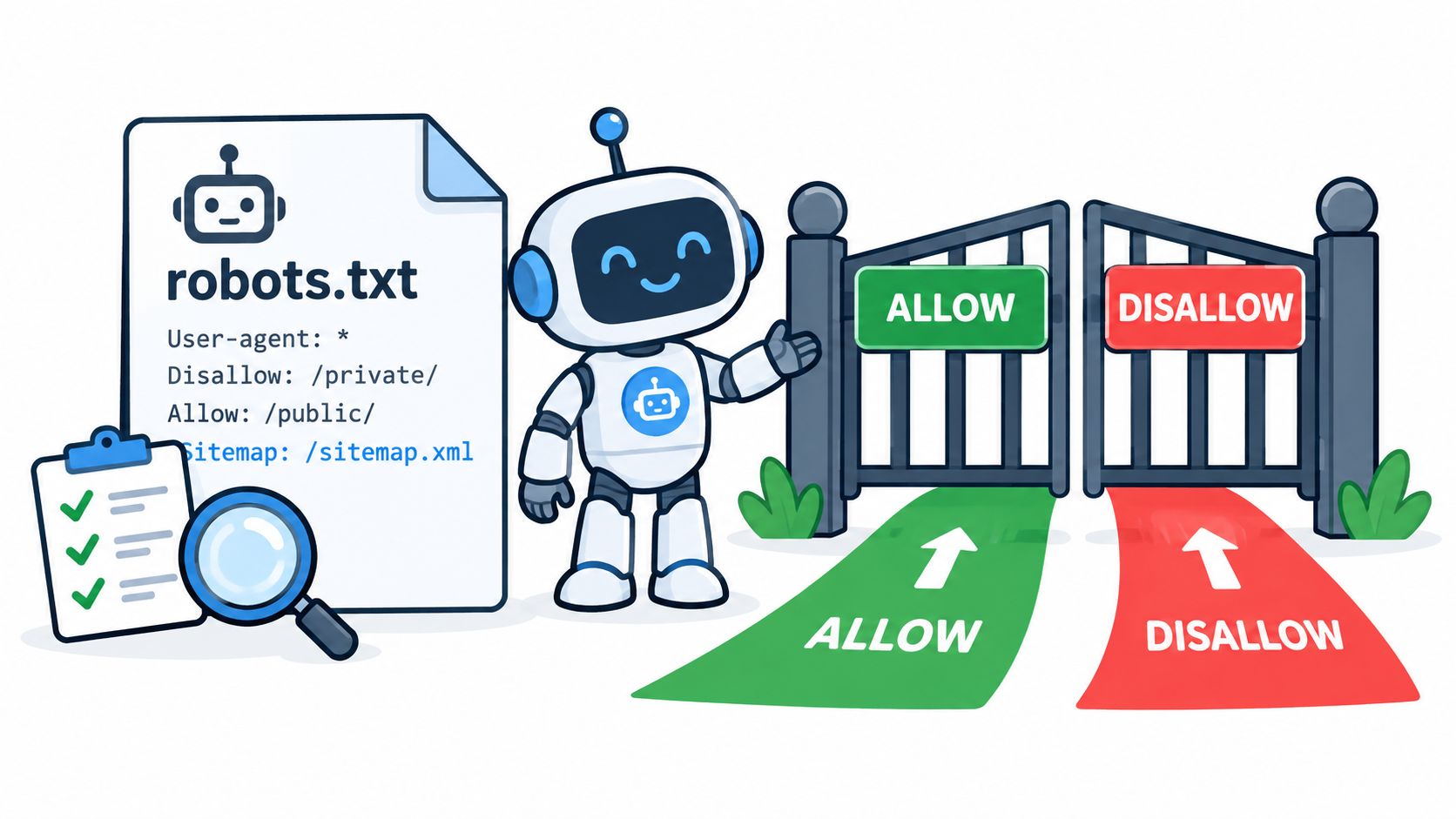
Severity: Critical when revenue pages are blocked or production still carries a staging block.
Test: Review the live robots.txt file, inspect page-level meta robots tags, and check X-Robots-Tag headers.
Robots.txt and indexation directives aren't interchangeable. A page can be crawl-blocked in robots.txt, or it can be crawlable but excluded by noindex. A strong audit checks both separately, which is exactly the distinction outlined in this robots.txt and indexation audit article.
Common failure points on service sites
A multi-location HVAC company might need to block duplicate faceted URLs or internal search paths while keeping all service and city pages accessible. A law firm should usually allow crawl access to attorney bios, FAQs, and practice pages, while keeping admin areas and client portals out of the crawl path. A dental office may want scheduling software excluded from indexation without blocking core treatment pages.
Here's what I look for immediately:
- Accidental global blocks:
Disallow: /left over from staging. - Blocked resources: CSS, JavaScript, or image files needed for rendering.
- Missing sitemap line: Include the sitemap location in robots.txt.
- Conflicting directives: A page that's blocked in robots.txt and also marked
noindexusually signals confusion in implementation.
A robots.txt file should be small, deliberate, and easy to explain. If no one on the team can explain why a disallow rule exists, it needs review.
4. Internal Linking Structure and Anchor Text Analysis
Internal links aren't just a navigation detail. They help search engines discover pages, understand hierarchy, and infer which pages deserve attention. On service sites, they also decide whether your best content supports your highest-converting pages or just sits there.
Severity: High when important pages are orphaned or buried deep. Medium when anchors are vague or links point through redirects.
Test: Crawl the site, export inlinks, review orphan candidates, and manually inspect high-authority pages.
One practical architecture target from technical audit guidance is to keep critical landing pages within 3 to 4 clicks from the homepage, as noted in this crawl-depth and URL discovery playbook. That's a useful benchmark for law firms with many practice areas and for trade businesses with service-plus-city combinations.
What strong linking looks like
A roofing company should link from storm-damage blog posts to the relevant city repair page. A personal injury firm should connect closely related practice areas, such as auto accidents and truck accidents, where that helps users continue their search. An HVAC contractor should link heating repair pages to maintenance plans and seasonal tune-up content when intent overlaps.
A clean audit usually uncovers these fixes:
- Replace generic anchors: “Learn more” rarely helps as much as descriptive service-based anchors.
- Link from authority pages: Homepages, top-ranking guides, and high-traffic location pages should support revenue URLs.
- Add breadcrumbs: They help both users and crawlers understand the site structure.
- Update redirecting internal links: Point directly to the final destination.
For implementation ideas, these internal linking best practices are a solid reference for service-site architecture.
5. HTTPS Implementation and SSL Certificate Validation
Visitors may not know the technical details of TLS, but they notice browser warnings, mixed content errors, and forms that feel unsafe. For firms handling sensitive inquiries, that trust signal matters.
Severity: Critical when forms or key pages are not secure. High when mixed content or protocol duplication persists.
Test: Check certificate validity, inspect browser warnings, and confirm HTTP redirects to HTTPS.
A personal injury law firm should never send consultation form traffic through unsecured versions of important pages. An HVAC company often inherits mixed content from old image embeds in blog posts. Dental sites sometimes migrate to HTTPS but leave internal references or canonical tags inconsistent.
Security issues that also affect SEO
- Certificate health: Set auto-renewal and monitor expiration dates.
- Protocol consistency: Redirect all HTTP versions to HTTPS with server-level 301s.
- Mixed content cleanup: Update hardcoded asset URLs in content, themes, and plugins.
- HSTS deployment: If your environment is stable, add
Strict-Transport-Security: max-age=31536000.
Independent audit guidance also recommends alerting on SSL expiry and slow server response times above 3 seconds TTFB as part of recurring monitoring, along with re-crawl verification after changes, in this technical SEO audit checklist from Moz.
For background on secure transport standards, TLS encryption resources are worth reviewing when your development team is tightening implementation details.
6. Meta Tags Optimization Title Tags and Meta Descriptions
Title tags and meta descriptions don't fix indexing problems, but once core technical blockers are under control, they directly influence how service pages present in search. That affects clicks, and clicks shape whether qualified visitors ever reach your forms or phone number.
Severity: Medium when pages are indexed but underperforming. High when titles are duplicated across major service or location pages.
Test: Export all titles and descriptions, sort duplicates, and compare against target intent page by page.
A personal injury firm might use a title like “Car Accident Lawyer in Austin, TX | Free Consultation” on the main city page, while a roofing company may need “Roof Repair & Replacement in Dallas | Licensed Roofers” for a local service page. A dental office usually benefits from location and service clarity, especially on treatment pages and new-patient pages.
What usually needs fixing
The problem usually isn't that tags are missing. It's that they're too generic, repeated across templates, or written without local intent. Service businesses often let CMS defaults push the same brand-led wording across pages that should compete for different searches.
- Make titles unique: Distinguish city, service, and intent.
- Match the page: Don't promise emergency service if the page doesn't support it.
- Use location modifiers naturally: City, region, or state can help on local pages.
- Watch rewrites: Search Console can help you spot pages where Google prefers alternate title text.
A law firm with nearly identical city pages should tighten titles first on the locations that matter most for intake. A contractor with many similar service pages should write the title around actual user intent, not just repeat the business name.
7. Canonical Tags, Redirects, and URL Structure Consistency
Duplicate URLs waste time, split signals, and create reporting confusion. The pages may look identical to a visitor, but search engines still need one preferred version.
Severity: Critical when duplicate service pages compete with each other or canonicals point incorrectly. High when redirect chains affect primary landing pages.
Test: Crawl canonicals, review redirect paths, and inspect representative URLs in Search Console.
Google Search Console's URL Inspection tool is especially useful here because it shows the index's view of a page, including canonical selection, rendered HTML, and crawl or render issues, while the Page indexing report helps monitor indexed versus crawled states across the site in the last 90 days, according to Google's Search Console indexing documentation.
What to correct
A multi-location HVAC company may have both trailing-slash and non-trailing-slash versions of the same service URL. A law firm may keep near-duplicate practice pages after a redesign. A dental site may still have old service slugs that should redirect cleanly to renamed treatment pages.
The preferred default is self-referential canonicals unless pages are intentionally consolidated, as noted earlier in the robots and canonical guidance. In practice, I'd check these in order:
- Self-canonicalize unique pages: Every indexable service, city, and attorney page should usually point to itself.
- Use direct 301s: Remove chains and loops.
- Standardize one URL pattern: HTTPS, preferred host, slash style, and lowercase structure.
- Update internal links after redirects: Don't let navigation depend on redirect hops.
If a page is meant to rank on its own, don't canonicalize it away just because the copy feels similar. Consolidate only when the business intent is truly the same.
8. Page Load Speed and Server Performance Optimization
Not every speed issue is a Core Web Vitals issue, and not every Core Web Vitals issue starts in the browser. Sometimes the host is slow, caching is weak, or the page template drags in too many third-party assets before users see the main content.
Severity: High when speed problems affect main service templates. Medium when issues are isolated to blogs or secondary pages.
Test: Compare server response behavior, waterfall data, and asset weight across the homepage, top service pages, and top location pages.
Core Web Vitals give hard thresholds, and one source summarizing Google's published benchmarks notes that values are judged at the 75th percentile, with “Good” thresholds at LCP at or below 2.5 seconds, INP at or below 200 milliseconds, and CLS at or below 0.1, while poor values include LCP above 4,000 ms and CLS above 0.25 in PageSpeed classifications. That's laid out in this Core Web Vitals report explainer by Patrick Stox.
Practical fixes that tend to matter
For service businesses, the biggest offenders are usually large hero images, slider scripts, review widgets, map embeds, and chat tools loading too early. A personal injury firm may load multiple tracking and intake tools before the page is usable. An HVAC site may serve uncompressed images across city pages that all share the same heavy banner.
- Compress and resize assets: Especially hero images and team photos.
- Use caching and compression: Server-level GZIP or Brotli, plus sensible browser caching.
- Delay non-critical scripts: Chat, heatmaps, and non-essential analytics can wait.
- Review hosting and CDN setup: Slow origin response can undermine every template.
If speed work is on your list, these website speed optimization services explain the kinds of implementation details that usually have the biggest effect on service sites.
9. Structured Data Markup and Schema.org Implementation
Structured data helps search engines understand who the business is, what each page represents, and how key entities relate. For service businesses, that usually means business information, services, people, reviews, and page hierarchy.
Severity: Medium when markup is missing on important templates. High when structured data is invalid or conflicts with visible content.
Test: Validate live pages in Google's Rich Results Test and compare the markup against on-page content.
Where schema helps service businesses most
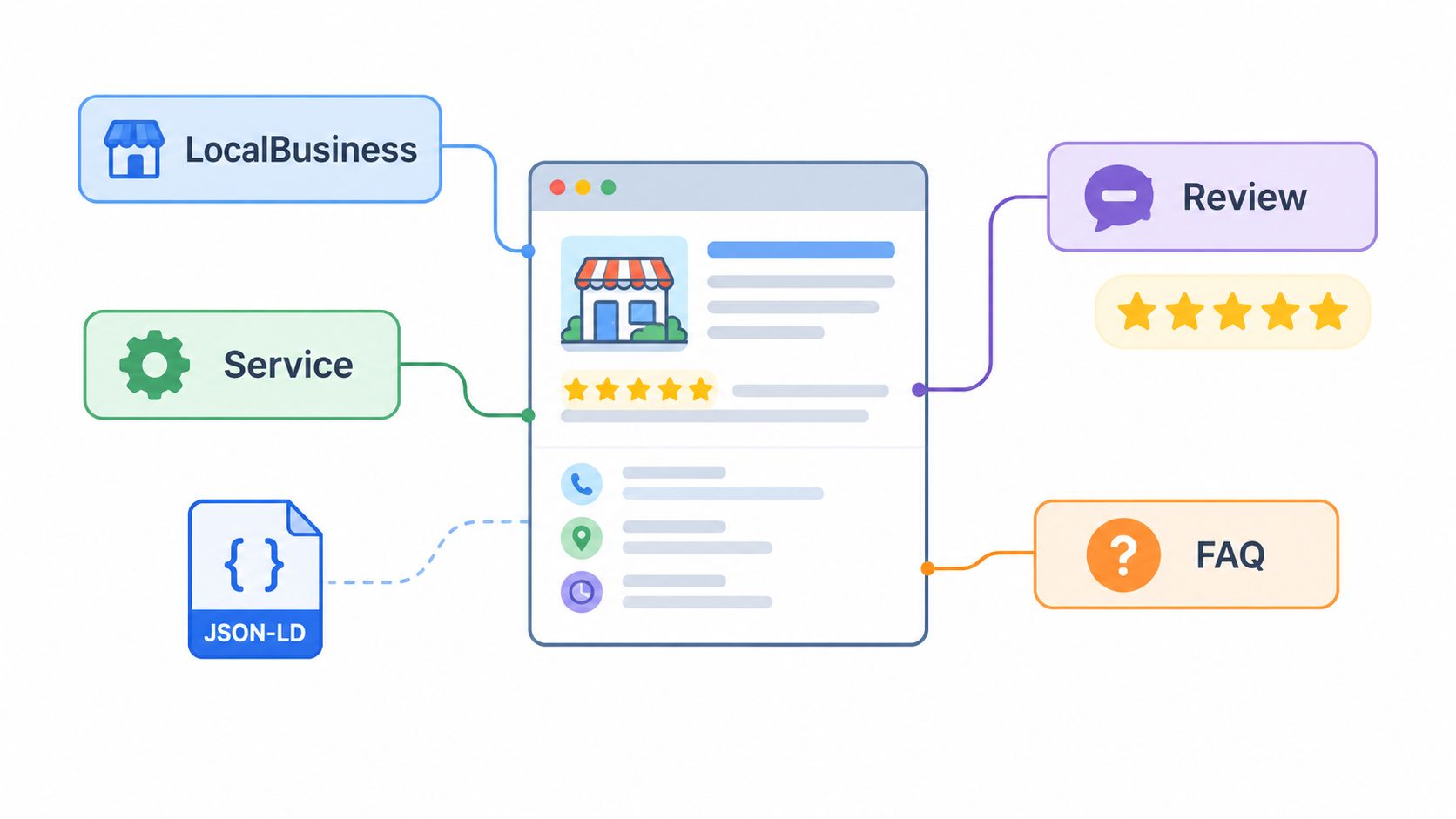
A personal injury law firm may use attorney-related person markup on lawyer profile pages and business markup on office pages. A dental practice should clearly mark up office details, hours, and contact information. A roofing company can add service-level context to pages covering repair, replacement, or inspections.
The most useful implementation pattern is usually JSON-LD because it's easier to maintain cleanly than inline markup. The important part isn't adding every possible type. It's making sure the schema matches the page and stays consistent across templates.
- Start with LocalBusiness details: Name, address, phone, hours, and relevant office data.
- Use Service where appropriate: Especially on dedicated service pages.
- Add BreadcrumbList if breadcrumbs exist: It reinforces page hierarchy.
- Monitor Search Console warnings: They often catch template errors early.
Another reason this matters now is that technical SEO is expanding beyond classic indexing into machine-readable reuse. Recent industry coverage has started treating AI readiness, crawler access decisions, schema coverage, and entity clarity as part of the audit itself, as discussed in this AI-readiness technical SEO checklist article.
10. Crawlability and Indexation Status Verification
This is the check that keeps the rest of the audit honest. A page can have clean metadata, strong schema, and polished design, but if it isn't crawlable and indexed, none of that produces search visibility.
Severity: Critical when revenue pages are deindexed, blocked, or rendering incorrectly.
Test: Review Search Console coverage, inspect priority URLs one by one, compare raw versus rendered HTML, and confirm crawl access in logs or crawler output.
A personal injury firm may discover its blog was accidentally noindexed after a plugin change. An HVAC company may find JavaScript-driven content missing from rendered output. A roofing business may learn that a security setting or firewall rule has started interfering with crawler access.
Work in search-engine order
A useful audit sequence follows access, crawlability, indexation, rendering, performance, meaning, and risk controls. That order matters because there's no value in perfecting schema or mobile polish before you confirm robots rules, canonicals, redirects, and HTML or JavaScript discoverability. That workflow is emphasized in this sequenced technical SEO audit overview.
You should also treat measurement and verification as part of the checklist, not an afterthought. Baseline key metrics before changes, re-crawl affected routes after deployment, and keep before-and-after evidence so the team can prove what changed. That practice is reflected in the broader audit guidance noted earlier.
Fixes aren't complete when the developer deploys them. They're complete when Search Console, crawlers, and live pages all confirm the intended result.
Technical SEO Audit: 10-Point Comparison
| Item | 🔄 Implementation Complexity | ⚡ Resource Requirements | 📊 Expected Outcomes | 💡 Ideal Use Cases | ⭐ Key Advantages |
|---|---|---|---|---|---|
| XML Sitemap Validation and Optimization | 🔄 Low–Medium: create/validate and maintain periodically | ⚡ Low: sitemap tools, occasional dev time | 📊 Better discovery & crawl efficiency; faster indexing signals | 💡 Multi-location or service-heavy sites to surface location/service pages | ⭐ Improves page discovery, hierarchy clarity, crawl efficiency |
| Mobile Responsiveness and Core Web Vitals | 🔄 Medium–High: design + continuous performance work | ⚡ Medium–High: dev resources, testing devices, performance tools | 📊 Improved rankings, lower bounce, higher conversions on mobile | 💡 Businesses with high mobile search intent (emergency services, local searches) | ⭐ Direct page-experience ranking impact and better UX |
| Robots.txt and Crawl Directives Audit | 🔄 Low: edit single file but requires careful rules | ⚡ Low: basic tooling and testing (GSC Robots tester) | 📊 Reduced crawl budget waste; prevents accidental blocking | 💡 Large sites, multisite setups, or sites with admin/duplicate areas | ⭐ Simple to implement; protects sensitive sections and prioritizes crawlers |
| Internal Linking Structure and Anchor Text Analysis | 🔄 Medium: site-wide content coordination and audits | ⚡ Low–Medium: content editors + auditing tools (Screaming Frog) | 📊 Better authority distribution; improved topical relevance and conversions | 💡 Content-rich sites and multi-service/location sites | ⭐ Cost-effective way to guide crawlers and users toward conversion pages |
| HTTPS Implementation and SSL Certificate Validation | 🔄 Low–Medium: certificate install, redirects, HSTS config | ⚡ Low–Medium: cert provider, server access, monitoring | 📊 Increased trust and a small ranking boost; secure form submissions | 💡 Any site with lead forms, user data, or legal/compliance needs | ⭐ Security + SEO signal; enables modern protocols (HTTP/2/3) |
| Meta Tags Optimization (Title Tags & Meta Descriptions) | 🔄 Low: content edits across pages; scalable effort | ⚡ Low: content team or SEO tool updates | 📊 Higher CTR from SERPs; clearer user expectations | 💡 Local service businesses aiming to increase organic leads | ⭐ High impact for low cost; direct CTR improvements |
| Canonical Tags, Redirects & URL Structure Consistency | 🔄 Medium–High: technical rules, redirect mapping, audits | ⚡ Medium: developer time, server/config access, crawling tools | 📊 Consolidated ranking signals; fewer duplicate-index issues | 💡 Site migrations, multi-version URLs, pagination-heavy sites | ⭐ Preserves authority, avoids redirect chains, improves crawl efficiency |
| Page Load Speed & Server Performance Optimization | 🔄 Medium–High: front-end & server optimizations | ⚡ Medium–High: CDN, dev work, monitoring tools | 📊 Faster loads → better rankings, engagement, and conversions | 💡 High-traffic sites and mobile-first user bases | ⭐ Directly improves UX, conversions, and search performance |
| Structured Data Markup & Schema.org Implementation | 🔄 Medium: implement JSON-LD per content type | ⚡ Medium: developer time or plugins, testing with Rich Results Test | 📊 Potential rich snippets, improved SERP visibility and CTR | 💡 Local businesses, review-heavy sites, service pages | ⭐ Enables enhanced search features (reviews, FAQs, knowledge panel) |
| Crawlability & Indexation Status Verification | 🔄 Medium: audits, logs, JS rendering checks | ⚡ Low–Medium: GSC, log analysis, crawling tools, dev fixes | 📊 Ensures pages are indexable; resolves blockers that prevent visibility | 💡 Post-migration sites, JS-driven sites, or when visibility drops | ⭐ Foundational: fixes that allow all other SEO efforts to work |
Turn Findings Into a Fix-First Roadmap
A good technical SEO audit checklist should end with decisions, not just notes. The simplest way to make it actionable is to sort findings into four buckets: critical, high, medium, and maintenance. Critical issues are the ones that block or remove revenue pages from search, such as accidental noindex tags, crawl blocks, broken canonicals, or major rendering failures on core service and location templates.
High-priority work usually comes next. That includes redirect cleanup, URL consistency, mobile performance problems on pages that generate calls, and server or asset issues that keep important templates from loading well. Structured data often sits in this tier too when the markup is missing or incorrect on main business pages. Medium-priority items usually include metadata refinement, anchor text improvements, and template cleanups that improve presentation but don't decide whether a page can rank at all.
I'd document every issue in one working sheet with the URL or template, the issue, the evidence, the severity, the owner, the proposed fix, and the verification date. That prevents the usual handoff problem where SEO flags something, development changes something adjacent, and no one confirms whether the original issue is resolved. It also helps when you're managing a law firm site with multiple practice-area templates or a contractor site with many city pages sharing one codebase.
After deployment, check the same places that surfaced the problem in the first place. Review Search Console for coverage and URL inspection updates. Watch rankings and landing-page visibility. Then connect that back to business outcomes by reviewing organic traffic, calls, form submissions, and emails from the affected pages. The point of technical cleanup on a service-business site isn't cleaner reporting. It's more qualified inquiries from pages that were underperforming for fixable reasons.
For businesses that need help across technical SEO, local SEO, WordPress implementation, and conversion-focused website improvements, Digital Skyrocket is one relevant option. That's especially true for firms and service companies that want the audit tied to implementation and lead generation rather than treated as a standalone report. Keeping external educational references pointed to blog content, rather than competitors' sales pages, also makes the process cleaner for internal documentation and client communication.
Digital Skyrocket plans, builds, and optimizes lead-generating websites for law firms, dentists, roofers, HVAC companies, and other service businesses, with technical SEO and conversion improvements tied directly to visibility and inquiries. If you want help turning audit findings into fixes on a WordPress site or local service site, visit Digital Skyrocket to see how its web design, local SEO, and ongoing optimization work fits this process.