A storm rolls through Tyler after dark, and a homeowner searches “roof repair near me” on a phone. The first website looks polished, but the opening screen doesn't say whether the company handles storm damage, serves the homeowner's neighborhood, or answers calls after hours. The homeowner backs out and tries another result.
Now consider a site that immediately names the service, the area it covers, a reason to trust the crew, and one clear way to call. That's the difference between a handsome brochure and a useful nearby inquiry path. A dentist's page about kids' cleanings and dental exams, for example, can help a parent understand what to book and what to expect before calling.
If you confuse, you lose.
Website design for local businesses is the arrangement of pages, proof, speed, and calls to action that helps a nearby searcher become a call, form submission, or booking. For owners and marketing directors at small and mid-size service firms across the U.S., the job is practical: help a phone searcher understand the offer, trust the business, and act before leaving, whether they arrive from Google or an answer engine. That matters in East Texas and DFW markets, including the cities served by Digital Skyrocket's locations.
The work ahead follows the searcher's path: which pages to build, how mobile paths turn visits into calls, how local SEO and answer engines find a business, how forms and trust capture an inquiry, and how to choose a partner and launch. Before discussing agencies, score your current site against the page map below.
Table of Contents
- The Pages a Local Service Site Needs
- Mobile Paths That Turn Visits into Calls
- Local SEO and Answer Engine Basics
- Forms Calls and Trust at the Moment of Inquiry
- How Trades Firms and Practices Apply the Standard
- Choose a Partner and Launch Ready to Take Calls
The Pages a Local Service Site Needs
Start with the menu. A local service site works like a well-run front desk: each page has a specific job, and visitors shouldn't have to guess where to go.
| Page | Job | Must include |
|---|---|---|
| Home | Orient a nearby searcher and offer one next step | Service, area served, proof, primary call to action |
| Service page | Match one service search | Problem, process, fit, proof, next step |
| Location page | Prove service in a specific city | Unique local copy, name, address, phone, hours, map |
| Trust page | Lower risk before contact | Licenses, team or process, reviews |
| Contact | Make the inquiry easy | Click-to-call, short form, hours, service area |
Home. Put the primary service and actual service area near the top, along with a proof point and one action. A visitor shouldn't have to open the menu to learn whether you install water heaters in Plano or handle dental emergencies in Tyler.
Service page. Give each important service its own page. Explain the customer's problem, how you handle it, who the service is for, and what to do next. Mention cities where you work, not a long string of place names added to catch searches.
Location page. A city page should prove that you serve that place. Include original local copy, the business's name, address, and phone, its hours, a map, and the services available there. Swapping a city name into identical pages doesn't give visitors useful local information. Businesses serving several cities need distinct pages with genuine differences. A business focused on one city can put its local proof on its service pages instead.
Trust page and contact. Use an About or trust page to introduce the team, explain the process, and show relevant licenses, insurance, and reviews. Contact should make the next step easy with a tap-to-call number, short form, hours, and service area.
Start with the buyer, not the template. Name who you want to reach, what they want, what worries them, and the one action you want them to take. Then gather your services, benefits, and real photos before design begins.
That's the content strategy behind a useful page map. At Digital Skyrocket, website design begins by learning who the target buyer is and what they want. The content strategy also accounts for the ideal client's needs, interests, language, fears, limitations, needed benefits, and the one action they should take on the site.
Mark the page types your current site lacks. That list is a more useful starting point for a redesign than choosing colors or a template.
Mobile Paths That Turn Visits into Calls
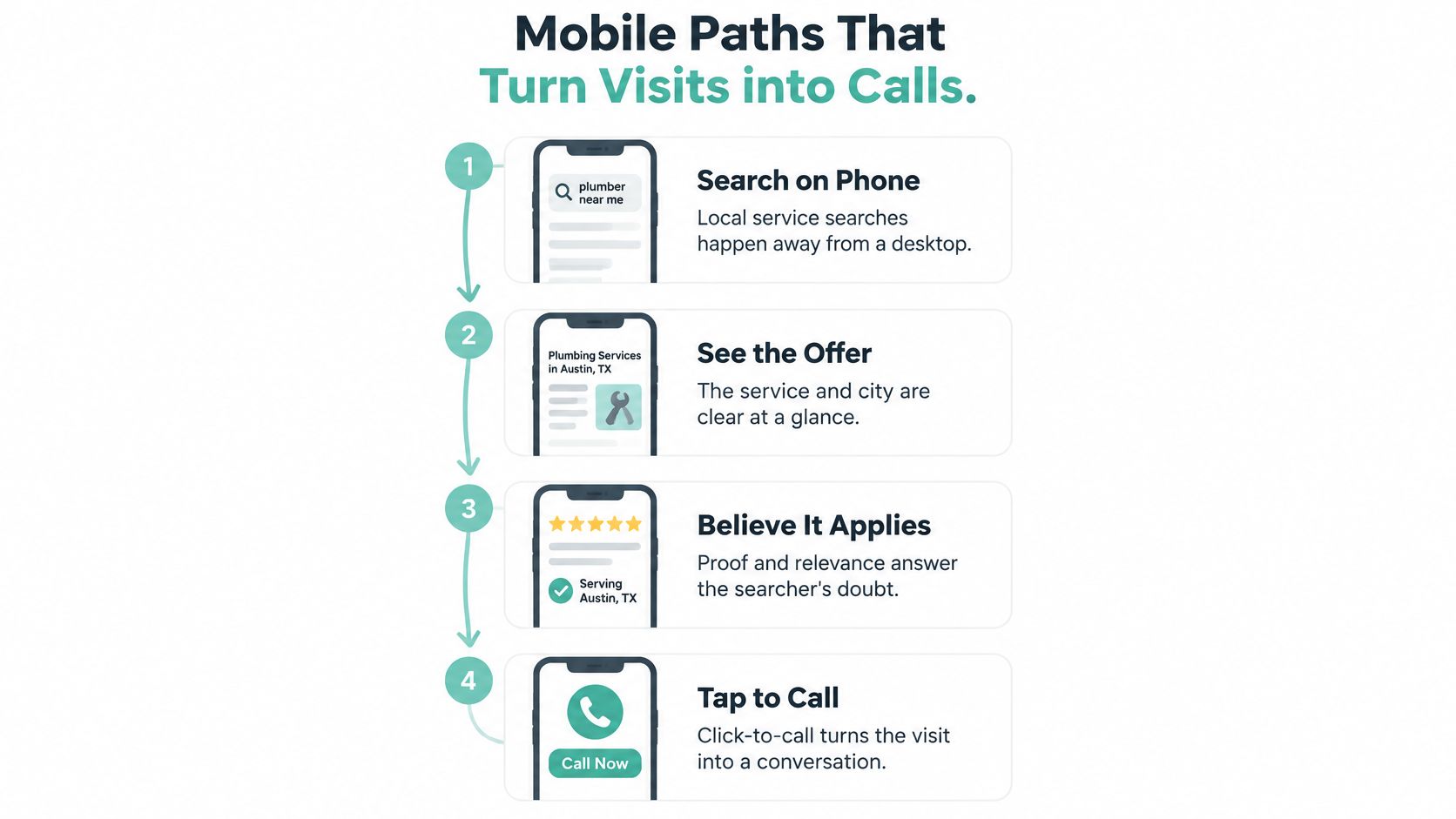
Treat the phone as the default desk for a local searcher. The visit should feel like a short hallway: a person sees the offer, recognizes that it applies nearby, and can act without hunting for a number or booking link.
The first phone screen needs to show the service, the city or region, one proof line, and a primary action. A click-to-call or booking button that stays visible while someone scrolls can keep that action within reach. Give buttons enough space for a thumb, use readable type, and make links easy to tap without zooming.
Keep the path focused
One main action is easier to understand than competing banners for chat, pop-ups, and several equally prominent buttons. A roofer might lead with “Call for storm damage help,” while a dentist might invite visitors to request an appointment. Secondary options can remain available without competing for the same attention.
Page speed matters because the call button is part of the path. Compress large hero photos, avoid autoplay video, and keep the opening view light enough to appear quickly. Test the page on a mid-range phone using cellular service, not just on a computer connected to office Wi-Fi.
Tablets and desktop screens are wider versions of the same path, not separate brochures. The order may adjust to fit the screen, but the offer and next step should stay clear. Accessibility also means the layout works across devices, the type is large enough to read, and the language is plain.
Choose the action for the job
An emergency HVAC or roofing page should make calling the obvious move. A dental practice or law firm taking scheduled consultations can lead with a short booking form, provided the phone number remains one tap away. On either page, don't bury the action under a slideshow or force visitors to decipher several competing prompts.
Run three checks today. Can someone find the offer in five seconds? Can they place a call without scrolling back up? Does the page feel ready on cellular?
Local SEO and Answer Engine Basics
Design and findability are one project. A page built to capture a call can't do its job if Google or an answer engine can't tell what service it describes or which local searcher it serves.
People often search for a job plus a place, or describe a problem and add “near me.” Give each important service and real city a page that states the service, location, intended customer, and way to inquire near the opening. Write that first explanation for a person who needs help, not for a list of search phrases.

Make each page easy to understand
Give each URL one clear topic. Use a descriptive page title, headings that reflect the visitor's question, and links from the home page to your main services and genuine service areas. Name image files so a person can identify what's in them, rather than leaving a string of camera-generated characters.
A location or contact page can support local confidence with consistent business name, address, phone, and hours, plus a map. City copy should explain something real about serving that location. Hidden city names, keyword stuffing, and doorway pages made by swapping place names don't help a visitor decide whether to contact you.
Answer engines also need direct, understandable content. Put a short answer to the service question near the top of the page, then explain the process and show proof. For example, a water-heater service page might first clarify whether the company repairs and replaces the equipment, then describe what happens during a visit and show a relevant review.
A page, its place context, and its proof work together to make the business understandable and credible. For a practical overview of improving those foundations, see how to improve local SEO. A local law office can also make its service area and legal focus clearer through useful context, such as Bryan Fagan's local legal insights.
Website content is only one part of local visibility. Accurate business citations and relevant links can support the wider effort, but the site itself still needs clear service pages and genuine place details. If you compete in a named city, look at place-specific examples such as web design in Tyler, TX and a web design agency in Longview, TX. Which of your most important services still lacks a page naming both the job and the city?
Forms Calls and Trust at the Moment of Inquiry
Being found isn't the same as being chosen. A page can attract a local visitor and still lose the inquiry if the ask is vague, long, or unrelated to the service they just read about.
Give each page one primary action, then repeat it near the proof as well as in the header. For a phone-first trade, make the number a working tap-to-call link and show the hours. Someone who arrives after closing should be able to tell whether to leave a message, request a callback, or use a form.
Ask for what you need to respond
A first-contact form usually needs the person's name, phone or email, service needed, and city. Every extra field asks the visitor to do more work before knowing whether a real person will respond. Details like photos, insurance information, and a long account of what happened can come later.
The exact form depends on the job. A multi-location company needs the city to route the inquiry to the right team. An emergency home-service business shouldn't require someone to create an account. A legal intake form may need a conflict note, and it shouldn't invite sensitive case facts into an open form.
Place reassurance beside the ask: a relevant review, a license line, or a short explanation of what happens next. Tell visitors plainly when to expect a reply, such as “We reply the same business day.” That gives the form a clear destination instead of leaving the impression that the message disappeared.
A practical contact page, such as Kingwood law firm contact details, can show how a business presents contact information alongside its local identity. Make sure the phone number works as a tap-to-call link. This guide to adding a phone number to your website covers that detail.
Track calls, form submissions, and thank-you page visits so you can see inquiries rather than just traffic. If your form has more than five fields, cut it back to the minimum needed to return the call.
How Trades Firms and Practices Apply the Standard
The same page design can look different across industries because the customer's situation changes. A person facing a leak, planning a dental visit, and considering a legal consultation doesn't need the same first step.
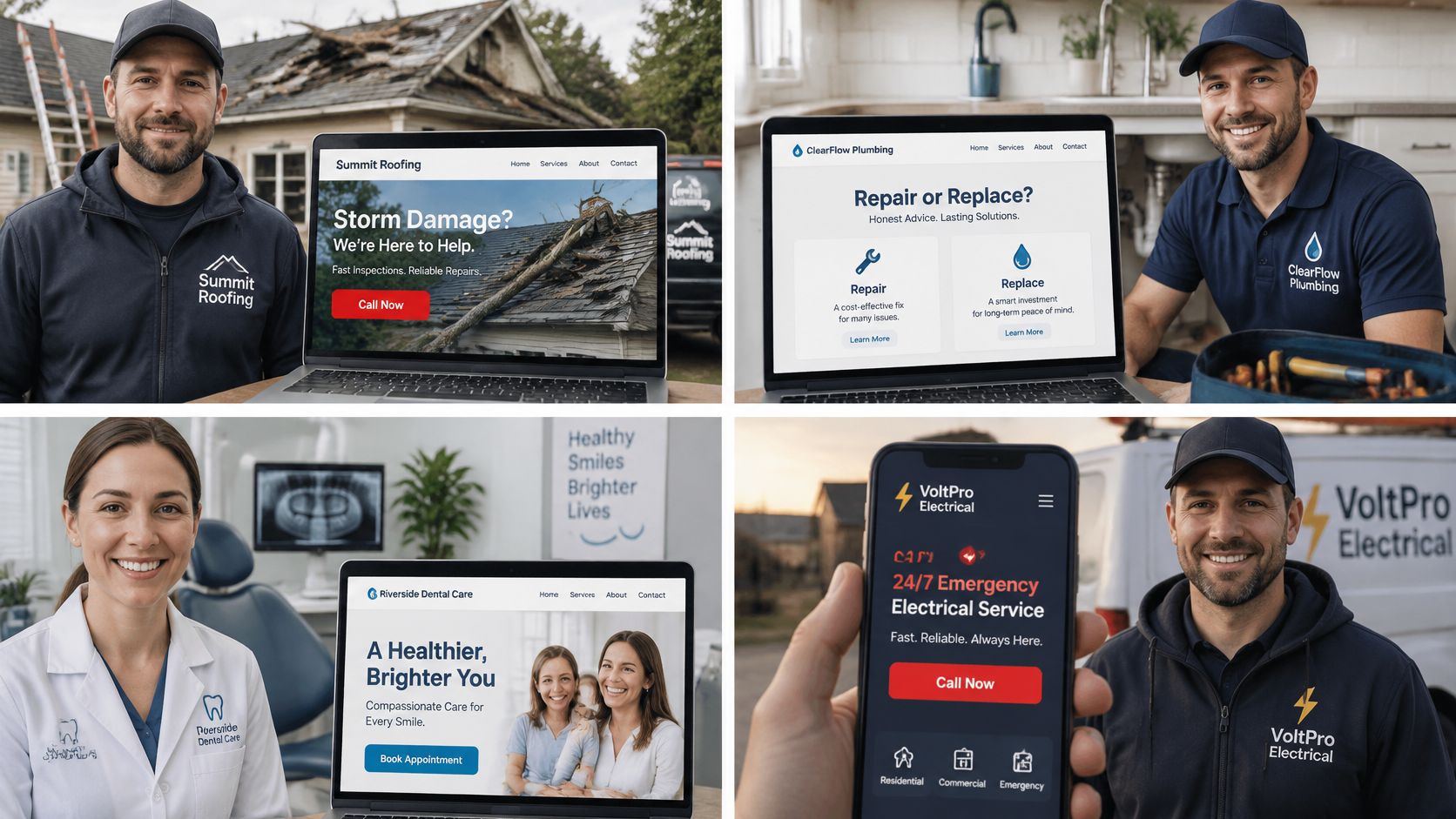
Four businesses, four paths
Roofing. After a storm, a homeowner needs to know whether the crew handles storm damage and serves their area. The opening should put that offer beside a click-to-call button. Separate repair and replacement pages can explain the work, while local job photos make the proof more relevant than stock roofs. Keep city pages for places the crews serve.
HVAC. A household with a broken system needs a repair path, not a maintenance-plan pitch. Give emergency repair its own service page and keep the phone action visible. For a tune-up, a short booking form with a city field can help send the request to the right dispatcher.
Dental. Someone considering a first visit wants to know what the practice offers and what the visit will feel like. Separate pages for treatments help answer those questions. A booking action can lead, with the team, insurance information, and a clear phone option supporting the decision.
Law. A person searching for a personal injury lawyer needs a plain answer to the legal question that brought them to the page. Practice-area pages can explain the service early, while intake gives the visitor a clear next step without demanding a full case story online. Location details should reflect the cities the firm serves.
Each example loses clarity when a blog never supports a service, a slideshow hides the phone number, or one generic services page tries to match every search. A firm serving several metro areas needs distinct local stories; a one-city business can build depth across fewer pages. Pick the example closest to your work and list the two pages you'd build or rewrite first.
Choose a Partner and Launch Ready to Take Calls
Score a proposal against its scope before judging a mockup. A polished first screen doesn't answer whether the partner can plan the pages, write for the buyer, build the site, and make it findable.
| Criterion | Look for | Red flag |
|---|---|---|
| Scope | Strategy, design, build, writing, and SEO together | A visual theme with no search or conversion plan |
| Buyer focus | Pages built around who calls and the one action | Generic copy that could fit any industry |
| Local proof | Service-business examples in real cities | Only national or portfolio-style sites |
| Market fit | Comfort with competitive city or regional search | Guaranteed rankings or vague traffic promises |
| Measurement | Tested calls, forms, and a tracked thank-you page | No analytics and an untested phone form |
Judge the work, not the promise. A useful proposal explains how the site will fit the buyer and service area. A guarantee of page-one rankings can't replace a clear plan.
At Digital Skyrocket, we strategize, design, build, write, and SEO a client's website rather than only optimizing a site someone else built. Our ideal clients serve particular cities, metroplexes, regions, or states and need to be found on Google. For a fuller review of what to assess, use this guide to choosing a web design agency. Apply the same criteria to every vendor, including Digital Skyrocket.
Run the launch checks
Before launch, confirm the page list, real service areas, and one main action for each page. Review the phone screen for the offer, a proof line, and a click-to-call button that stays available while scrolling.
Then check the page titles, headings, business name, address, phone, hours, and map. Place a test call and submit a test form. Confirm that calls and forms are tracked and that a thank-you page appears after a submission.
After launch, schedule the first round of fixes based on real inquiries. The same checklist applies whether you're choosing web design in Tyler, TX, a web design agency in Longview, TX, or a partner in another Digital Skyrocket service area.
Digital Skyrocket plans and builds lead-generating websites with local SEO and conversion paths for service companies. If your current site looks polished but leaves nearby searchers unsure what to do, visit Digital Skyrocket to explore a clearer approach.