
You signed off on the mockups in the spring. By summer the new site was live, the photography was better, the homepage no longer wobbled when it loaded, and the launch post got a round of likes.
Then the phone got quieter. Calls are down. Form fills are down. The person who owns the P&L wants to know whether it's the redesign, the season, a Google update, or the fact that the new contact form sends to an inbox nobody has opened since July. Nobody can answer, because nobody wrote down what the old site was doing before it was replaced.
That gap is the most common and most expensive mistake in a redesign, and it has nothing to do with how the site looks. A website redesign for SEO is a migration project with a measurement plan attached. The design is the visible part. The URLs, redirects, mobile templates, conversion tracking and baseline data are the parts that decide whether you finish with more leads or fewer.
Table of Contents
- Build a Baseline Before Touching the Design
- Map Every Old URL to a New Destination
- Mobile Parity and Core Web Vitals Targets
- Write Pages That Answer Searchers and AI Summaries
- Carry Local Ranking Signals Into the New Site
- Measure Redesign Effects Apart from Noise
- Confirm the Launch Plan Before You Sign Off
Build a Baseline Before Touching the Design
The only way to prove what a launch changed is to record what existed before it. Pull that record before the first design file opens, because once the new templates ship, the old site is gone and every argument about traffic turns into a memory contest.
Start in Search Console. Export the performance report filtered by page, sorted by clicks. Those top landing pages are the ones a redesign can hurt most, and most of them won't be the homepage. Then pull keyword rankings and split them into brand and non-brand terms. Brand queries survive almost any rebuild. Non-brand service and location queries are the ones that fall off a cliff when a template drops an H1 or buries a paragraph behind a tab.
Count the pages Google currently keeps in its index, too. If the old site has 340 indexed URLs and the new sitemap lists 120, someone retired 220 pages, and you want that decision documented rather than discovered in month two.
What to record and where to find it
Seven items carry most of the risk. Each one protects something specific after launch.
| Inventory item | Where to pull it | What it protects |
|---|---|---|
| Top organic landing pages | Search Console performance report, filtered by page | Pages that already earn visits and leads |
| Keyword rankings | Rank tracker, split into brand and non-brand terms | Positions for service and location queries |
| Indexed pages | Search Console index coverage report | Pages Google currently keeps in its index |
| Backlinks to key URLs | Backlink tool export | Authority that must pass to the new URLs |
| Conversion events | Analytics form, call and click events | Lead sources you must keep tracking |
| Internal links and structured data | Full site crawl export | Navigation and schema that must survive the rebuild |
| Mobile page content | Mobile crawl, not the desktop view | The content Google reads on phones |
Give the baseline at least 12 months. A shorter window can't separate a redesign from seasonality, and a January launch compared against a three-month trend tells you almost nothing.
The 20 percent rule: rank every URL by clicks and by leads, then protect the top fifth first. That's where the money sits, and it's where a 404 costs the most.
Conversion events belong in the baseline as much as traffic does: form submissions, phone calls, email clicks, chat opens. Record the destination each form posts to and which tracking number is assigned to which page. When that plumbing moves in a rebuild, the drop looks like a traffic problem for weeks before anyone thinks to check the form.
The case for measuring properly isn't sentimental. In 2024, 91% of surveyed marketing and SEO professionals reported that SEO positively affected website performance and marketing goals, according to Conductor's 2025 State of SEO survey. If you intend to claim credit for the gains, you need the before column.
At the end of this step you hold one spreadsheet: one row per high-value URL, with columns for clicks, rankings, backlinks, conversions and mobile content notes. Share it with the designer and the developer on day one. It becomes the contract everyone works against.
Map Every Old URL to a New Destination
Search engines attach everything they've learned, including links, rankings and snippet history, to the address itself. Change the address without a plan and you're asking Google to start from scratch on a page you spent three years building.
The mechanics aren't complicated. Google recommends mapping every important old URL to its corresponding new destination and using server-side permanent redirects, normally HTTP 301 or 308, when URLs change. The Search Console guidance on moving a site also warns that temporary 302s communicate a different intent and can leave the original URL as the preferred result.
The whole job reduces to three boxes: an old URL that carries history, a redirect plan that maps it to its closest equivalent, and a new URL that inherits the signals.

Seven steps from old URL to new
- Export every indexable URL from the old site and from its XML sitemap. A full crawl catches the pages the sitemap forgets, which are usually the ones buried in an old footer. The costly mistake here is trusting the sitemap alone and losing a page nobody remembered was earning inquiries.
- Match each URL to its closest new page. A roofing service page should land on the new roofing service page, not the homepage. The expensive mistake is a bulk rule that points dozens of retired URLs at the homepage, which tells Google those pages were replaced by something unrelated.
- Set a server-side 301 or 308 for every changed URL. Server-side means it fires before the page renders; a JavaScript or meta-refresh redirect is slower and less reliable for crawlers. The mistake is leaving redirect work until launch week, when nobody has time to test it.
- Point old URLs straight at the final destination. Chain A to C directly rather than A to B to C. Each hop dilutes the signal and slows the visitor, and long chains usually start life as temporary fixes that never got cleaned up.
- Update every reference that still names the old address: internal links, canonical tags, XML sitemaps, structured data and analytics annotations. A canonical tag aimed at a dead URL is one of the quietest ways to drop a page out of the index.
- Confirm every new URL returns a 200 and is crawlable before launch. Check that a staging noindex or a robots block didn't travel into production, which happens more often than anyone admits because removing the staging protection is the one task no one owns.
- Monitor old and new URL traffic after launch and resubmit the sitemap. Crawl the new site for 404s, soft 404s and redirect chains within 48 hours. The mistake here is calling it finished at launch rather than watching the first month.
| Status code | Signal to Google | Use it in a redesign when |
|---|---|---|
| 301 | Permanent move; the new URL replaces the old one in results | Any changed or merged URL |
| 308 | Permanent move; same as 301 and keeps the request method | Permanent moves where the request method must be preserved |
| 302 | Temporary move; the original URL may stay the preferred result | Short campaigns or maintenance routes only, never a redesign |
| 200 | Page served normally | Every new URL, checked before launch |
Before you write the map, decide which thin, duplicate or outdated pages to merge or retire. Retire only pages with no visits, no links and no leads. Anything with history behind it gets redirected to its closest live equivalent. You finish this step holding a signed-off redirect map that covers every high-value URL, which is a document you can defend later.
Mobile Parity and Core Web Vitals Targets
Google began experimenting with mobile-first indexing in November 2016 and finished the job on October 31, 2023, when mobile-first indexing became fully implemented. Google's explanation of the migration is explicit about the logic: its systems use the mobile version of a page to determine rankings, understand structured data and generate snippets.
That one fact kills the most common redesign shortcut, which is treating the phone layout as a compressed copy of the desktop. When a service description, a credential line or a block of internal links disappears on a phone, it effectively disappears from search.
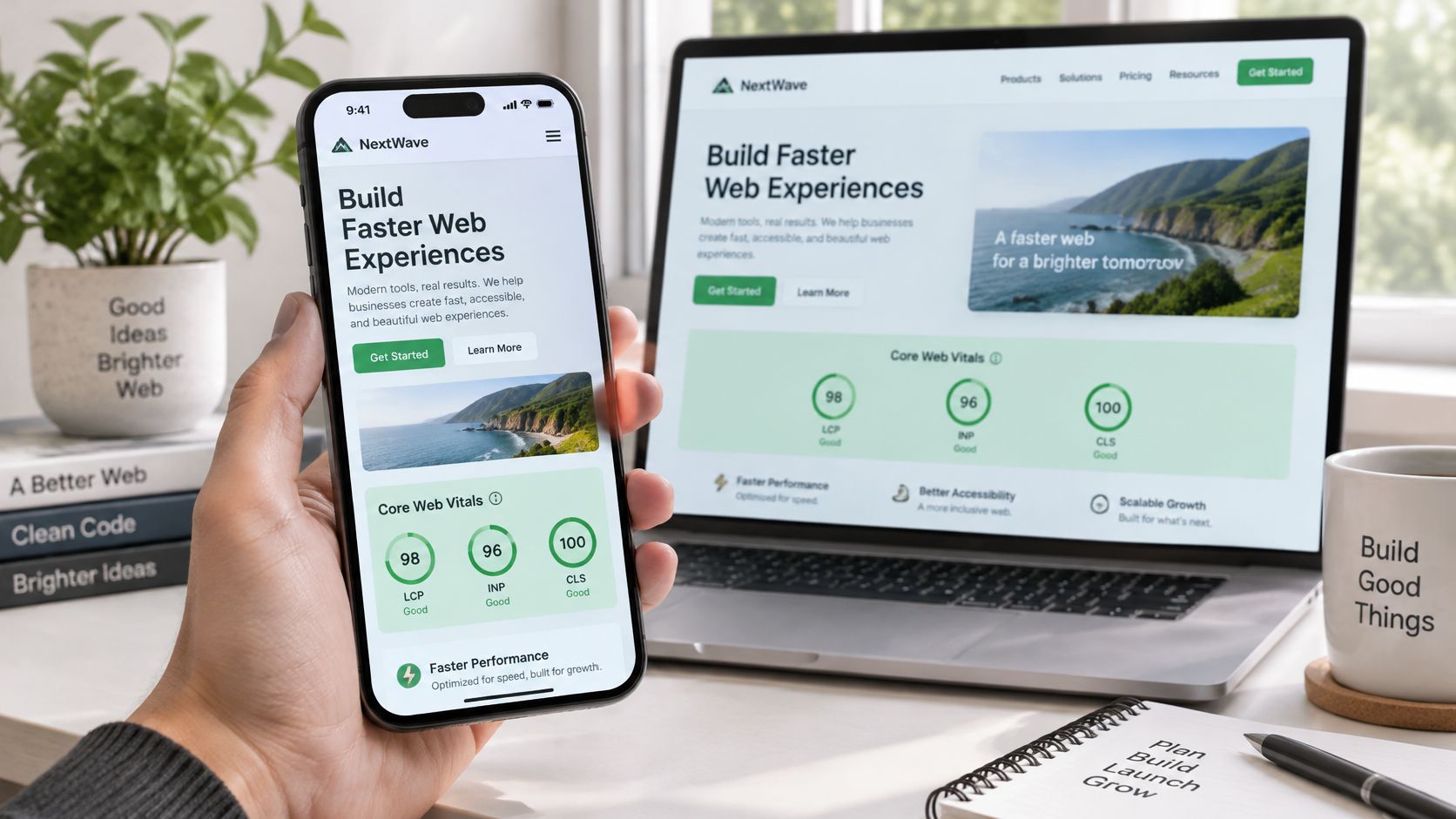
Side-by-side parity is the test. Open every template on a real phone, not a resized browser window, and confirm the mobile version carries the same body copy, the same internal links, the same metadata and the same structured data as the desktop version.
Turn complaints into thresholds
"The site feels slow" and "the form is frustrating" aren't requirements anyone can build against. Google's Core Web Vitals documentation defines three metrics with numbers attached: Largest Contentful Paint of 2.5 seconds or less, Interaction to Next Paint below 200 milliseconds, and Cumulative Layout Shift below 0.1.
| Metric | Good threshold | What it measures | Common redesign fix |
|---|---|---|---|
| Largest Contentful Paint (LCP) | 2.5 seconds or less | How fast the main content appears | Compress hero images, preload key fonts, host media efficiently |
| Interaction to Next Paint (INP) | Below 200 milliseconds | How quickly the page responds to taps and clicks | Trim third-party scripts, defer chat and tracking widgets |
| Cumulative Layout Shift (CLS) | Below 0.1 | Unexpected movement of visible elements | Set image dimensions, reserve space for banners and forms |
In practice, LCP is usually the full-bleed hero the design team loved, plus three web fonts and a background video. INP is usually the chat widget, the heat map script and the tag manager container firing on every template. CLS is usually a promo banner injected above the header, or a form that renders after the fonts swap.
Launch gate: a template that misses any of the three thresholds doesn't ship, no matter how good it looks in the review.
Development scores lie in a specific way. A designer's laptop on office wifi will post a fine LCP while a visitor on a mid-range Android phone waits. Google's PageSpeed Insights reports field data collected over the preceding 28 days, so it's the number that reflects real visitors. Recheck it four weeks after launch, on mobile and desktop, and fix whatever regressed.
Write Pages That Answer Searchers and AI Summaries
A redesign can look successful while losing qualified calls and form leads. Searchers may get the answer they need from an AI summary without visiting your site, so service pages must work both as clear sources of information and as landing pages for visitors who do click. Google AI Overviews can reduce clicks to traditional results, according to reporting by Ars Technica. Visitors referred by AI sources also tend to view fewer pages than visitors from search.
That changes the job of a service page. Give answer engines accurate, self-contained facts they can quote, then make the next step obvious for the person who arrives.
The facts every service page owes a reader
Start with the buyer, not the keyword list. Identify the ideal client, what worries them, the language they use to describe their need, and the single action the page should prompt. Put the answers directly in readable text, not only in an accordion or image.
- Services and eligibility. Explain what you do, who qualifies, and which jobs you turn down.
- Locations served. Name the cities you serve instead of saying “the surrounding area.”
- Response time. Say what happens after a call or form submission and how quickly the visitor can expect a response.
- Pricing context. Explain what affects a quote, even if you do not publish a price.
- Credentials. Include relevant licenses, certifications, insurance, and years in the trade.
- Case results. Present specific outcomes with enough context to make them meaningful.
- Review evidence. Show ratings and quotes on the page, not only on external sites.
- One next action. Tell the visitor whether to book a consultation, call, or request an estimate.
Generic FAQ blocks and keyword stuffing cannot make up for missing answers. They add copy without resolving a buyer's questions, and can make the page less clear to both readers and summarizers.
A lower organic session count does not by itself mean the redesign failed. An AI summary may influence a later direct call or branded search, while a page can gain visits and still lose leads. Track branded searches, direct traffic, assisted conversions, qualified calls, and form submissions alongside rankings. Use the full set to judge performance. The guide to how to rank in AI overviews covers ways to make pages useful to AI summaries.
Content strategy comes before copy: first establish who the buyer is, what they want, and what matters to them. Then check every service page. Can a reader or answer engine find eligibility, service location, response expectations, and the next step near the top? If not, revise the page before launch.
Carry Local Ranking Signals Into the New Site
Local results rest on three factors: relevance, distance and prominence, as Google Business Profile help describes them. Relevance is how closely the profile matches the query. Distance is how far the business is from the searcher or the location named in the query. Prominence is how well known the business is, and Google says information across the web, including links and reviews, can influence it. Review count and review score can affect local ranking.
What a redesign breaks without anyone noticing
- Formatting drift in the name, address and phone number. "Suite 200" becomes "Ste. 200," or a tracking number replaces the main line on the contact page. Neither matches the profile anymore.
- Merged or deleted location pages. A cleaner navigation often means fewer city pages, which removes the exact pages that match a city-level query.
- Review widgets dropped by the new template. The testimonials were a plugin; the plugin wasn't installed on the new build.
- The profile's website link still pointing at an old URL, or at a page that now redirects.
Every city you serve should keep its own indexable page with the city named in the title, the H1 and the body. That's the page with a chance at a query like "roof repair Longview," and it's the page a rebuild most often folds into a generic services page. A web design agency in Longview, TX that works with service businesses treats those city pages as assets, not clutter.
Off-site references matter too. Citations on sites like Yelp and YellowPages, plus links from relevant regional businesses, should be checked against the new site's details. A Phoenix and Tucson roofing company linking to a contractor's service page is a prominence signal that breaks if that page's URL changes and the redirect is missed.
The pre-launch check takes twenty minutes. Compare the name, address and phone number on the old and new sites and against the Google Business Profile. Confirm every location page either survived or has a redirect. Keep review content on the page where visitors and crawlers can see it. For more on the wider set of signals, read how to improve local SEO.
Measure Redesign Effects Apart from Noise
Here's the failure that hides best. Traffic recovers. Rankings return. Reports look healthy. And qualified calls are still down, because the rebuild changed phone tracking, simplified the intake form, or removed the service-area pages that used to catch a specific kind of searcher.
A recovering ranking does not prove a healthy redesign. That's why the baseline from the start of the project matters more than any dashboard you build afterward: it's the only column that stays still while everything else moves.

Compare segments, not totals
A single organic traffic line tells you almost nothing. Split brand from non-brand queries first, because brand traffic follows demand you already created and non-brand traffic follows whether Google still trusts your pages. Then segment by location, by service line and by device. A site can gain 15% overall while losing 40% of mobile calls from one city.
Compare against the same period last year wherever the data exists. Seasonality is the most common false alarm in a spring or fall launch, and year-over-year comparison is the cheapest way to rule it out.
| Metric | Where it comes from | Comparison window |
|---|---|---|
| Non-brand clicks by page group | Search Console, segmented by service and location pages | Same 28-day period, year over year |
| Branded search impressions | Search Console, brand queries only | 8 weeks after launch |
| Qualified calls by source | Call tracking tied to landing page | 8 weeks, compared with baseline |
| Form submissions by page | Analytics form events | 4 weeks, compared with baseline |
| Lead win rate by source | CRM closed-won report | 90 days after launch |
| Indexed page count | Search Console index coverage | Weekly for the first month |
| Real-user Core Web Vitals | PageSpeed Insights field data | 28 days after launch |
Then check lead quality, not just lead volume. A site can send fewer calls that are worth more, especially in law, roofing, HVAC and dental work, where one qualified call can outweigh a few hundred informational visits. If your estimates pipeline improved while sessions dipped, the redesign is probably working.
Field performance deserves a hard look because most sites still miss it: only 48% of mobile websites passed all three Core Web Vitals in 2025, according to Candid Creative's reference on the metrics. Lab scores from the development environment prove nothing about your visitors.
Don't promise a date. Say traffic will be monitored weekly for the first month and reviewed at 90 days. Anyone who guarantees a recovery date is guessing.
Set the monitoring plan before launch, with named owners for each row in that table. If you're unsure how to structure the reporting, this guide to Google Analytics SEO reports shows how to segment the data so a template change is visible.
Confirm the Launch Plan Before You Sign Off
This is the gate. Hold the launch if any item fails, even if the announcement post is already scheduled. Every row is a yes or no, and "we think so" counts as a no.
- Baseline saved. The inventory of URLs, rankings, landing pages, conversions and mobile content is complete and stored where the team can reach it.
- Every high-value URL is mapped. Each one has a 301 or 308 pointing at its closest equivalent, with no chains and no bulk redirects to the homepage.
- New URLs resolve. They return 200 and are crawlable, and no staging noindex or robots block has leaked into production.
- Mobile matches desktop. Content, internal links and structured data are identical across both versions of every template.
- Core Web Vitals pass in testing on the three thresholds, measured on a mid-range phone rather than a desktop browser.
- Name, address and phone number agree across the site and the Google Business Profile, including suite and abbreviation formatting.
- Every form, call and conversion event fires on the new pages and posts to the destination the team expects, with test submissions confirmed in the CRM.
- A rollback plan exists with a named owner who can restore the old site within hours if traffic or leads drop sharply in week one.
If your team doesn't have the capacity to run items one through three, our SEO audit service can serve as the baseline step, and our web design in Tyler, TX services cover strategy, content, design, development and SEO as one engagement rather than a handoff.
The single next step is small and immediate. Run the inventory and build the URL map this month, before the design phase starts, then bring both documents to the redesign brief. Everything else in the project gets easier once those two artifacts exist.
Digital Skyrocket plans, builds and search engine optimizes lead-generating websites for law firms, dentists, roofers, HVAC contractors and other service companies, and a redesign is where that combination earns its keep: one team owns the baseline, the redirect map, the mobile templates and the conversion tracking through launch and past it. If you're planning a rebuild and want the SEO work treated as part of the build rather than a rescue mission afterward, visit Digital Skyrocket and start with the fit meeting.