
In 2025, 84% of more than 1,000 U.S. consumers surveyed by Rio SEO said they searched for local businesses online daily. That habit is why how to improve local SEO is less about squeezing extra website clicks and more about keeping the same facts consistent, so Google, Maps, and AI answers describe the business correctly before anyone clicks.
A stuffed city name in the title does not create that consistency. Owners and marketing directors at law firms, dental offices, roofers, and HVAC companies lose the call when the phone, hours, or service area drifts. I would fix the public facts first, because a wrong number can outrank a polished page.
Table of Contents
- Start With the Three Signals Google Actually Uses
- Finish the Google Business Profile in One Sitting
- Publish One Page per Service and City
- Make the Same Facts Match on Every Listing
- Ask for Honest Reviews and Answer Them
- Track Leads and Choose the Next Fix
Start With the Three Signals Google Actually Uses
A local search on a phone often becomes a store visit or a purchase the same day. A non-local search is much less likely to. Repeating a city name across a homepage will not close that gap. Google's local-ranking guidance names three signals: relevance, distance, and prominence.
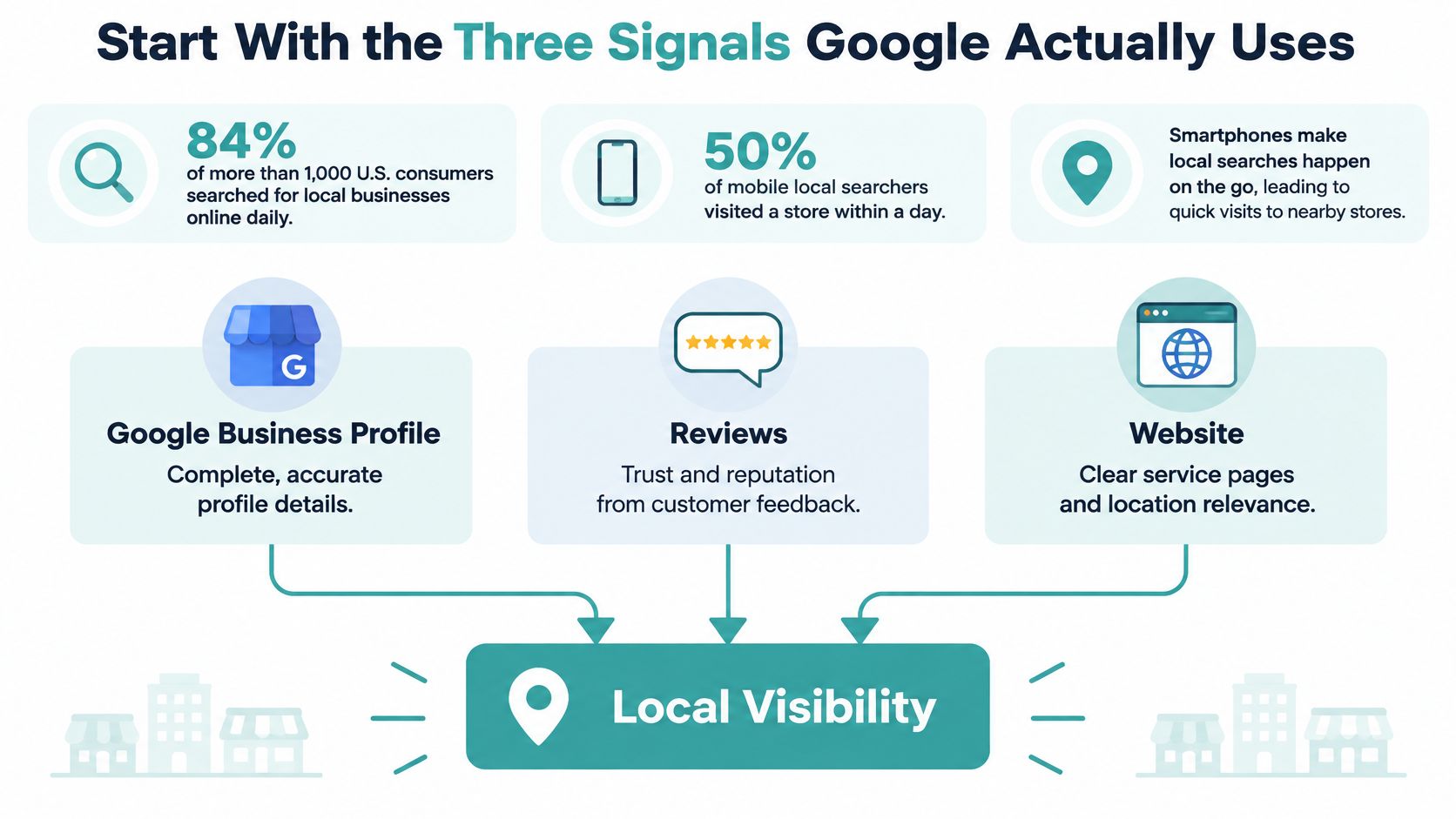
What each signal is for
Relevance is how closely the Business Profile matches the query. Complete categories, service descriptions, hours, contact details, and location details do that matching. For a law firm, roofer, dentist, or HVAC contractor, the matching work also includes a page for each real service-and-city pair, not a single paragraph that lists every town in the region.
Distance is how far the business is from the searcher or from the place named in the query. You cannot delete geography. A roofer based in Tyler cannot rank as if the truck were parked in a city an hour away. An accurate address, or an honest service area, tells Google where the business is eligible to appear.
Prominence is how established the business looks. Google uses links, articles, directories, review count, and review score. Google states that review count and score can affect local ranking, so a steady process for genuine reviews is ranking work, not a side chore you start after the site is “done.”
| Signal | What Google uses | Service-business action | When |
|---|---|---|---|
| Relevance | Complete, accurate categories, services, hours, contact, and location details | Finish the Google Business Profile and publish one page per real service and city | Weeks 1–6 |
| Distance | Distance from the searcher or the place named in the query | Publish the real address or an honest service area; do not invent a closer office | Set once, then audit |
| Prominence | Links, articles, directories, review count, and review score | Clean citations, ask every completed job for an honest review, and add a few relevant local links | Ongoing after week 2 |
A 90-day order
Weeks 1–2, finish the profile. Weeks 3–6, publish the service pages. Weeks 7–9, correct inconsistent directory data. Reviews and a few legitimate local links run the whole time, because prominence does not wait for a perfect site.
Local SEO aligns facts with services and places rather than chasing unsupported ranking percentages.
Unsupported percentage lists of “ranking factors” are a distraction. The actions in the table map to signals Google has described.
Finish the Google Business Profile in One Sitting
A marketing director can finish a clean profile in one working session if the facts are already decided. Say a plumber in a competitive suburb wants drain calls, not a vanity pin in the next city over. The primary category is plumber. Drain cleaning is a service. The neighboring city is not a fake address.

Ten actions before you leave the desk
- Claim the profile or request access, and confirm the primary owner is someone at the company, not a former vendor who still holds the login.
- Set the name to the official business name. The slip here is adding the city or “best plumber” into the title. Google treats that as name spam, and it also breaks every later match.
- Pick one primary category that matches the money service, then add secondary categories only for services you sell. The slip is choosing a broader category because it has more searches.
- Use a storefront address only if customers can walk in. Otherwise set a service-area business and list the cities you cover. The slip is dropping a pin on a friend's office an hour closer to downtown.
- Add the phone and website that already appear on the site, so the first call and the first click reach the same place.
- Write a description that names services and the area in normal language. A comma-separated keyword list reads like an ad and helps nobody decide.
- Enter every service with a short plain description. “Drain cleaning” with two sentences about what you clear beats a blank service row.
- Set regular hours, holiday hours, and a booking or call link if someone on staff will honor it.
- Upload recent photos of the team, trucks, and finished work, and remove stock art that could belong to any company.
- Turn on messaging only if a person will answer. An ignored chat is a missed job, not a feature.
Photos, the description, attributes, and appointment links can differ by platform later. Name, address or service area, phone, and hours cannot. A longer walkthrough of categories, services, and posts sits in our guide to optimizing a Google Business Profile.
Look at it the way a searcher does
Open the profile on a phone, not a wide monitor. Confirm the call button, hours, and service list are visible without a hunt. If the primary category is wrong, fix that before you touch photos. Category and name mistakes travel farther than a blurry truck shot.
Publish One Page per Service and City
One homepage rarely answers every service-and-city query well. Give each genuine service area a useful page that helps visitors confirm what you do, where you work, and how to contact you.
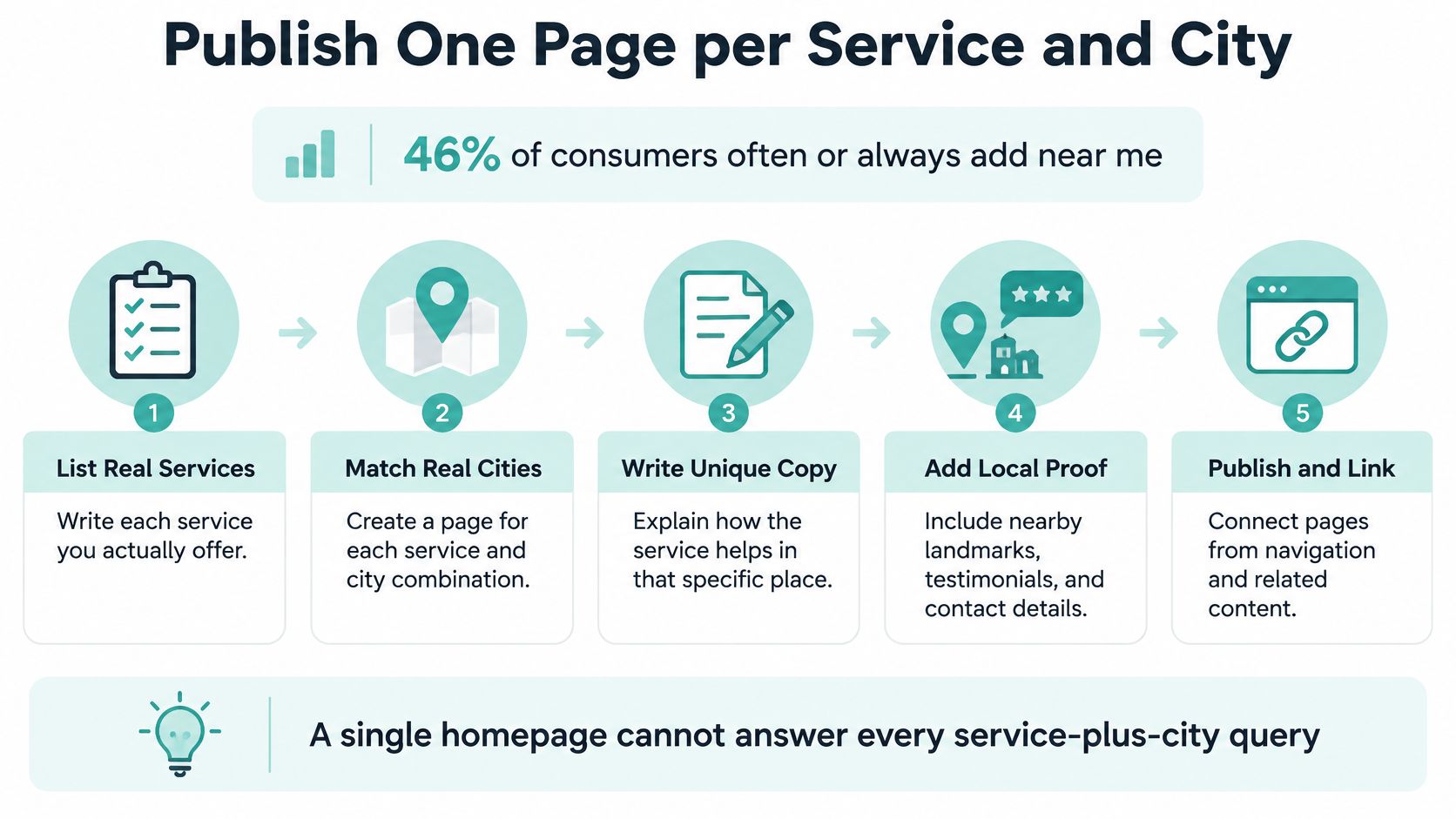
Build only the pairs you serve
- List the services and cities you cover. Remove combinations you do not serve. A page for a place you will not travel to can attract the wrong lead and offers little value.
- Give each service-and-city combination its own URL when you can provide distinct, useful information. Set a title, H1, and opening that name the service, area, and intended customer.
- Explain what the job involves, what is included, and how to take the next step. Choose one prominent action, such as calling or submitting a short form.
- Put the phone number in the mobile header so high-intent visitors can call without searching the page.
- Add relevant proof, such as a local project or review excerpt. Replacing a city name in identical copy does not make a page useful.
- Link to related services and the main location or service-area page. Visitors should be able to find the next relevant detail without returning to search.
- Use LocalBusiness structured data only when it accurately describes the business and page. Choose the most specific valid subtype, include a PostalAddress where appropriate, and enter coordinates in decimal degrees that match the visible address. Google's local business structured data documentation explains the supported properties.
- Keep the structured data's name, address, phone, hours, and URL consistent with the visible page and Google Business Profile.
- Validate the markup, inspect the URL in Search Console, check for noindex tags or blocked pages, and update the XML sitemap when the page is live.
Structured data can clarify a business's details, but it cannot make thin copy useful or make an ineligible business eligible. Do not mark a service area as a street address or add ratings compiled by the business.
For a city-page example, compare the web design in Tyler, TX homepage with guidance on planning location landing pages. A contractor can also review HIBCO ROOF Columbus roofing services for an example of naming a trade and place together.
Make the Same Facts Match on Every Listing
Most profile checklists stop at Google. That leaves the operational gap. BrightLocal's consumer search behavior research found that one in five consumers conduct local searches within Google, Apple, or Bing Maps, while 40% actively use generative AI within search. A wrong phone number can become the answer before a click.
One source of truth
Write a one-page record with the legal name, display name, address or service area, primary phone, hours, website, and categories. Then check, in this order: Google Business Profile, Apple Business Connect, Bing Places, Yelp, Yellow Pages, the industry directory customers in that trade use, and the website footer plus contact page. Correct the mismatched listing. Do not create a second listing to “cover” the error.
| Fact | Rule | Example |
|---|---|---|
| Business name | Must match everywhere | Real-world name, with no city or keyword added |
| Address or service area | Must match everywhere | Real street address, or honest list of cities served |
| Primary phone | Must match everywhere | The number that reaches a person |
| Hours | Must match everywhere | Regular and holiday hours in every listing |
| Description | May differ | Platform-specific wording of services |
| Photos | May differ | Recent team, vehicle, and project images chosen per platform |
| Attributes and appointment links | May differ | Platform fields such as booking URLs |
Say a dental office moved suites and left the old suite on two directories. Google can keep the old pin, and calls land on a recording. Service-area firms should not invent suite numbers to look more local. The same discipline matters for professional practices. A family-law firm that offers support through high-conflict family disputes still needs one public address and one phone, or Maps and AI tools will mix the old office with the new one.
The goal is one factual answer everywhere, not more directory logos on the homepage.
Re-audit quarterly, and again after any move, rebrand, or phone change. Measure profile accuracy, map visibility, calls, direction requests, website visits, and qualified leads separately, then tie a correction to whether inquiries moved.
Ask for Honest Reviews and Answer Them
In 2025, 67% of U.S. consumers surveyed by BrightLocal said they often or always looked at business reviews after a local search. In 2024, 59% of consumers surveyed by BrightLocal said they expected a local business to have between 20 and 99 reviews before trusting its star rating. Volume shapes whether the stars look credible. It is not a trophy you can buy.
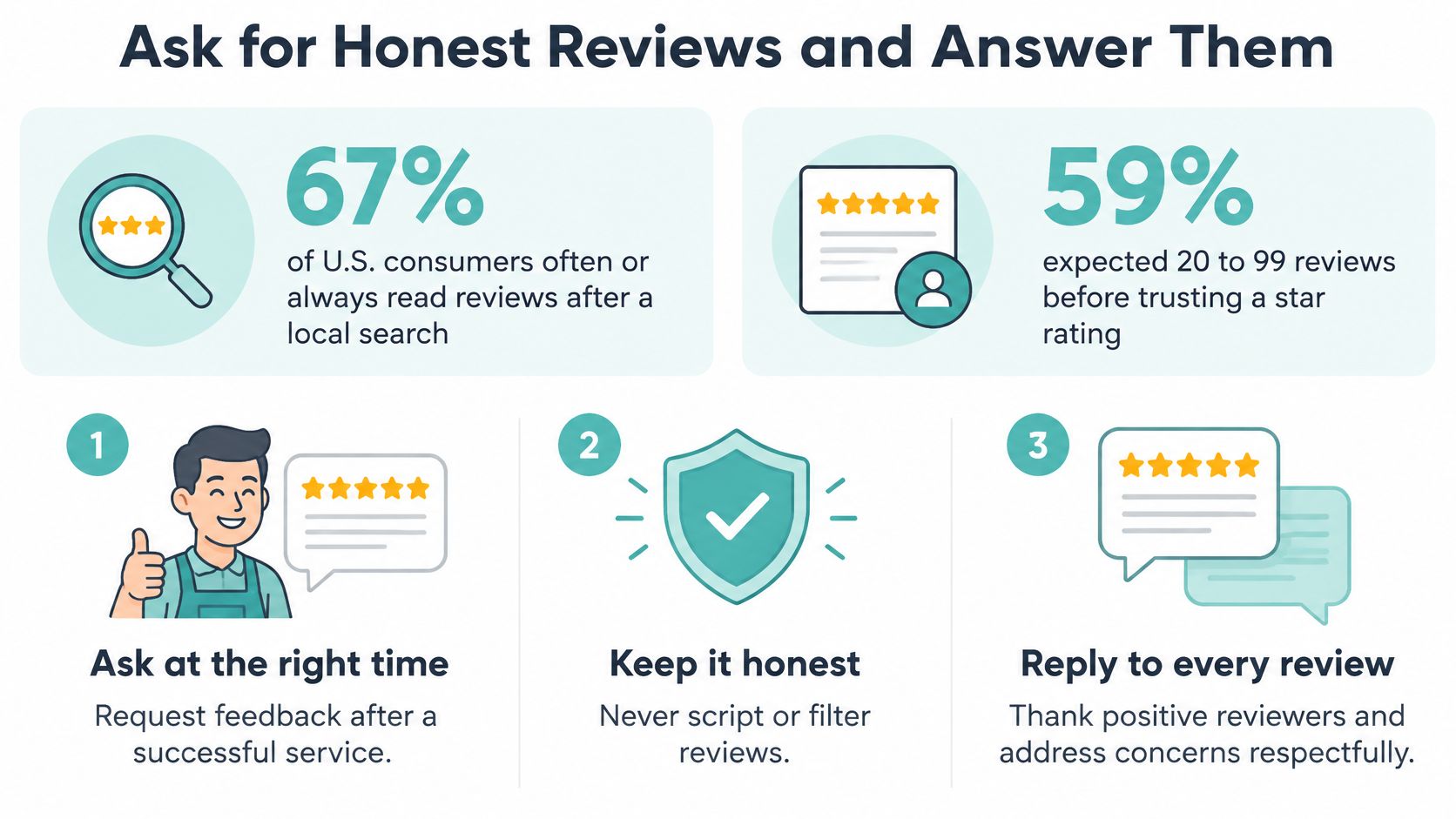
How to ask without creating a penalty
Ask every completed job, not only the happy ones. Send the review link by text the day the work finishes, while the visit is still clear. Never offer a discount, gift card, or drawing entry. Never tell the customer which star to choose. Do not buy reviews, and do not route only promoters to Google while sending critics somewhere else.
Google's review policy prohibits rating manipulation, including incentivized or biased reviews, and says reviews that violate the policy may be removed from Maps. Under Fake Engagement, Google's enforcement guidance says the profile can be blocked from new reviews for a period, existing ratings can be unpublished, and consumers can see a warning that fake reviews were removed. That is a visibility problem, not only a reputation problem.
Ask for an honest account, and stop there.
A roofing crew can ask after the final walkthrough, when the homeowner has seen the finished roof. A law firm should not imply a case outcome in the request. People comparing counsel already spend time evaluating attorney reviews before hiring, so a scripted five-star push is obvious and useless.
Reply to praise and to complaints in a calm public note that names the service without pasting private details. Track new reviews per month against the 20-review mark. That 20 is the low end of the 20-to-99 range consumers said they expected, not a guaranteed threshold. Treat it as a benchmark to beat, and investigate a sudden burst the same week it appears.
Track Leads and Choose the Next Fix
Links support prominence. They are not a blast. Earn a few relevant ones, in this order.
- Join or refresh the listing with your chamber of commerce or trade association.
- Ask a supplier you already buy from to list you on its installer or partner page.
- Sponsor a local event that has its own page, and confirm the sponsor link is live.
- Pitch a local news outlet on a finished project with a real story.
Skip paid link networks and identical directory blasts. Those create footprints, not local trust.
Google research reported that 50% of consumers who conducted a local search on a smartphone visited a store within one day, compared with 34% of people who searched on a computer or tablet. The same research found that 18% of smartphone local searches led to a purchase within one day, versus 7% of non-local searches. A slow form or a hidden phone number wastes that visit. Read the profile and the site on separate rows so you can see which one is failing.
| Metric | Where to read it | What it tells you | Check |
|---|---|---|---|
| Profile searches and views | Google Business Profile performance | Whether maps and local queries are finding the business | Monthly |
| Calls from the profile | Google Business Profile | High-intent contacts that never needed the website | Weekly |
| Direction requests | Google Business Profile | Storefront demand; low numbers are normal for service-area firms | Monthly |
| Website visits from the profile | Google Business Profile | Whether the profile link reaches the right service page | Monthly |
| Calls and form submissions by page | Call tracking and analytics | Which city or service page produces inquiries | Weekly |
| Qualified inquiries | CRM or a simple lead log | Whether traffic became a real job, consult, or estimate | Monthly |
Judge the month by qualified inquiries, not impressions. Our guide to measuring SEO return is the place to line those inquiries up with rankings. If the Fit Meeting goes well, a Discovery Meeting follows, with an analysis of Google search traffic, a report of keyword rankings and which ones bring traffic, and a look at the clients improved rankings could reach.
If the profile is accurate and the site is still a thin brochure, the next decision is a rebuild with service-and-city pages, not another citation push. In a Kevin Taylor Real Estate case study, Google search visitors per year rose from 1,846 before the rebuild-and-SEO work to 3,045 after, with a 64.95% ranking increase in one year. For Breedlove Nursery, Google search visitors rose from 29 per year to 3,598 per year, a 12,306.90% traffic increase. Those lifts came from pages and search work tied to real services, not from a directory dump. Owners who want that kind of build can book a Fit Meeting through web design in Tyler, TX.
Digital Skyrocket designs and search-optimizes lead-generating websites for law firms, roofers, dentists, HVAC companies, and other service businesses, including the local pages, citations, and review habits that keep Maps and AI answers accurate. SEO and conversion work sit inside that website package, aimed at qualified calls rather than vanity traffic. Visit Digital Skyrocket to book a Fit Meeting and see whether a new site and ongoing local SEO are the right next step.