
You're looking at your website on your phone, trying to understand why visitors aren't turning into inquiries. The services look right, the photos are good, and the contact form works. Then you try calling your own business and discover the number is buried in the footer, won't respond to a tap, or reaches a line nobody's monitoring.
A website phone number is both a conversion element and a trust signal. For service businesses, from East Texas and Dallas-Fort Worth to markets across the U.S., its performance depends on placement, routing, consistency, and what happens after someone calls. A bigger button won't fix an unanswered line, but a well-built contact path can remove unnecessary obstacles between a visitor's question and a qualified conversation.
Table of Contents
- Where Your Website Phone Number Belongs
- How to Build a Tap-to-Call Number That Works
- Accessible Contact Options Beyond Voice Calls
- Primary, Tracking and Department Numbers Compared
- Adding Your Phone Number to Schema Markup
- Verifying, Measuring and Reviewing the Phone Number
Where Your Website Phone Number Belongs
Put the primary number in the site header as live text, visible without opening the mobile menu. Visitors shouldn't need to understand your navigation before they can contact you. Keep the business name and city nearby so the number has a recognizable identity.
Give the contact page more context: business hours, expected reply time, and what happens outside those hours. On service pages, place the number near the main call to action and within the initial mobile viewport, without pushing essential service information out of sight.
Match placement to visitor intent
Historical BIA/Kelsey research citing Google data found that 73% of mobile searches resulted in an additional action, such as a call, visit, or purchase, and 55% of those conversions happened within one hour. Those historical findings aren't a current conversion benchmark, but they illustrate why immediate contact deserves a prominent position.
Where the primary phone number belongs
| Placement | Why it matters | What to check |
|---|---|---|
| Site header | Visible on every page, the first thing visitors see | Live text, not an image; visible on phones without opening a menu |
| Contact page | Visitors who came to call look here first | Hours and expected reply time sit next to the number |
| Service pages | Local searchers decide to call at the moment of need | Number above the fold on mobile and near the main call to action |
| Footer | Confirms identity for returning visitors | Matches the Google Business Profile exactly |
| Mobile sticky bar | One-tap access while scrolling | Does not cover forms, buttons or the cookie notice |
Use the footer as a stable reference, not the only place someone can call. A sticky mobile bar can help on long pages, but remove it if it obstructs form fields, consent controls, or other important buttons.
Google's business-representation guidelines recommend a local number rather than a central call-center number whenever possible. The number must connect to the individual location, remain under the business's direct control, and not redirect callers elsewhere; premium-rate numbers aren't permitted.
Recognition matters when returning calls, too. U.S. research cited in a 2025 Federal Register notice found 90% of consumers felt uncomfortable answering unidentified calls, while 92% assumed unidentified calls were fraudulent. Explain who will call back and why, rather than expecting the displayed number alone to establish trust.
Practical rule: Publish one clearly identified primary number in a consistent format, with an honest explanation of when someone will answer.
How to Build a Tap-to-Call Number That Works
A phone number that looks clickable isn't necessarily functional. Use an explicit tel: link, then test the complete journey from the service page to the receiving phone.
The implementation should preserve both readability and a predictable calling action.
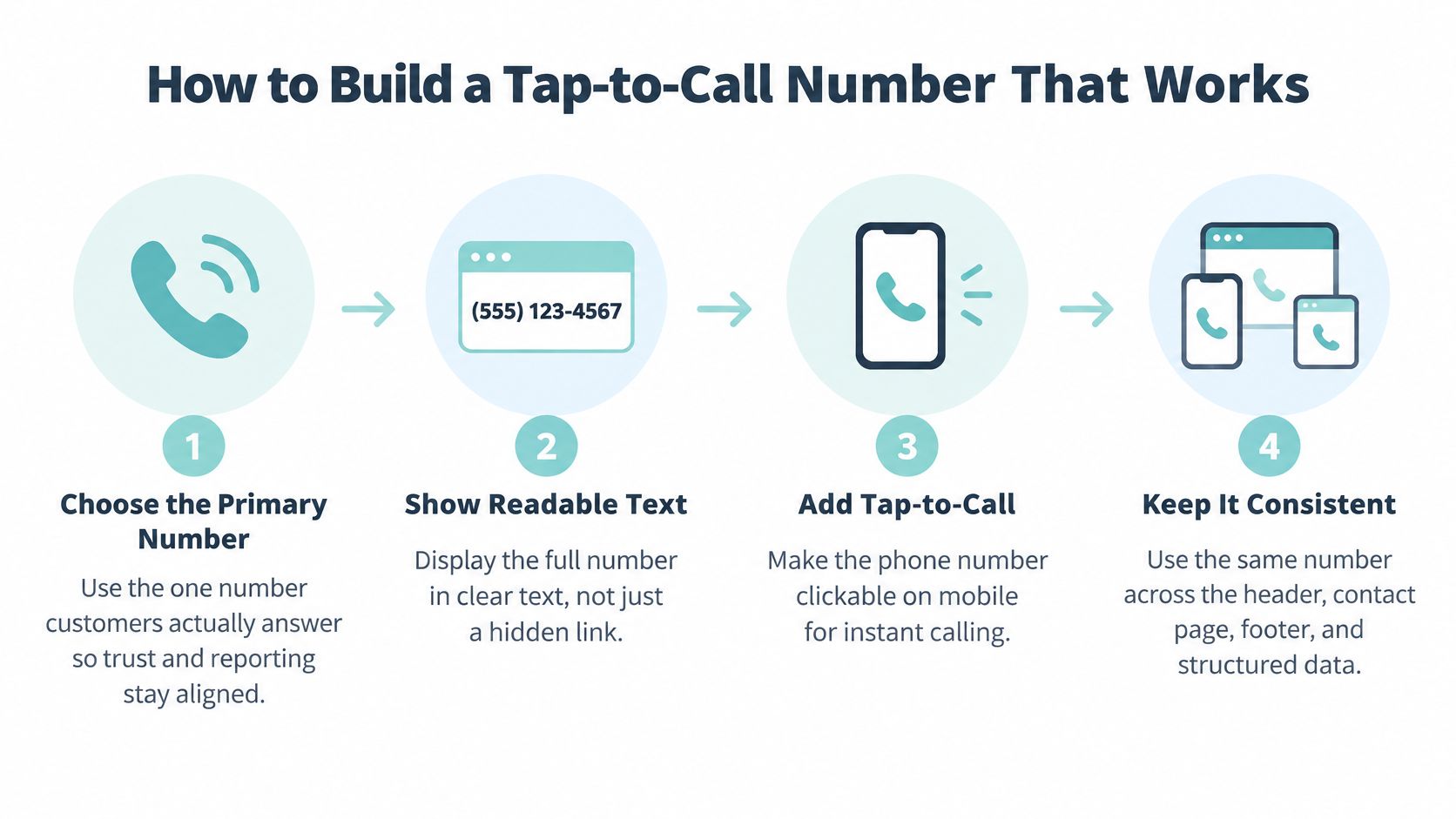
Build and test the calling path
Choose the primary number customers should call. Use the line your team answers for new inquiries, not an employee's temporary mobile number. Competing, unexplained numbers make it harder for visitors to choose and for your team to reconcile reporting.
Display readable text with the country code and area code, such as
+1-214-555-0100. Visitors should be able to copy or manually dial it, so don't replace the number with an image or an unlabeled phone icon.Wrap the displayed number in a telephone link. Set its destination to
tel:+12145550100, using the digits for your actual business number. Don't rely on a browser to recognize and automatically link a formatted text string.Test on an iPhone and an Android phone using a real cellular connection. Confirm that the dialer opens with the correct destination, then complete the call; a desktop preview won't reveal every device-level problem.
Check the receiving experience during published hours. Listen to the greeting, follow any routing prompts, and verify that the right team receives the call. An abandoned voicemail box or a confusing extension menu can undo an otherwise sound implementation.
Add an analytics event for each tap, including the originating page and control placement. Verify the event in your analytics debugging tools without allowing the tracking script to delay or block the telephone action.
Google/Ipsos click-to-call research found 70% of mobile searchers had used click-to-call from search results, and 61% considered it most important during the purchase phase. These findings concern mobile search behavior, not a guaranteed improvement from changing your website button.
Offer a useful choice
A visitor requesting emergency HVAC service has a different need from a business owner arranging a detailed consultation. Captiwate's explanation of how to offer instant calls or scheduled meetings provides useful context for choosing between immediate contact and a booked conversation.
Keep the immediate-call control direct. A visitor should recognize the destination, tap the number, and reach the intended line without an unnecessary intermediate page.
Accessible Contact Options Beyond Voice Calls
A clickable number doesn't make a business accessible by itself. Someone may have a hearing or speech disability, be unable to speak privately, or need to write down a complicated request. A voice-only contact path excludes those visitors even when the telephone link works perfectly.
The Web Content Accessibility Guidelines 2.1 establish broader requirements for accessible web content, including keyboard operation, labels, focus visibility, and contrast. Apply those principles to every contact control, rather than treating a working phone link as an accessibility checkmark.

Make each channel usable
Keep the full number readable and give the calling control a clear accessible name. Then provide an accessible contact form, email address, or monitored text option alongside it. Our web design best practices address the broader design decisions that help visitors take action without unnecessary friction.
- Set expectations: State hours, expected wait or reply time, and whether after-hours calls reach voicemail or a live person.
- Clarify alternatives: Say whether the number accepts SMS and which non-voice channels receive an equivalent response.
- Explain preparation: Tell callers whether to have a property address, appointment details, or an account reference ready.
- Define urgent requests: Make clear whether emergency service is available and which contact method to use.
Don't advertise live chat if nobody monitors it. An accessible form with clear labels, understandable error messages, and a realistic response promise is more useful than an unattended chat window.
Contact accessibility means someone can complete the inquiry, not merely activate the button.
Privacy deserves equally clear wording. Identify who receives the inquiry, explain any relevant call-recording practices, and don't imply that submitting a question automatically authorizes unrelated follow-up. For sensitive legal or dental inquiries, request only the information needed to begin the conversation.
Primary, Tracking and Department Numbers Compared
The primary business number should be the default reference. Tracking, department, and regional numbers serve narrower purposes, and each needs a documented role. Trouble starts when campaign attribution changes which business identity a visitor sees.
A phone-number inventory helps distinguish intentional routing from accidental inconsistency.

Phone number types and when to use them
| Number type | Best use | Main risk |
|---|---|---|
| Primary business number | Header, contact page, footer and structured data | Must be real, staffed and under the business's direct control |
| Tracking number | Attributing calls to ads, campaigns or specific pages | Creates mismatched numbers if swapped into the footer or schema |
| Department number | Support, billing or intake requests | Confuses sales callers when it replaces the main number |
| Regional or local number | Multi-location businesses with local listings | Forwards to a central line unless it connects to its own location |
Keep attribution separate from identity
Tracking numbers can help connect inquiries to campaigns, but I would keep the canonical footer and structured-data number stable. If you use dynamic number insertion, test the replacement rules, the fallback number, and what appears when scripts fail or consent settings prevent tracking.
For a practice-specific explanation, law firm owners can explore call tracking for legal practices through Attorney Assistant. Evaluate the attribution workflow alongside intake quality, rather than assuming more detailed tracking automatically produces better leads.
Google Business Profile allows one primary number and up to two additional numbers, which may be mobile or landline numbers but not fax numbers. Use those additional fields for legitimate secondary contact routes rather than crowding every website header with competing choices.
Maintain an inventory recording each number's purpose, destination, owner, and associated campaign or location. Review it quarterly and whenever staffing or campaigns change. Before retiring a tracking number, check whether saved contacts, old landing pages, or printed materials still depend on it.
A department line belongs beside a clear department label. A regional number belongs to the location it serves, not merely to an area code selected to create a local impression.
Adding Your Phone Number to Schema Markup
Structured data identifies the telephone number as a property of your business, rather than leaving search engines to interpret loose contact text. Use LocalBusiness JSON-LD or a more specific subtype that accurately describes the organization.
Google's organization structured-data documentation specifies including the country and area codes and advises setting the primary number at the LocalBusiness level before using contactPoint for additional contact methods. For a U.S. business, a normalized value such as +1-214-555-0100 makes that international context explicit.
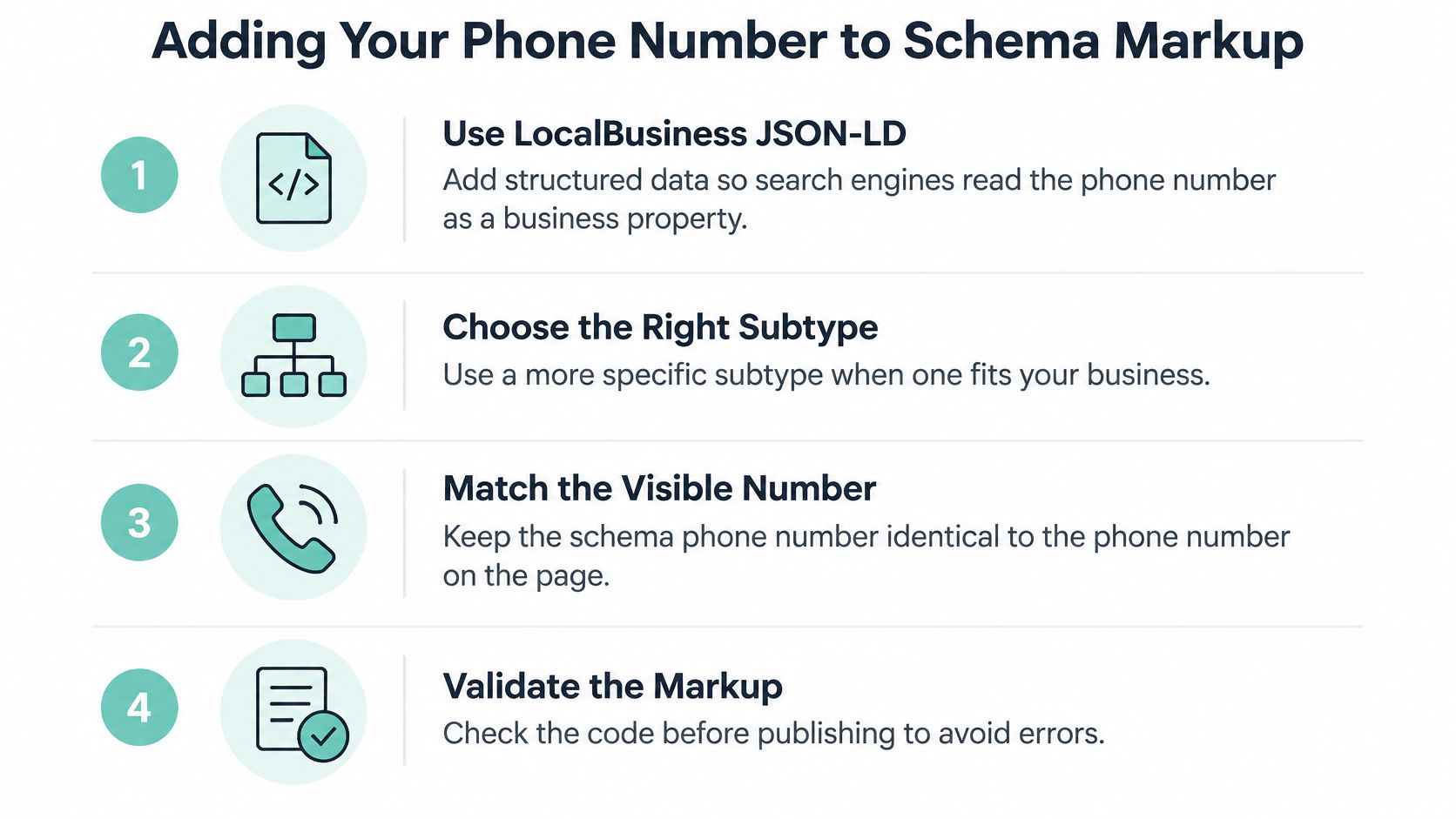
Publish and validate the business entity
- Confirm the canonical number. Get agreement from the person responsible for intake before copying a number from an old page or directory.
- Add that number to the
telephoneproperty at theLocalBusinesslevel. Choose an appropriate subtype when it describes the business more accurately. - Use
contactPoint.telephonefor additional departments or contact routes. Keep those purposes distinguishable from the primary customer-contact line. - Check that users can see the same telephone number on the page. Formatting may be normalized in the markup, but the underlying number must agree.
- Validate the JSON-LD and inspect the rendered page. Use Schema Markup Validator, review relevant Google testing results, and check whether your WordPress theme or SEO plugin outputs a conflicting entity.
- Synchronize the canonical value across the website, Google Business Profile, directories, and applicable location pages.
For implementation context, our guide to local business schema markup explains how the telephone property fits into the broader business entity. CitationOS also offers schema guidance for AI visibility, useful as a supplementary review rather than a promise of search or answer-engine placement.
Avoid conflicting telephone values
The most disruptive mistakes are inconsistent tracking-number insertion and a department line accidentally marked as the primary contact. Inspect every markup-producing component instead of assuming the visible page and generated JSON-LD share the same settings.
For a multi-location business, represent each genuine location with its own accurate local entity and telephone value. Don't clone a location template and leave another office's contact details inside its markup.
Implementation boundary: Schema supports consistent interpretation. It doesn't guarantee rankings, answered calls, or qualified inquiries.
Verifying, Measuring and Reviewing the Phone Number
Treat telephone verification as a launch gate, not a task to revisit after someone complains. Compare the header, contact page, footer, structured data, and Google Business Profile against the approved number, then complete real calls from mobile devices.
Record who controls the number, who manages routing, and who handles incoming inquiries. Assign a review date and repeat the audit quarterly, as well as after a redesign, telephone-provider change, or staffing change.
Separate intent from completed conversations
Google Ads' mobile website phone-click measurement can track interactions with telephone links, images, or buttons and distinguishes its click-based setup from measurement involving calls to a number displayed on the site. A recorded click is not proof of a completed conversation, so don't label every telephone event as a qualified lead.
Metrics for judging a phone number
| Metric | What it tells you | Common mistake |
|---|---|---|
| Tap-to-call clicks | Interest in calling from the page | Treating a click as a sale |
| Connected calls | Whether the line is actually answered | Counting rings that went unanswered |
| Call length | Whether the conversation had substance | Ignoring short calls that were wrong numbers |
| Qualified leads | Calls that match the service you sell | Missing offline follow-up that confirms the lead |
| Form submissions | The alternative conversion path | Comparing forms against calls without weighting them |
Call duration needs interpretation. A long call might involve a supplier or an existing customer, while a brief conversation might schedule a valuable appointment. Have intake staff classify outcomes using a manageable set of categories, such as new qualified inquiry, existing customer, wrong number, spam, and missed call.
Use Google Analytics for website visitors to connect page behavior with contact events, then reconcile those events with telephone-system records and intake outcomes. Keep forms and calls separate in reporting before evaluating their combined contribution to qualified inquiries.
Test changes against business outcomes
Change a single meaningful variable at a time: a header-only number versus an additional hero placement, a Call now label versus the number alone, or a sticky mobile bar versus inline controls. Keep call routing and staff coverage stable so an operational change doesn't masquerade as a design improvement.
Run the comparison until you have enough completed calls to evaluate quality, not just a burst of taps. Account for seasonal demand, traffic-source changes, repeat callers, and differences in service-page intent. A sticky bar that increases accidental taps but produces no additional qualified conversations isn't a winner.
- Before launch: Verify the displayed number, destination, tracking event, and receiving team.
- During reporting: Reconcile clicks with connected calls and documented outcomes.
- During review: Check missed-call handling, outdated hours, and numbers introduced by campaigns or plugins.
At Digital Skyrocket, both offices can be reached at (903) 253-9640, Monday to Friday, 8:00 am to 5:30 pm. Visitors can also schedule a conversation or send a message through our website's contact form.
Those details illustrate what a contact path needs: a destination, availability, and an alternative. A website phone number can't compensate for unclear services, weak intake, or unreliable follow-up, but measuring the complete path lets you identify which problem needs fixing.
Digital Skyrocket designs and builds service-business websites with ongoing SEO and conversion optimization, connecting search visibility with clearer paths to qualified inquiries. Visit Digital Skyrocket to schedule a conversation about a new website and ongoing SEO, including how your phone placement, contact options, and lead measurement should work together.