The most popular crawl budget advice starts in the wrong place. It tells every site owner to edit robots.txt, tune XML sitemaps, and manage parameters before asking whether Google is failing to crawl anything important.
For a 50-page plumber, dentist, roofer, or law firm website, that order wastes time. Crawl budget optimization matters when Google has more worthwhile URLs than it can efficiently crawl, not just because a site has technical SEO issues. The practical job is to validate the problem, identify wasted requests, remove the waste that matters, and then check whether important service pages are discovered and refreshed more reliably.
Google's current crawl budget guidance describes crawl budget as the set of URLs Google can and wants to crawl. The documentation separates crawl capacity, influenced by infrastructure and server resources, from crawl demand, influenced by the usefulness of the content for the relevant Google product. That makes crawl optimization a systems problem involving server response, URL quality, and prioritization, not a contest to reduce URL counts.
Table of Contents
- Why Most Local Service Sites Should Skip Crawl Budget Work
- Diagnosing Crawl Waste Before You Fix Anything
- The Crawl Budget Fixes Worth Doing First
- Implementing the Technical Cleanup
- Reading Crawl Stats Before and After the Work
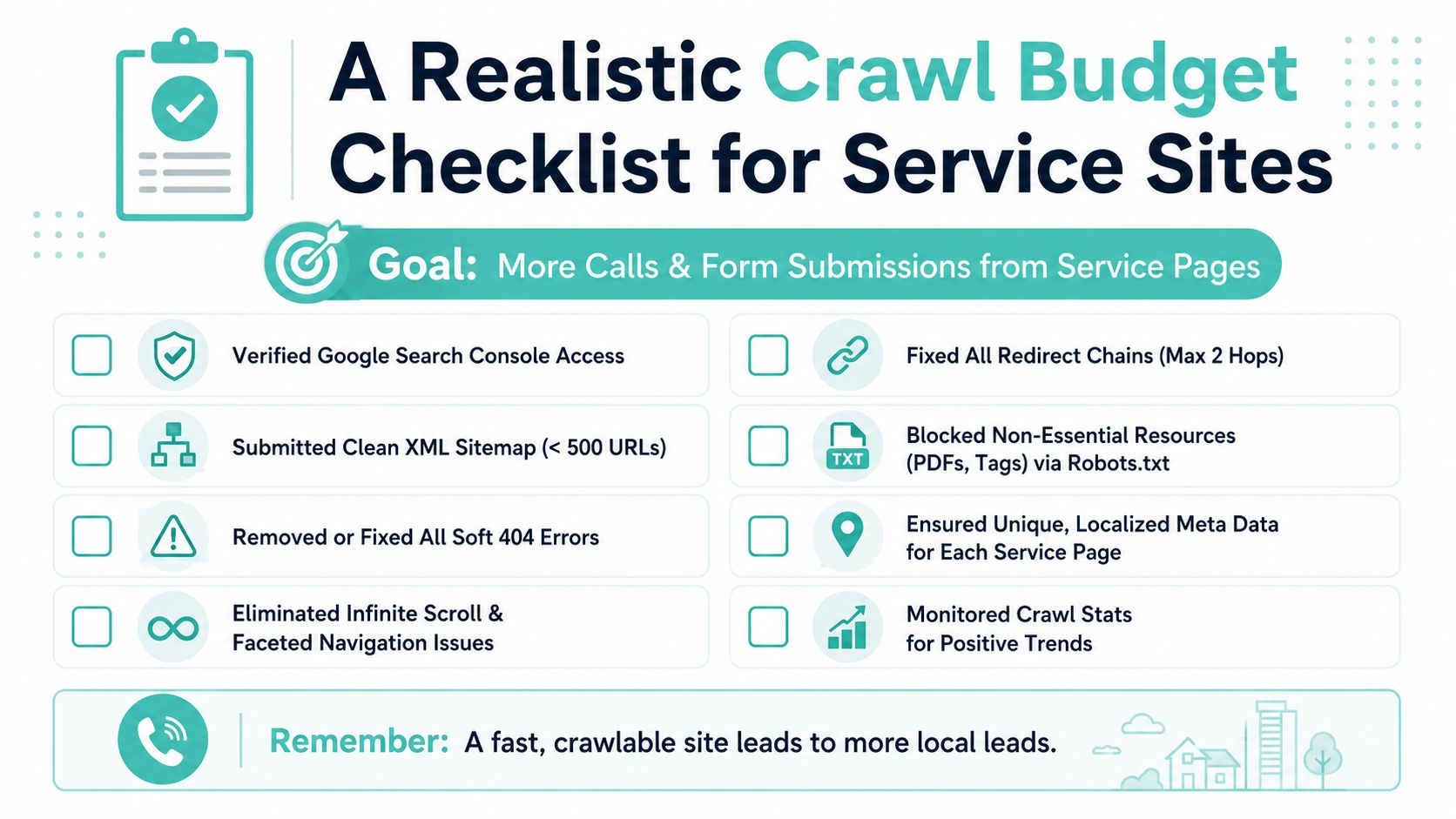
- A Realistic Crawl Budget Checklist for Service Sites
Why Most Local Service Sites Should Skip Crawl Budget Work
Google's documentation says crawl budget is primarily relevant to large or rapidly changing websites, and to sites with many URLs in Discovered-not-indexed status. A local business website with a few dozen service and location pages usually doesn't fit that profile. If Google can regularly access the important pages, the site doesn't have a crawl budget problem just because it has redirects, an imperfect sitemap, or a handful of tag URLs.
That distinction matters because technical SEO work has an opportunity cost. Spending weeks adjusting crawl directives on a small plumbing website can delay work that has a clearer connection to leads, such as fixing weak service pages, improving internal links, resolving indexation errors, or making the phone and form paths easier to use. Google already has enough crawl capacity to process a modest set of useful URLs in many ordinary situations.
Crawl budget has two practical sides:
- Crawl capacity: How much crawling the server can handle without slowing down or returning errors.
- Crawl demand: How much Google wants to crawl because the site has useful, relevant, or changing content.
Practical rule: Don't optimize crawl budget until Search Console and server evidence show that Google is spending meaningful effort on the wrong URLs or failing to revisit important ones.
A simple decision gate
Use the comparison below as a screening tool, not as a substitute for data. The daily crawl figures are qualitative because the correct baseline varies by site, publishing pattern, server, and Googlebot behavior.
| Site Profile | Typical Daily Crawl | Indexable URL Count | Action |
|---|---|---|---|
| Small local site with stable pages | Low to moderate, usually enough to cover important content | Around 50 | Skip crawl-budget work unless Crawl Stats shows waste or important URLs are missed |
| Local site with service-area expansion | Variable, with activity concentrated around new or updated pages | A few hundred | Validate discovery, sitemap quality, internal linking, and server responses |
| Site generating parameter or archive URLs | Potentially noisy and uneven | More URLs than the business intentionally created | Investigate logs, response codes, faceted paths, tags, and soft 404s |
| Large or frequently changing site | High and operationally significant | Large URL inventory | Run a full crawl-budget program with Crawl Stats, logs, and response monitoring |
The right first question isn't “How do I increase Googlebot activity?” It's “Is Google failing to crawl the pages that can generate business?” If the answer is no, crawl budget optimization belongs behind content quality, indexation, internal linking, and conversion improvements.
Diagnosing Crawl Waste Before You Fix Anything
Start with evidence from the systems that record crawling. Search Console tells you how Googlebot behaved over time, while server logs show which URLs received requests and whether those requests came from the bot you care about.
Start in Search Console
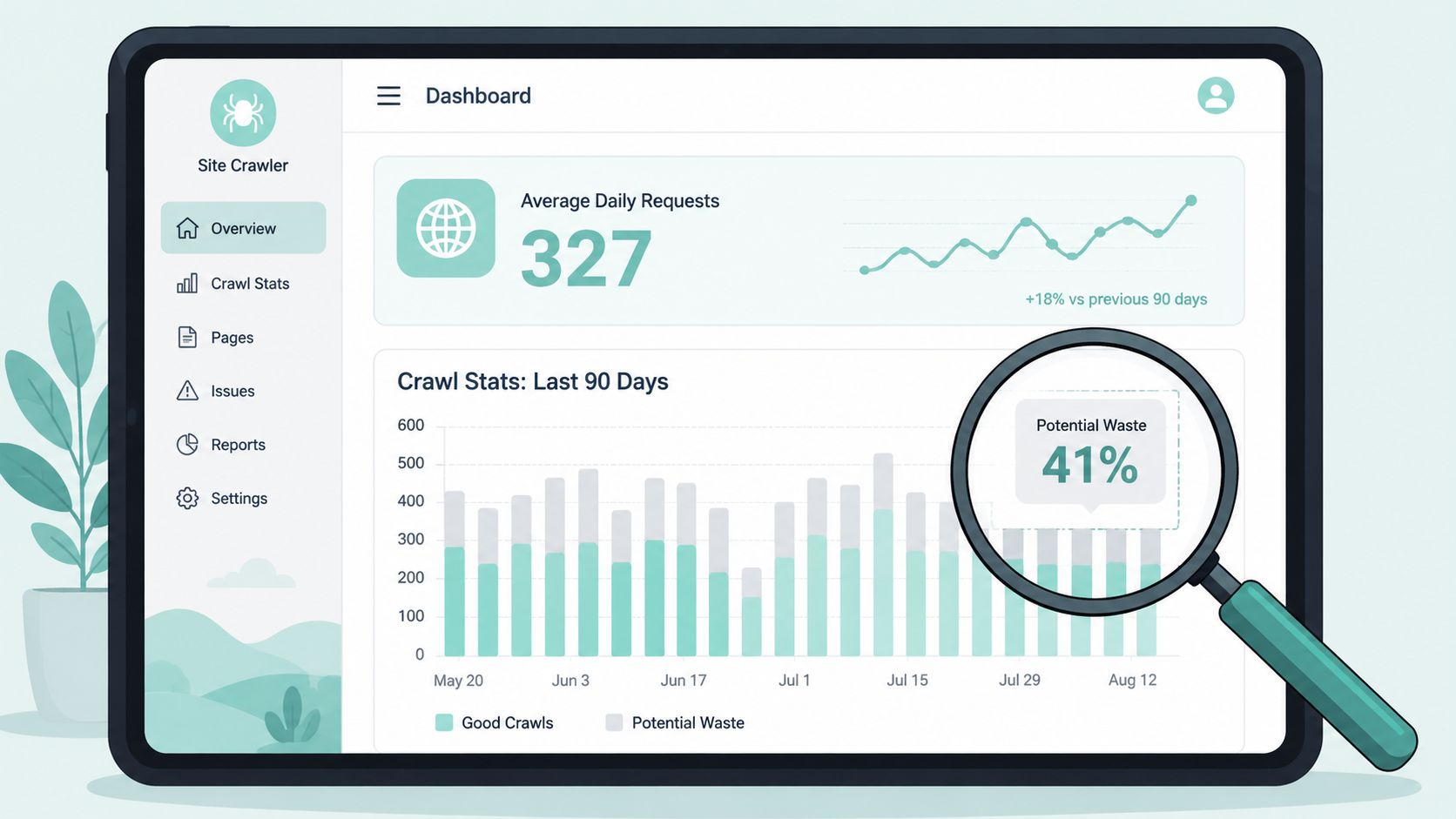
Open the Crawl Stats report and review the last 90 days, as described in Google Search Console's crawl diagnostics. Record the average daily requests, total downloaded response size, average response time, response-code distribution, and the breakdown by crawl purpose. The report also exposes hostload-related signals, including Hostload exceeded, which can indicate that Google is limiting requests because the server isn't handling them comfortably.
The report isn't a performance score. A lower request count can be a good result if Google has stopped wasting requests on junk URLs and is still discovering and refreshing canonical service pages.
Use logs to separate signal from noise
Export server access logs for at least two weeks and filter by user agent, IP validation process, URL pattern, status code, and timestamp. Don't treat every request claiming to be Googlebot as genuine without validation, and don't confuse browser traffic, uptime monitors, AI crawlers, or SEO tools with Google's crawler.
Bucket the results into useful groups:
- Canonical HTML pages, including service, city, and core informational URLs.
- Redirected URLs, including old slugs, host variants, and protocol variants.
- Error and soft-error paths, including 404, 410, 5xx, and pages that return 200 while showing no real content.
- Parameters and archives, such as filters, tags, internal search paths, and tracking variations.
- Static resources, including JavaScript, CSS, images, and downloadable files.
Inspect the response-code mix
A high volume of 301, 404, or 5xx responses means Google is spending requests before reaching useful content, but context matters. One old redirect isn't a crawl-budget strategy problem. A redirect chain repeated across internal links, or a parameter system producing thousands of empty combinations, is a different category of issue.
Soft 404s deserve special attention because the server may return a successful status while the page behaves like a missing or empty result. Use Search Console's indexing reports, URL Inspection, and log patterns to find whether those URLs are being requested repeatedly.
Calculate the warning ratio
Compare the total number of indexable URLs with the average pages crawled per day in the Crawl Stats report. A crawl-budget workflow from Captain DNS uses a ratio above roughly 10:1 as a warning sign, while 3:1 or lower is often treated as less urgent. That benchmark isn't a Google rule, so use it to trigger investigation rather than declare a failure.
Your baseline should include:
- Average daily requests.
- Important canonical URLs receiving Googlebot visits.
- The share of requests returning 200, 3xx, 4xx, and 5xx responses.
- Common wasted URL patterns.
- Average response time and downloaded response volume.
- Indexing status for priority service and location pages.
Without that baseline, you can't tell whether a cleanup improved crawling or merely changed the dashboard.
The Crawl Budget Fixes Worth Doing First
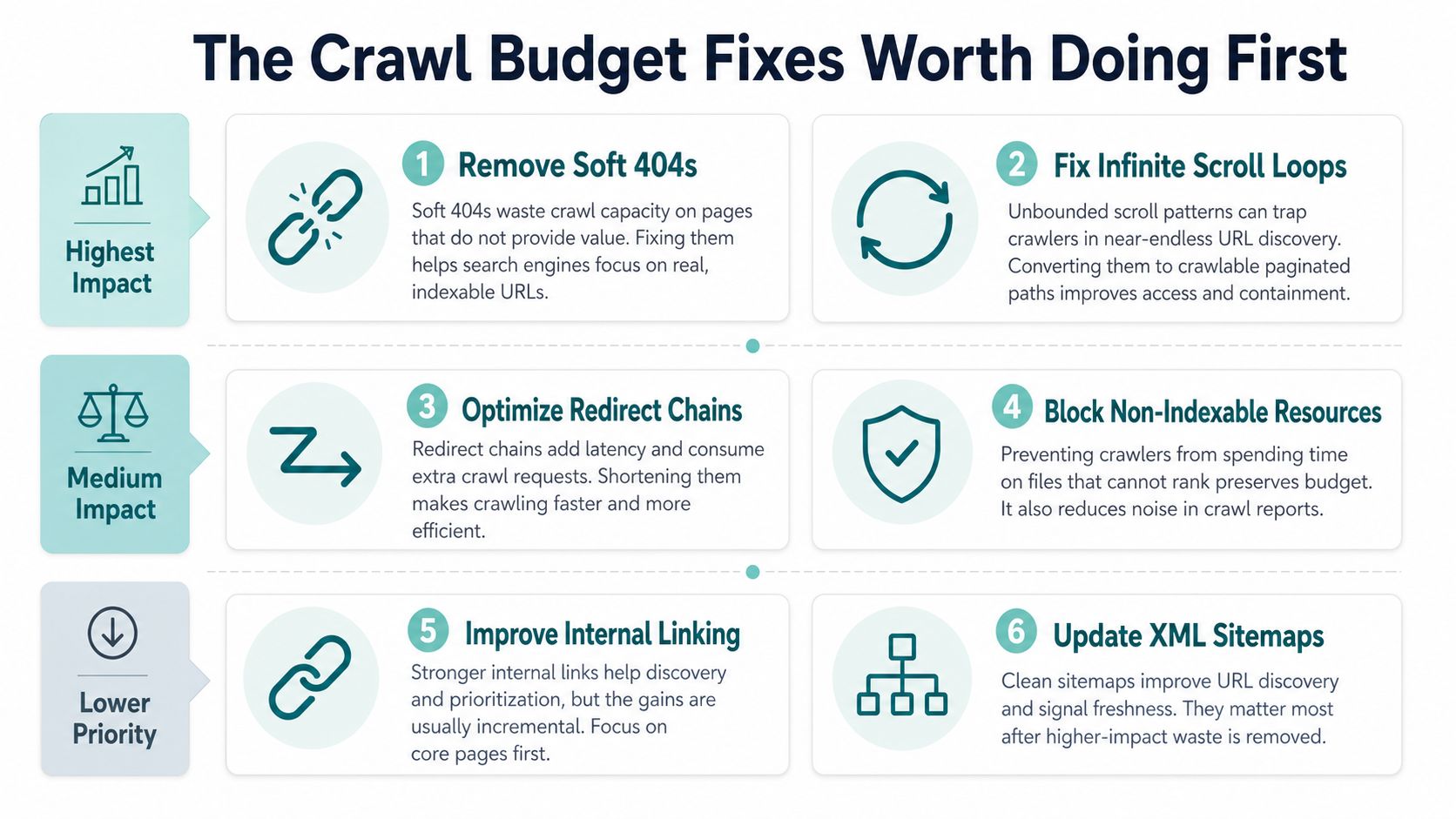
Local service sites rarely benefit from a long technical checklist applied without prioritization. The biggest gains usually come from stopping Googlebot from repeatedly requesting URLs that offer no distinct search value, not from making a clean sitemap even cleaner.
1. Remove soft 404s and URL loops
Start with pages that look valid to the server but aren't useful to a user or crawler. Correct missing pages so they return a genuine 404 or 410, redirect moved content to its relevant replacement, and improve pages that are being classified as soft 404s because they contain little meaningful content.
Infinite URL spaces deserve the same urgency. Faceted filters, calendar paths, internal search combinations, and scroll or AJAX implementations can create crawlable variations without creating useful landing pages. These patterns can consume far more requests than a small sitemap can save.
2. Block clearly non-essential URL patterns
Use robots.txt for crawl control when a URL pattern has no value for Googlebot and doesn't need to be crawled to expose canonical or indexing signals. Common candidates include internal search results, unbounded filter combinations, and automatically generated archives.
User-agent: *
Disallow: /search?
Disallow: /tag/
Disallow: /filter/
Treat those examples as patterns to adapt, not rules to paste blindly. Blocking a URL prevents crawling, so Google can't read a canonical tag placed on that URL. Validate the pattern against logs and URL Inspection before deployment.
3. Consolidate parameter variants
Canonical tags can help Google understand the preferred version of duplicate or near-duplicate URLs, while internal links should point directly to the preferred URL. For an ordinary local site, parameters from analytics tracking, review widgets, appointment systems, and CRM integrations are more likely to create accidental duplicates than useful search pages.
4. Prune redirect chains
Replace internal links to redirected URLs with links to the final destination. Consolidate chains so the old URL reaches the correct canonical destination directly, and remove redirects that were created during temporary migrations but are no longer needed.
5. Clean the sitemap after the important waste is gone
An XML sitemap should contain canonical, indexable URLs that you want Google to consider. Removing noindexed, redirected, blocked, duplicate, and error URLs improves the sitemap's usefulness, but on a small site it generally won't compensate for a weak service page or missing internal link.
For supporting work on site architecture, use internal linking best practices to connect priority pages clearly.
What usually doesn't earn its place
Crawl-delay directives aren't a Googlebot lever for increasing a local site's crawl budget. Aggressive parameter handling in Search Console is also a poor first move, especially when the URL patterns haven't been confirmed in logs. Google's current documentation emphasizes server resources and content quality, so the practical triage is simple: fix the largest two waste sources, measure, and only then consider lower-impact adjustments.
Implementing the Technical Cleanup
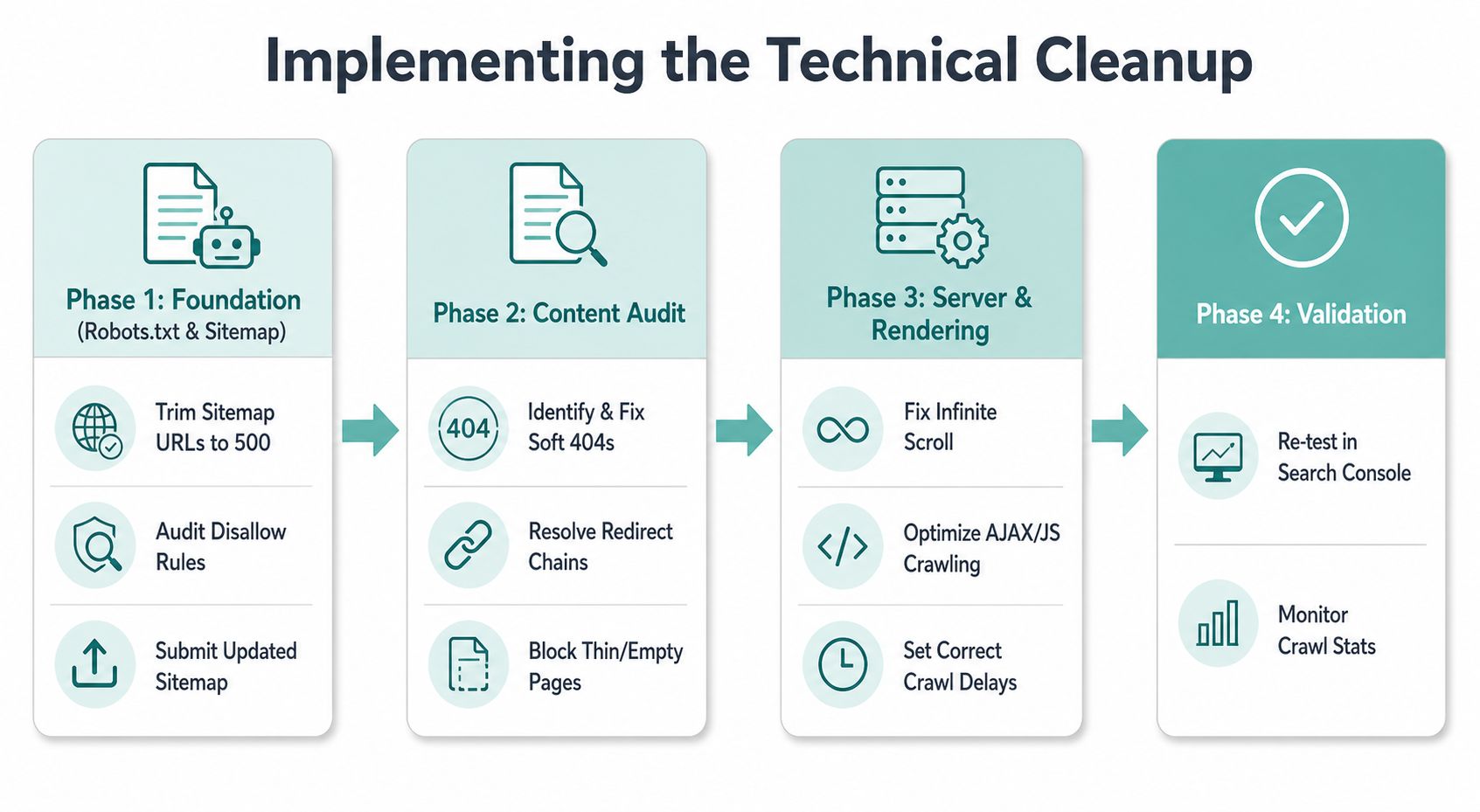
Technical cleanup works best when one system is changed at a time. Save the current files, document the affected URL patterns, deploy in a controlled order, and check Search Console and logs after each meaningful change.
Robots.txt and XML sitemaps
Begin by defining the URLs that deserve crawling. For a local service site, that usually means canonical service pages, useful service-area pages, and selected educational content. Don't include URLs that are blocked, redirected, noindexed, duplicated, or returning errors.
A practical sitemap review can follow this sequence:
Include: canonical, indexable, 200-status URLs
Exclude: redirected, blocked, noindexed, duplicate, error URLs
Set lastmod: update only when the page meaningfully changes
Submit: the sitemap URL in Google Search Console
Don't use <lastmod> as a daily signal when nothing changed. A reliable date helps Google interpret freshness; a constantly changing date weakens that signal. For additional sitemap structure examples, compare your implementation with this sample sitemap for a website.
Canonicalization
Every indexable template should output a self-referencing canonical unless there is a deliberate reason to consolidate it elsewhere. Check templates generated by WordPress plugins, CRM integrations, appointment platforms, review widgets, and location modules. These systems can produce duplicate hostnames, tracking variants, or near-identical pages without making the duplication obvious in the content editor.
Choose one consistent version of the site:
Preferred host:
Redirect:  to
Canonical:
Internal links: use the preferred canonical URL
Replace the example host with the actual domain and implement the host and protocol policy at the server or platform level.
Parameters and faceted navigation
List every query-string pattern found in logs before blocking anything. Separate harmless tracking parameters from parameters that generate new content, then decide whether each pattern should resolve to a canonical page, return an appropriate status, or remain crawlable because it represents a legitimate search resource.
For non-essential filters, use a documented rule such as:
User-agent: *
Disallow: /*?sort=
Disallow: /*?filter=
Disallow: /*?utm_
Search Console's URL Parameters tool and crawl settings can support parameter management where available, but they shouldn't replace testing. A blocked path can't pass canonical signals through its HTML, so fix internal links and canonical logic first.
Redirects
Map every obsolete URL to its intended destination. Then apply redirects in this order:
- Replace internal links with final destination URLs.
- Convert temporary redirects used for permanent moves into server-side 301 redirects.
- Collapse multi-step chains into one direct hop.
- Remove JavaScript redirects and implement server-side rules.
- Retest old URLs, destinations, canonicals, and sitemap entries.
A redirect is useful when it preserves a meaningful move. It becomes crawl waste when internal navigation sends Googlebot through several unnecessary requests before reaching the page users need.
Reading Crawl Stats Before and After the Work
Consider a representative 60-page plumbing company with a service-area page for each city it targets. Before cleanup, the business might discover that Googlebot is spending substantial attention on faceted URLs, /tag/ archives, and product-style filters that return thin or empty results. The important service pages may be accessible, yet the logs show that a large share of requests never reaches them.
The first mistake would be to celebrate every increase in requests. A spike can indicate newly exposed junk, a loop, or a flood of generated URLs. The useful question is whether the mix of requests becomes more concentrated on canonical pages that support the business.
After the cleanup, the dashboard may show fewer total requests. That can be a positive result if the kilobytes downloaded flatten on clean days, error and redirect requests decline, and the “by purpose” view shows discovery and refresh activity focused on canonical service and location pages.
| Metric | Before Cleanup | After Cleanup | What It Tells You |
|---|---|---|---|
| Total crawl requests | Elevated by filters, tags, and empty paths | Lower or more stable | Whether wasted URL generation has been reduced |
| Canonical service-page requests | Mixed with noisy URL patterns | More concentrated on priority pages | Whether Googlebot is reaching commercial content efficiently |
| Response-code mix | Repeated redirects, soft errors, or server errors | Cleaner mix of successful responses | Whether requests are producing useful crawl outcomes |
| Downloaded response size | Irregular spikes from unnecessary paths | Flatter on ordinary days | Whether crawl activity is consuming avoidable resources |
| Crawl purpose | Discovery mixed with low-value URLs | Discovery and refresh of canonical URLs | Whether crawling aligns with content priorities |
Don't overreact to average response time or host load on a small site. Those metrics matter when they reveal a genuine capacity issue, but a minor fluctuation isn't proof that the site needs infrastructure work. The same applies to Google's crawl limits. If priority pages are discovered and refreshed, chasing a theoretical limit won't improve lead generation.
The final check belongs in analytics. Compare organic sessions to indexable landing pages, then inspect calls and form submissions from those pages. The strongest outcome for a service business is more qualified landing-page activity while total wasted crawl requests fall, not a larger Googlebot number by itself.
A Realistic Crawl Budget Checklist for Service Sites
Crawl budget work exists to help Google find and revisit the pages that can generate phone calls and form submissions. It isn't a ranking trophy, and it shouldn't displace content improvements, local relevance, clear calls to action, or conversion testing.
Use this one-page checklist:
- Validate the problem: Confirm that important URLs are being missed or that Googlebot is wasting requests on generated URLs.
- Review Crawl Stats: Record the 90-day baseline, response mix, crawl purpose, downloaded size, and response behavior.
- Analyze logs: Isolate Googlebot and group requests by URL pattern, status code, and priority.
- Trim the sitemap: Keep canonical, indexable, successful URLs only.
- Fix canonicals: Standardize host, protocol, templates, and vendor-generated duplicates.
- Prune parameters: Control filters, search paths, and non-essential query strings after reviewing their purpose.
- Resolve redirects: Link directly to destinations and remove unnecessary chains.
- Recheck after cleanup: Review Crawl Stats weekly during active work, then monthly for two months.
- Check business outcomes: Recheck organic landing-page sessions and lead activity after 30 days, while allowing normal reporting noise.
For a broader page-level review, pair this process with an on-page SEO checklist. A technically clean crawl path won't rescue a service page that doesn't answer the local searcher's question or make the next step obvious.
The practical conclusion is intentionally modest. On a small service site, fixing indexation, internal linking, content quality, and conversion paths will often matter more than manipulating crawl rate. Crawl budget optimization earns its place when your evidence shows that Googlebot is spending time on the wrong URLs or failing to reach pages that deserve organic visibility.
Digital Skyrocket audits crawl behavior, technical SEO, service-page structure, and lead paths as part of its SEO and website work for service companies. Visit Digital Skyrocket to discuss whether your site has a genuine crawl-budget issue or a higher-priority opportunity that will do more for qualified calls and form submissions.