Your website looks respectable, your team publishes content, and the traffic report isn't empty. But the phone still isn't ringing with the right inquiries. Your intake team fields requests for services you don't offer, prospects outside your territory, and occasional good opportunities nobody can trace back to a page.
Learning how to build a lead generating website starts with changing the assignment. You're not buying a digital brochure. You're building a system that helps the right person find you, decide whether you're a fit, and take a useful next step. In an AI-influenced search environment, that system also needs to work when fewer people click and every qualified visit matters more.
Table of Contents
- What a Lead Generating Website Actually Has to Do
- Run Discovery Before You Open a Design Tool
- Design the Information Architecture Around One Conversion Path per Service
- Build Service Pages That Earn the Inquiry
- Win Qualified Leads in the AI Search Era
- Design Forms and CTAs That Qualify Without Scaring People Off
- Your 90-Day Plan From Baseline to Qualified-Lead Reporting
What a Lead Generating Website Actually Has to Do
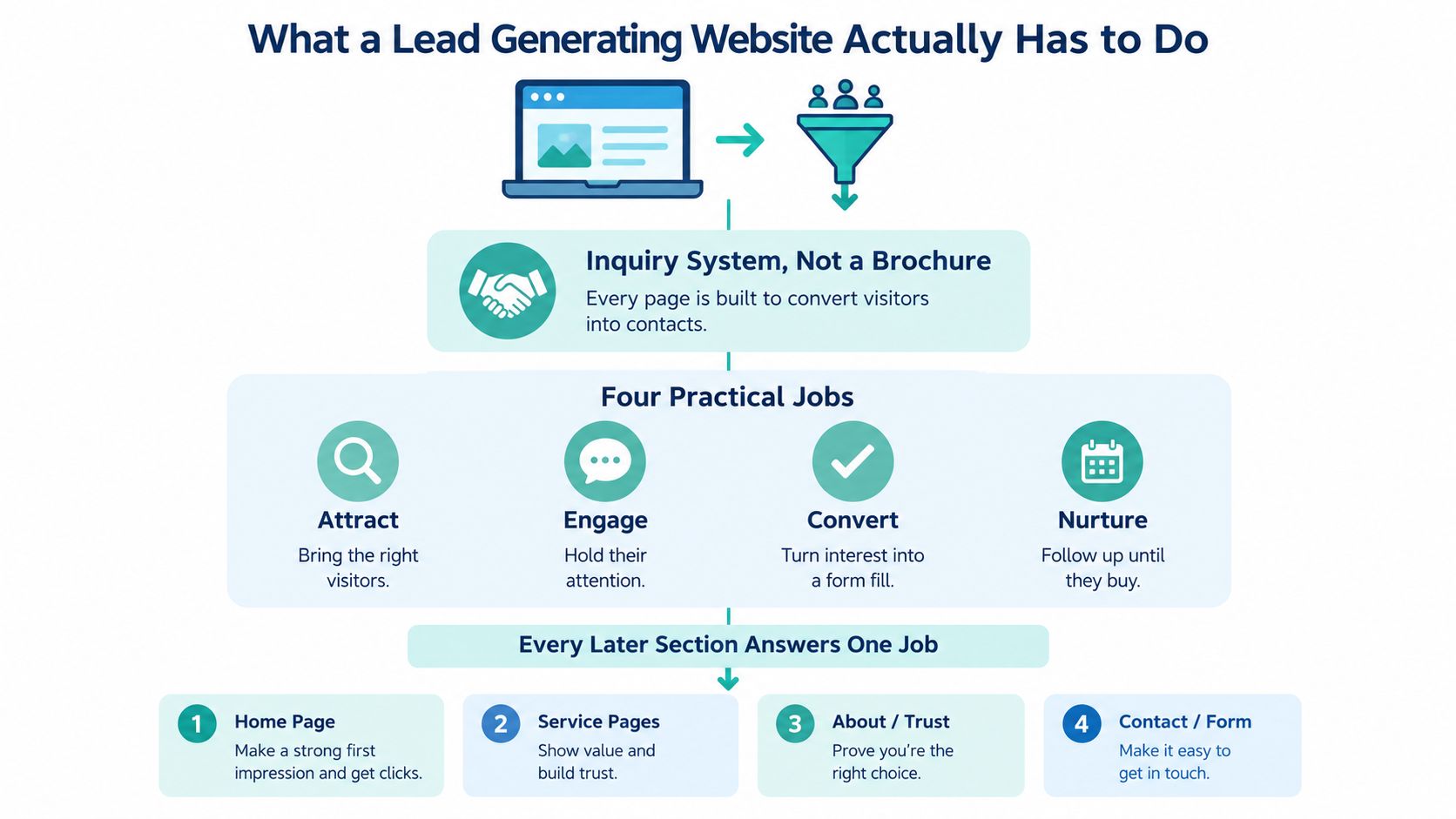
A lead-generating website has to connect discovery, qualification, conversion, and follow-up. A polished homepage can't compensate for attracting the wrong audience, and a strong service page won't produce business if inquiries disappear into an unmonitored inbox.
Start with a shared definition of a qualified lead. For a roofer, that might mean a property owner inside the service territory requesting work the company performs. For a law firm, qualification might depend on practice area, jurisdiction, and whether the matter fits the firm's intake criteria. Define those conditions before judging website performance.
Connect the build to business decisions
The practical foundation consists of discovery, information architecture, on-page SEO and answer engine optimization, and conversion rate optimization. Each addresses a different failure point.
- Discovery establishes fit. Identify valuable services, realistic geographic priorities, and the prospects your team can help.
- Information architecture organizes decisions. Give visitors a clear route from their problem to the relevant service, rather than making them interpret your internal departments.
- SEO and AEO support discovery and understanding. Align pages with relevant searches and explain services in language people can evaluate.
- CRO improves the handoff. Make the next action understandable, usable, and connected to a real intake process.
Those disciplines shouldn't become separate vendor checklists. The person planning content needs to understand qualification; the developer needs to understand the conversion action; the intake team needs to know what the visitor was promised.
Practical rule: Approve a page only when you can name its intended visitor, the decision it supports, and the next action it should produce.
A dentist's treatment page, for example, doesn't need to persuade everyone researching oral health. It needs to help an appropriate prospective patient understand the treatment, evaluate the practice, and request an appointment.
That distinction changes reporting, too. A form submission is an inquiry, not automatically a qualified opportunity. Keep website activity connected to intake outcomes so you can distinguish useful demand from activity that merely makes a dashboard look busy.
Run Discovery Before You Open a Design Tool
Opening Figma before reviewing the business creates an expensive guessing exercise. The builder starts choosing layouts while the owner is still deciding which services deserve attention. Discovery should resolve those decisions before anyone becomes attached to a visual direction.
A fit meeting should establish whether the engagement makes sense. Ask which work the business wants more of, which inquiries it rejects, and what prevents good prospects from becoming customers. An HVAC company trying to grow replacement installations needs a different content emphasis from a company prioritizing repair calls.
Require artifacts, not just a conversation
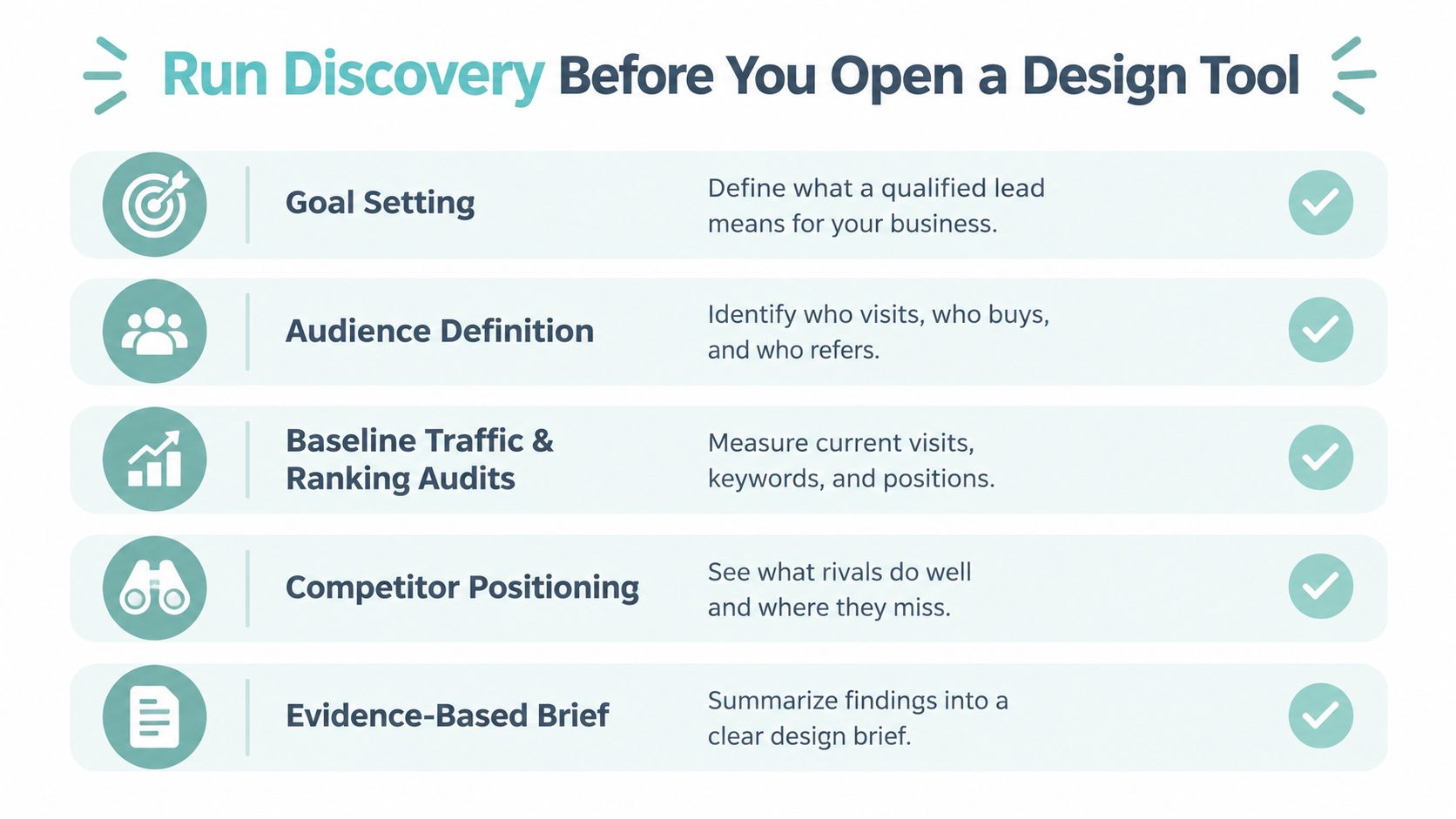
Give the prospective builder a checklist that produces a written working brief:
- Service priorities. Identify desirable work, excluded work, and services constrained by staffing or capacity.
- Audience evidence. Bring intake questions, customer objections, referral patterns, and examples of unsuitable inquiries.
- Performance access. Provide Google Search Console, analytics, existing form records, and available call outcomes.
- Geographic boundaries. Separate core territory, expansion markets, and locations the company won't serve.
- Operating constraints. Document approval responsibilities, platform dependencies, professional advertising requirements, and who follows up.
Review current landing pages and search queries before replacing anything. Preserve useful content and URLs where practical, and document redirects when addresses must change. A redesign shouldn't discard the parts of the existing site that already bring relevant visitors.
Competitor review should examine positioning, not encourage imitation. Compare how businesses explain service eligibility, demonstrate relevant experience, and describe the contact process. For roofing-specific discussion, Bluelight's resource on design that boosts roofing conversions can provide a comparison point, not a substitute for examining your own inquiries.
The deliverable should be an evidence-based discovery report with priorities, uncertainties, and decisions requiring approval. A mood board can accompany it, but can't replace it.
For owners comparing web design services in Longview, TX, the same test applies as anywhere else in the country: ask what concrete planning documents you'll receive before production begins. If the answer is only visual concepts, the business questions haven't been settled.
Design the Information Architecture Around One Conversion Path per Service
A homepage, an About page, and a Contact page describe a company. They don't necessarily help someone determine whether that company handles a particular problem in a particular place.
Build the information architecture, or page hierarchy, around those decisions. Separate services when visitors need meaningfully different explanations, evidence, or intake routes. Combine closely related topics when splitting them would create repetitive pages without additional value.
Template IA vs Intent-Mapped IA
| Criterion | Template IA | Intent-Mapped IA |
|---|---|---|
| Service clarity | Broad service summaries | Dedicated explanations for distinct needs |
| Geographic relevance | General coverage statement | Relevant service-area details |
| Navigation | Standard company menu | Routes based on visitor priorities |
| Path to inquiry | Contact page as the destination | Primary action on the relevant page |
| Supporting content | Disconnected blog archive | Guides connected to appropriate services |
| Expansion | Add pages whenever requested | Add pages when intent and useful content justify them |
A sample website sitemap can help make those relationships visible before development. Mark each proposed page with its audience, purpose, parent page, and primary conversion action. Pages without a distinct purpose deserve scrutiny.
Choose the action before designing the layout
An urgent heating-repair page might prioritize calling. A roof-replacement page might emphasize requesting an estimate. A legal-service page might direct suitable prospects toward a consultation request.
One primary conversion path doesn't mean one contact method. Keep alternatives available, especially when someone can't comfortably use the preferred channel. The distinction is visual hierarchy: visitors should recognize the recommended next step without sorting through equally prominent competing offers.
Don't make a ready-to-hire visitor choose between requesting service, downloading a guide, subscribing to updates, and starting a chat.
Apply the same restraint to location pages. Do not publish near-identical city pages just because you can change the place name. Create a separate service-and-area page when you can explain genuine coverage, relevant work, local considerations, or a distinct intake arrangement.
For a multi-location dental practice, that might mean connecting treatment information to the appropriate office and appointment process. For a contractor, it could mean distinguishing territories with different scheduling arrangements.
The trade-off is maintenance. A larger architecture creates more content to verify and update. Start with the services and areas that justify dedicated attention, then expand when the business can support useful pages and reliable follow-up.
Build Service Pages That Earn the Inquiry
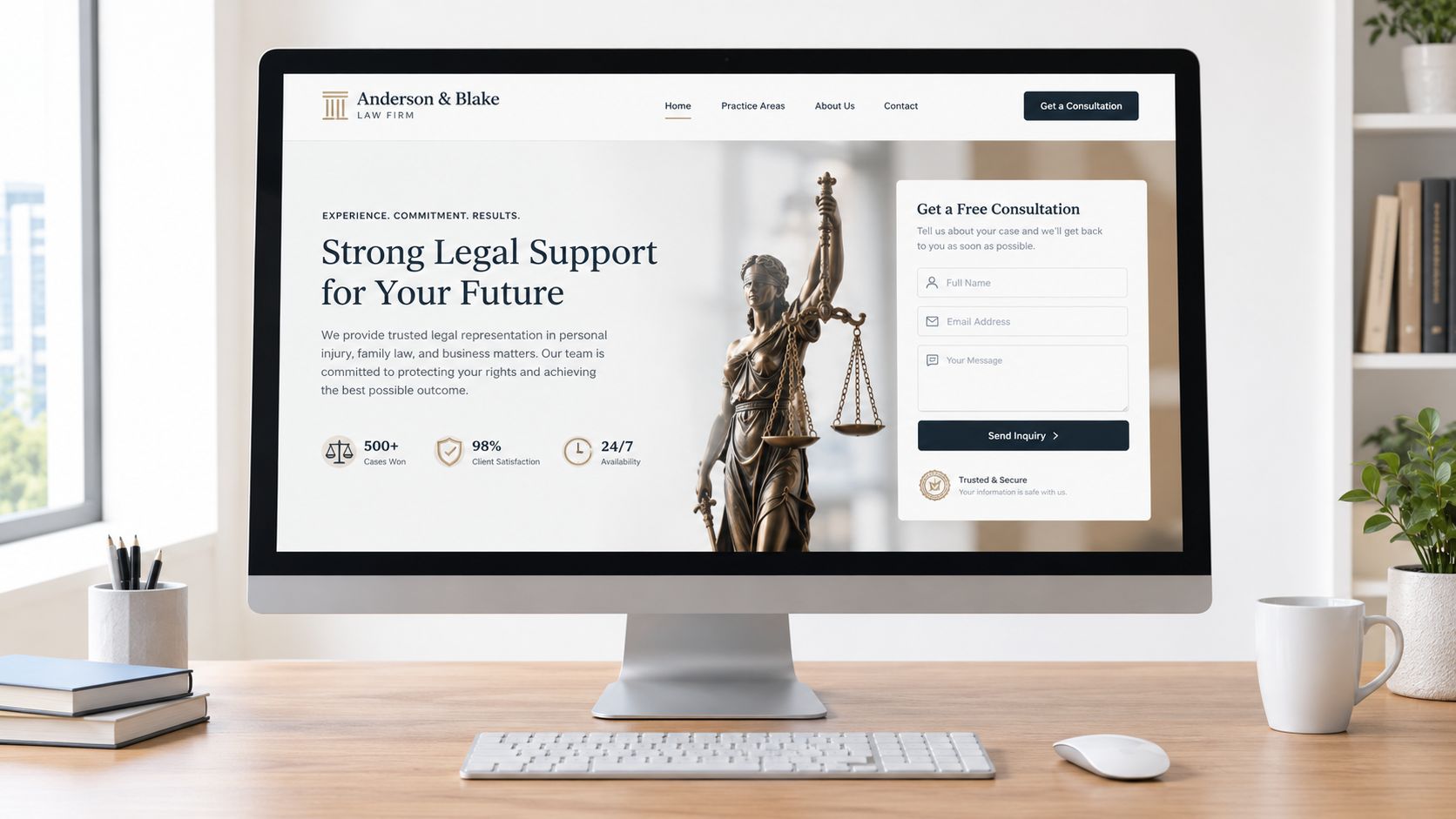
Consider a hypothetical roof-replacement page. The visitor arrives on a phone after noticing a problem and wants to know whether the company serves the property, handles the work, and offers a sensible next step. Start with a direct service-and-location headline, a concise explanation of fit, and an estimate request action.
Put coverage details, contact options, and actual business hours where visitors can find them without searching the footer. Google's historical local-search research found that 4 in 5 consumers used search engines for local information, including addresses, hours, and directions, which supports making those details immediately accessible rather than treating them as administrative content (Google local-search research).
Put relevant proof beside the decision
Professional presentation matters before someone examines every claim. In Stanford's largest website-credibility study, involving 2,684 participants, visual design appeared in 46.1% of credibility comments (overview of Stanford's credibility findings). That's a reason to invest in readable typography and coherent layouts, not permission to substitute decoration for evidence.
Match proof to the visitor's concern:
- Law firms. Identify attorneys, relevant credentials, practice focus, and responsible explanations of results without implying guarantees.
- Dentists. Show the clinicians, explain treatment suitability, and describe what a prospective patient can expect.
- Roofers. Present applicable licensing, documented project photography, and clear scope expectations.
- HVAC companies. Explain equipment or service capabilities and distinguish routine scheduling from available urgent response.
For roofing content, an educational resource about choosing a South Florida roofer from Aastro Roofing Company provides a relevant homeowner-evaluation topic. Your own page should address the questions appropriate to your market without borrowing another company's claims.
Below the proof, explain the service process and its limitations. Tell visitors what happens after an inquiry and what information the team needs to respond. Place the intake action after that explanation rather than ending with an ambiguous invitation to learn more.
Use contextual internal links to connect related services and useful guides. Implement structured data that accurately reflects visible business information, then validate it. Markup should clarify what the page says, not introduce credentials, reviews, or capabilities visitors can't verify.
Win Qualified Leads in the AI Search Era
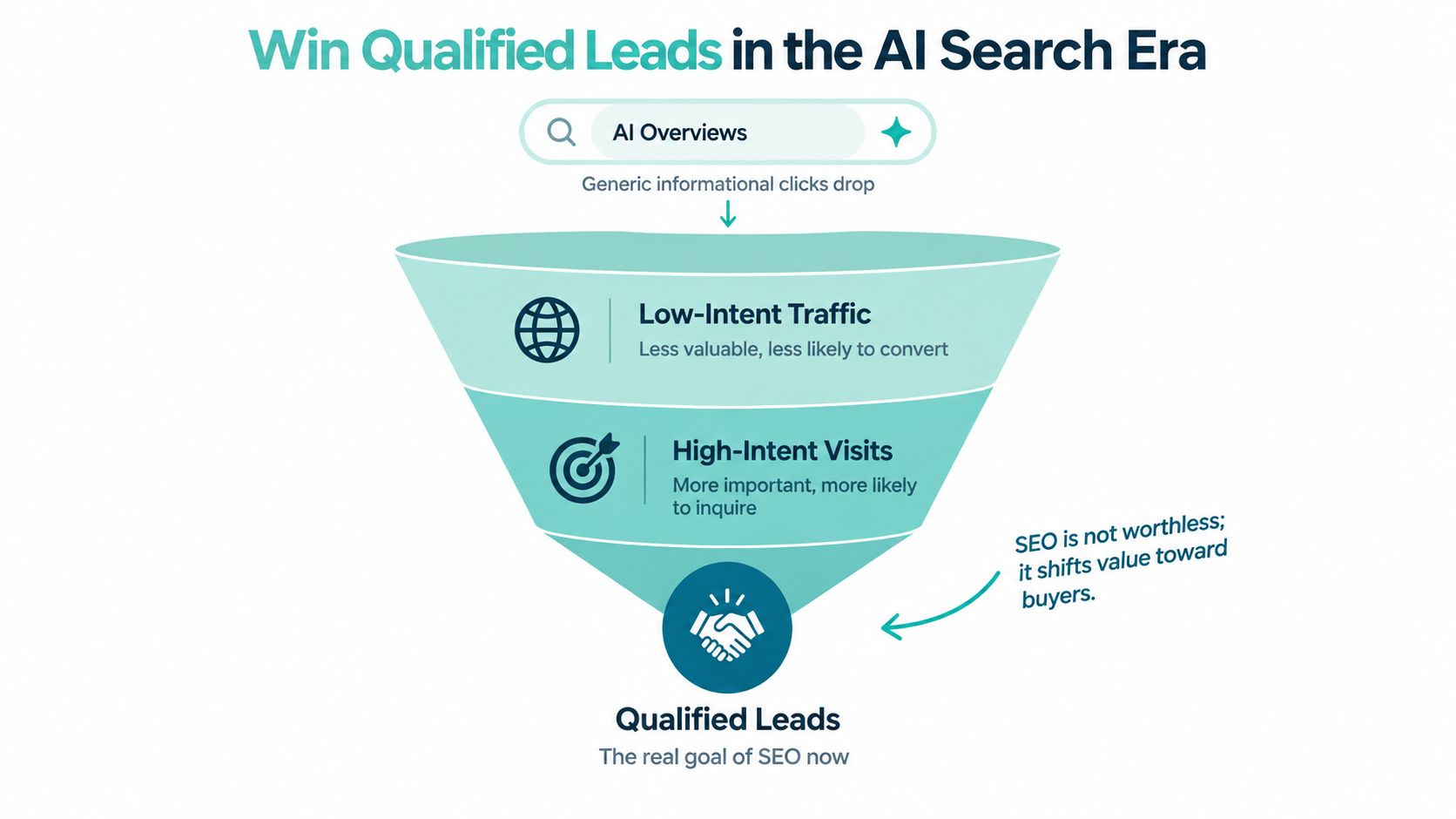
Fewer clicks don't make SEO worthless. They make it more important to distinguish a useful visitor from an informational visit that was unlikely to become an inquiry.
A Pew Research Center analysis of nearly 69,000 Google searches by 900 U.S. adults found traditional-result clicks on 8% of searches displaying an AI Overview, compared with 15% without one; source links inside overviews received clicks on 1% of searches (coverage of Pew's AI Overview analysis). Those findings don't predict an individual business's lead losses, but they challenge traffic-only planning.
Answer questions without confusing visibility with revenue
A practical answer engine optimization approach starts with clear answers to questions prospects ask. Explain eligibility, service boundaries, likely process, and what requires an individual assessment. Connect educational answers to the appropriate service rather than attaching the same generic sales pitch to every article.
Use distinctive, verifiable material: identifiable professionals, original project explanations, relevant photographs, and location-specific knowledge. Don't promise AI citations or assume that adding FAQs guarantees visibility. Treat answer-focused publishing as useful communication, then evaluate whether it contributes to inquiries.
Ask prospects how they discovered the company and preserve their wording in the CRM. That provides context when referral information alone doesn't explain the journey.
Make accessibility part of the conversion system
A visitor who reaches your site still needs to operate it. Prioritize accessibility at the points where someone chooses a service, opens a form, corrects an error, or selects a contact method.
- Keyboard access. Ensure controls work without a mouse and focus remains visible.
- Readable presentation. Use sufficient contrast, legible text, and layouts that remain usable when enlarged.
- Understandable media. Provide captions or transcripts for important information.
- Contact alternatives. Make nontelephone options available instead of assuming everyone can call.
A 2025 midyear report documented 2,019 website accessibility lawsuits and projected nearly 20% growth over the previous year's total (UsableNet's midyear accessibility report). That's a risk consideration, not evidence that any particular change guarantees compliance or leads.
The stronger operational reason is straightforward: don't spend money attracting prospects and then prevent them from requesting help. Test critical journeys with a keyboard and assistive technology, not just an automated checker.
Design Forms and CTAs That Qualify Without Scaring People Off
Every required field should justify its place. Start with what the team needs to route and answer the inquiry, not everything it might eventually want in the customer record.
Name, a usable contact method, service need, and location may be enough to begin. Detailed project history, extensive legal narratives, or appointment paperwork can often wait until the prospect has established contact.
Separate necessary qualification from premature intake
Baymard's ecommerce research found that 17% of users abandoned checkout because of complexity, while the average checkout contained 11.3 fields; it also found field burden mattered more to usability than the number of steps alone (Baymard's form-field research). These are checkout findings, not service-form conversion benchmarks, but they provide a useful reason to question unnecessary typing.
Build the interaction carefully:
- Labels and inputs. Use persistent labels above fields, explicit required or optional indicators, and appropriate mobile input types.
- Errors and recovery. Validate after field completion, explain corrections plainly, and preserve information after an error.
- Completion and routing. Confirm success, provide realistic response expectations, and send the inquiry to an accountable person.
If you require a phone number, explain why. Baymard reports 14% abandonment when a phone number is simply required, reinforcing the importance of context rather than unexplained collection (Baymard's checkout usability collection). Don't imply that email is acceptable if your workflow requires a call.
Intake boundary: Ask for what you need to respond now. Explain what the prospect should prepare later.
For example, a family-law practice can provide a preparation resource after the initial request. The Law Office of Bryan Fagan's Kingwood TX Lawyers resource, prepare for your Texas family lawyer visit, illustrates the kind of follow-up material that doesn't need to become mandatory form fields.
Test against qualified outcomes
Once baseline volume supports a meaningful comparison, change a variable such as form length or an added qualification field. Establish the evaluation criteria before running the test.
Track form starts separately from submissions, then connect submissions to qualified inquiries, appointments, and customer outcomes. A shorter form that produces more unsuitable requests isn't necessarily an improvement. Neither is a restrictive form that makes intake easier by discouraging valuable prospects.
Your 90-Day Plan From Baseline to Qualified-Lead Reporting
Treat the 90-day plan as a working schedule, not a promise that rankings or revenue will reach a particular level. Content approvals, development complexity, and the condition of the existing site can change the pace. Sequence the work so unresolved strategy doesn't become expensive production rework.
Establish the baseline and approve the structure
Begin by recording rankings, organic sessions, landing pages, calls, forms, and available qualification outcomes. Note tracking gaps rather than treating incomplete records as a reliable baseline.
Complete discovery, approve service and geographic priorities, and map the architecture. Assign content owners and confirm which proof assets are available. Before design approval, make sure stakeholders understand what each priority page must accomplish.
Build, validate, and launch the complete journey
Develop the intent-matched pages, internal links, and accurate structured data together. Optimize templates and media before adding decorative effects.
Google and SOASTA's 2017 modeling found a 123% increase in bounce probability as mobile loading time increased from 1 second to 10 seconds (Google's mobile page-speed research). It's historical research, not a forecast for your site, but the practical priority remains: protect usability before adding visual weight.
Validate real-user performance against Google's Core Web Vitals targets: Largest Contentful Paint of 2.5 seconds or less, Interaction to Next Paint below 200 milliseconds, and Cumulative Layout Shift below 0.1, assessed in Search Console at the 75th percentile of actual visits (Google's Core Web Vitals reporting guidance). Laboratory tests help diagnose problems, but don't replace field data.
Test phone clicks, email clicks, form starts, submissions, appointment completions, and CRM handoffs before launch. Confirm actual receipt, not merely that an event appeared in analytics.
Review the business outcomes monthly
Use a reporting checklist that connects acquisition to intake:
- Qualified calls and forms. Separate serviceable opportunities from spam and unsuitable requests.
- Assisted conversions. Record useful earlier interactions where evidence is available.
- Branded search changes. Monitor discovery patterns without claiming unprovable attribution.
- Service and area performance. Associate inquiries with landing pages, locations, and requested work.
- Appointment and revenue outcomes. Include known results and identify records still awaiting follow-up.
Use those findings to choose the next improvement. Fix a broken handoff before commissioning more content, and clarify a misunderstood service before chasing additional visits.
Digital Skyrocket offers custom website development with ongoing SEO and AEO, analytics instrumentation, and conversion refinement for service businesses seeking qualified inquiries. Visit Digital Skyrocket to discuss a fit meeting and an evidence-based discovery process for your new website and ongoing search strategy.