
At 9 p.m., someone realizes they need a doctor. They search a specialty and “near me,” compare nearby profiles on a phone, scan reviews, check whether the office is open, and look for a way to book. If your practice's address, hours, or appointment path is unclear, a strong clinical reputation may never get a chance to enter the decision.
Local SEO for doctors has to work across that entire journey, not just win a place in Google's map results. The profile, the practice website, patient feedback, accurate location data, and the intake process all need to tell a consistent story. If you serve patients at home or have another specialized service, a resource such as Life Primary Care for homebound elders can also help patients understand what care is available to them.
Table of Contents
- The Patient Search Moment Your Practice Keeps Missing
- How Google Actually Ranks Local Medical Results
- Setting Up Your Google Business Profile the Right Way
- Citations, NAP Consistency, and LocalBusiness Structured Data
- Reviews as Operational Infrastructure Not Marketing Slogan
- AI Search Visibility for Doctors Without the Hype
- Measurement That Connects Rankings to Booked Appointments
- A 90-Day Rollout and the Mistakes That Stall Doctor SEO
The Patient Search Moment Your Practice Keeps Missing
A prospective patient may be looking for a particular specialty, checking whether the office takes new patients, or trying to confirm that a clinician is nearby. The search itself is only the start. They'll compare what they find, look for signs that the practice is trustworthy, and decide whether the next step feels clear and manageable.
This behavior predates smartphone map packs. By 2009, 47% of internet users had looked online for information about doctors or other health professionals, and 37% of those adults had consulted online rankings or reviews of providers, according to Pew Research's report on online doctor searches. Patients have long used online information both to find clinicians and to evaluate them.
A practice can appear in a search and still lose the appointment. A profile may list an outdated phone number, a website may bury the office address, or a booking button may lead to a generic contact form that doesn't identify the location. Those are not just cosmetic problems. They create uncertainty at the exact point when a patient is deciding whether to call or move on.
The practical test: Can a patient identify the right clinician, confirm the right office, understand how to book, and take that step without having to resolve conflicting details?
That's the connection many local-SEO checklists miss. Google Business Profile visibility matters, but it works best when citations, structured data, reputation management, and the intake experience support the same real-world practice. The goal isn't to attract more clicks. It's to make it easier for an appropriate patient to reach the right office and complete a useful inquiry.
How Google Actually Ranks Local Medical Results
Google describes local results through relevance, distance, and prominence. These aren't three interchangeable settings. Each describes a different constraint on whether a practice can appear for a patient's search, as explained in Google's guide to local ranking.
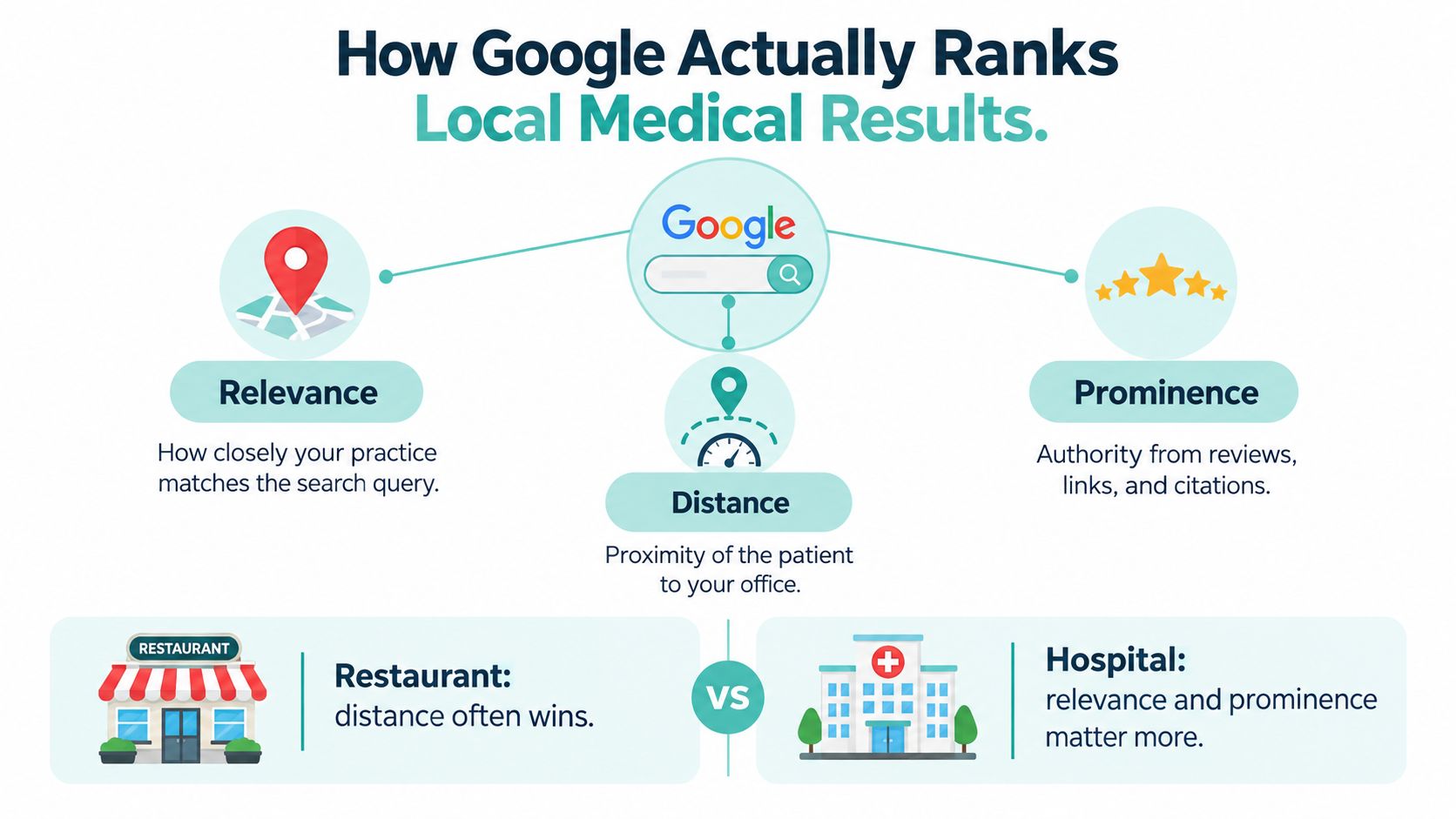
Relevance is how closely the profile matches what someone searches for. If the profile identifies a practice only in broad terms, it may be a weaker match for a specific specialty or service. Accurate categories, complete service details, and appointment information help Google understand what the office offers and help patients judge whether it fits their needs.
Distance reflects how far the practice is from the searcher, or from the location in the query. A popular restaurant can be relevant and well reviewed yet still lose a nearby lunch search to a closer option. For a medical practice, the same geographic constraint means one office can't reliably rank across an entire metropolitan area because it has a strong profile.
Prominence reflects how well known the practice appears online. Reviews, links, web references, and directory information contribute to that picture. Authentic reviews and authoritative mentions can support prominence, but they don't erase distance or compensate for inaccurate profile details.
A useful way to evaluate an SEO recommendation is to ask which of these three factors it can realistically improve. If it promises to overcome geography from a single office, be skeptical.
For a multi-location group, each eligible office needs its own profile and a location-specific website page. A statewide page may describe the organization, but it doesn't give a patient clear information about a particular office, its clinicians, or its services. The distinction between relevance, distance, and prominence is also useful when assessing other Google Maps ranking factors.
Setting Up Your Google Business Profile the Right Way
A profile is often the first place a patient checks after finding a practice. Fill it out from the patient's point of view: what kind of clinician is this, where is the office, when can I reach someone, and how do I make an appointment?
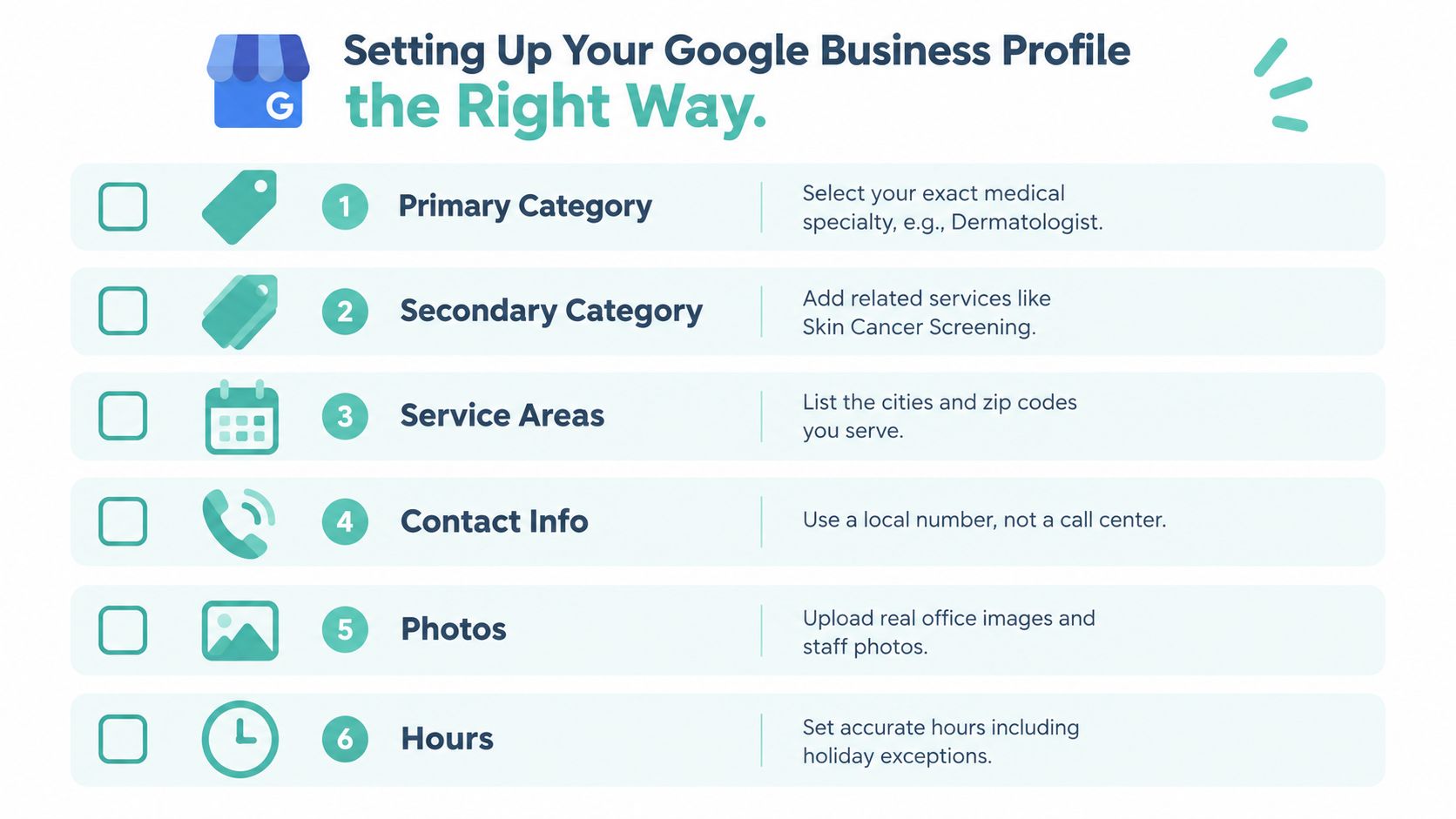
Start by choosing the most accurate primary category for the practice, then add relevant secondary categories only when they describe the business. Don't copy a generic category set from a dentist, chiropractor, or unrelated medical office. List services in the language patients use to identify care, and keep service descriptions factual rather than promising outcomes.
Check the details patients use to decide
- Hours: Publish hours that reflect when patients can reach the office or receive service. Update holiday or other special hours rather than letting the profile imply the office is open.
- Contact details: Use a phone number that reaches the right practice or team. A call-center number can create friction if callers need to work through a menu or repeat information before reaching the relevant office.
- Appointment link: Send patients to the booking path for the correct location. A generic homepage or a form that doesn't identify the office makes the patient do extra work.
- Address and service area: Show the office location when the practice receives patients there. Service-area settings and address visibility should reflect how the practice operates, not an attempt to appear across a wider map.
- Photos: Use genuine images of the entrance, parking, front desk, exam rooms, and clinicians. Patients use them to understand what to expect and recognize the right location.
A profile can be technically complete and still be operationally misleading. If the listing says the office is open while calls go unanswered, or if an appointment button leads to the wrong branch, the information has failed the patient even if every field is filled.
Keep a review routine in place. When clinicians, services, phone coverage, or office hours change, assign someone to update the profile and check the linked pages. A practice owner shouldn't have to discover an inaccurate listing through a frustrated patient.
Citations, NAP Consistency, and LocalBusiness Structured Data
Citations, NAP consistency, and structured data are related, but they solve different problems. A citation is a directory or other online listing. NAP refers to the practice's name, address, and phone number. Structured data is machine-readable information on the website that helps search engines interpret the business and its details.
Google recommends claiming and verifying a Business Profile, and its LocalBusiness structured-data guidance describes information such as business hours and departments that structured data can communicate. Markup adds context. It doesn't guarantee rankings, and it shouldn't contain claims the practice can't support.
| Layer | What it does | Most common error for doctors | Typical fix |
|---|---|---|---|
| Citations | Places practice information on directories and relevant external listings | A profile keeps an old office location or phone number after a move | Maintain a list of important listings and correct outdated records |
| NAP consistency | Keeps the practice's core identity details aligned across the web | Different versions of the practice name or contact details appear across sites | Use one approved version of the name, address, and phone for each office |
| LocalBusiness structured data | Gives search engines machine-readable business details | Markup conflicts with the website or describes unsupported details | Match markup to visible, verified information and maintain location-level data |
Run a consistency check
Compare the Google Business Profile with the website's contact page, each physician or department page, and the practice's major directory listings. Check the office name, address, telephone number, hours, appointment URL, and location-specific services. If a patient could reasonably think these sources describe different offices, search engines may have trouble connecting them too.
Multi-location groups should model each office as a distinct location with its own page and accurate details. Use structured data to describe the practice and its departments where appropriate, but don't use it to mark up unsupported claims or patient reviews about third-party businesses. The same rule applies to review markup: don't imply that a review belongs to the practice if it doesn't.
Reviews as Operational Infrastructure Not Marketing Slogan
Patients use search to find a provider and to judge that provider's reputation. Reviews belong in local-search operations because they help answer both questions. A profile with accurate contact details but no useful reputation context may leave a patient with too little confidence to book.
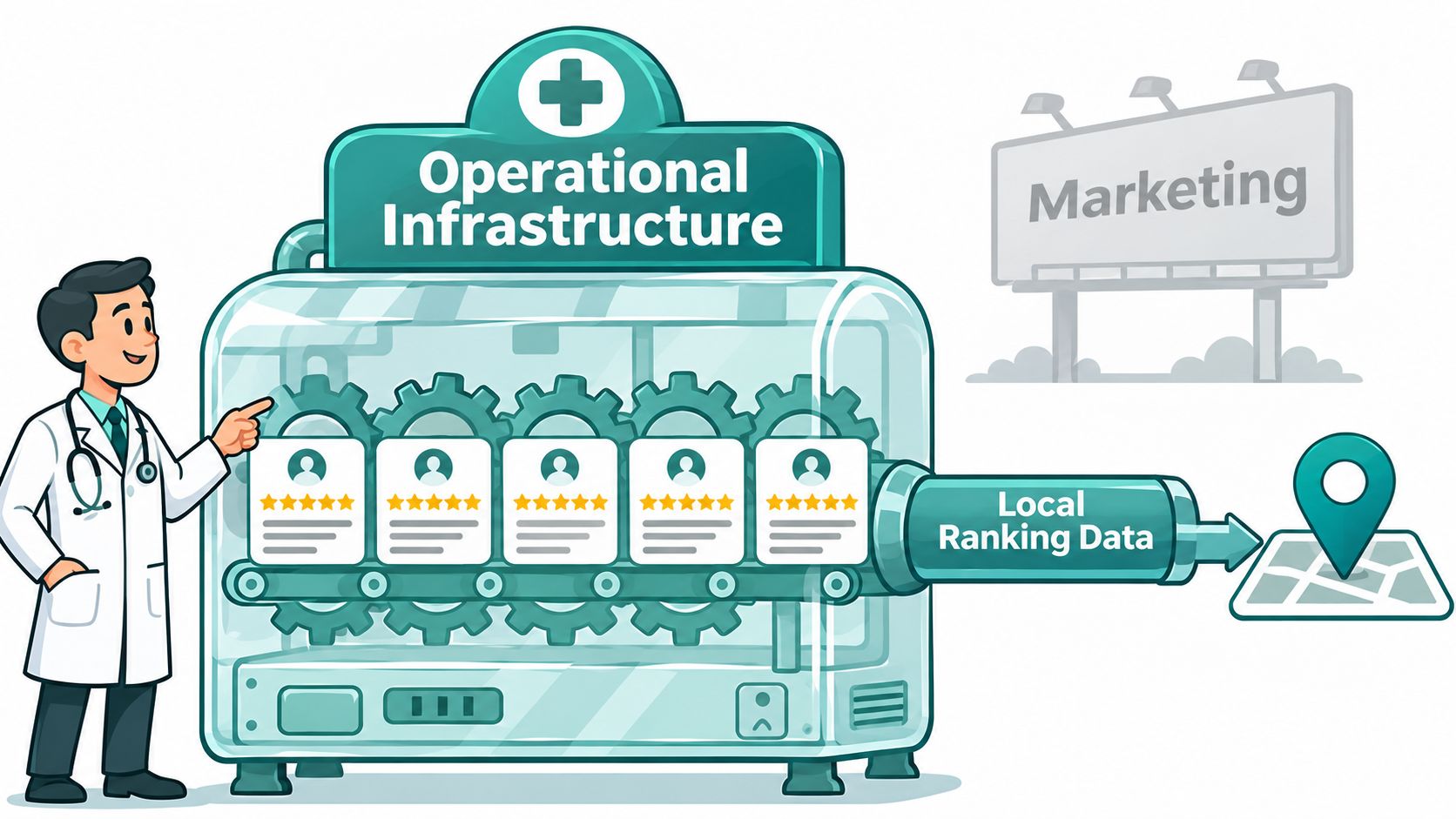
Set up a neutral review-request process that fits the practice's normal follow-up. Staff can share the same review invitation with patients after an appointment, without asking only those who seem pleased and without offering an incentive for a particular rating. Keep the request separate from clinical discussions, and don't pressure a patient who declines.
A simple workflow is easier to follow than an improvised campaign:
- Choose a consistent point in the patient journey. Make the request part of an approved follow-up process rather than a personal ask from a clinician.
- Use neutral language. Invite honest feedback without suggesting a score or asking a patient to describe private medical details.
- Route concerns privately. Give patients a safe way to raise a service issue directly with the practice, without conditioning the review request on whether they use it.
- Assign ownership. Decide who monitors reviews, who drafts responses, and who approves them.
For a positive review, a brief thank-you is enough. For a negative review, don't confirm that the reviewer was a patient, mention treatment, or discuss appointment details. A privacy-aware response can acknowledge the feedback in general terms and invite the person to contact the office through an appropriate private channel.
Response rule: Write every public reply as if someone who has never visited the practice is reading it. Don't add details that reveal or appear to confirm a patient relationship.
Google treats medical content as a regulated area. Its Business Profile content policies prohibit harmful material containing deceptive or misleading health information and restrict certain health-related content. The same care should guide profile posts and review responses. For a wider view of reputation work and search visibility, see reviews and SEO.
AI Search Visibility for Doctors Without the Hype
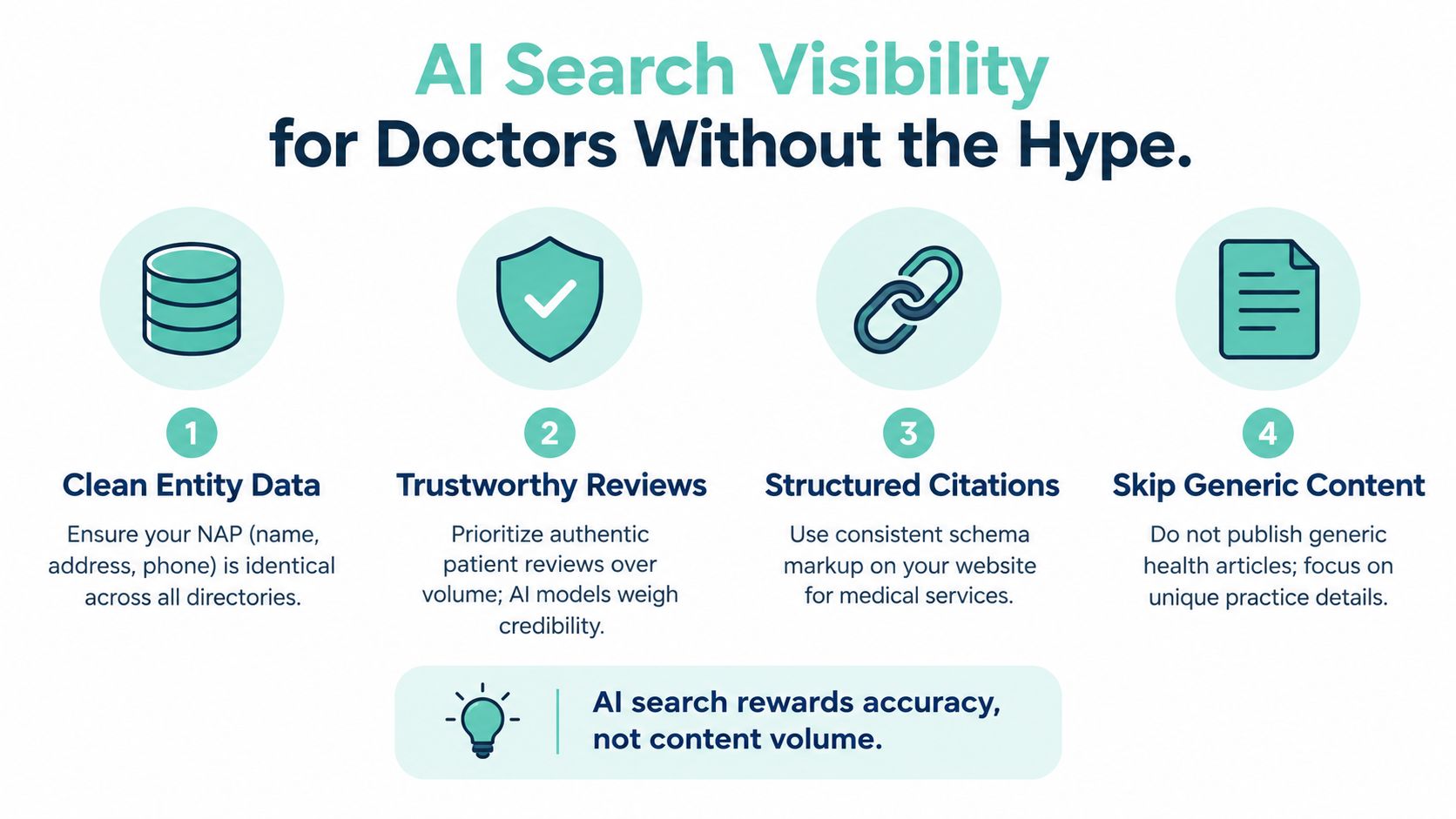
AI-search visibility isn't a reason to publish a pile of generic symptom articles. For a local practice, accurate provider information and a trustworthy reputation are more useful foundations than content volume. If an office name, clinician specialty, location, hours, or phone number conflicts across sources, a system trying to summarize the practice can encounter ambiguity.
A recent U.S. survey reported that 70% of adults were open to or already using AI tools to research physicians, 26% said AI recommendations directly influenced provider choice, 84% checked online reviews, and 40% valued verified patient reviews in AI-generated results, according to Medical Economics' coverage of the survey. Those findings make review quality and correct provider details practical concerns, not just technical ones.
Govern the facts before expanding the content
Assign a person to approve changes to clinician credentials, specialties, locations, hours, and appointment details. When something changes, document who updates the website, profiles, and directories. This is ordinary information governance, but it helps prevent conflicting facts from spreading across listings and pages.
Publish details that help a patient assess access and fit: specialty, office location, appointment options, accepted insurance where verified, telehealth availability where offered, parking information, and whether the practice is accepting new patients. Avoid unsupported medical claims and broad articles that repeat generic advice without adding practice-specific value.
Review responses need the same privacy safeguards whether a prospective patient finds them through a profile or an AI-generated summary. Never use a public reply to confirm private details or debate clinical care. Track inquiries that patients or staff identify as AI-assisted separately from ordinary organic leads, while recognizing that attribution may be imperfect. A broader answer engine optimization approach can complement local SEO when it starts with clear, verifiable practice information.
Measurement That Connects Rankings to Booked Appointments
A ranking or profile click is not an appointment. To understand whether local work produces useful inquiries, connect the source to the service, location, and next step. Start with a simple intake record that captures how the person found the practice, which office they need, what kind of appointment they're seeking, and whether the appointment was completed. Keep the questions proportionate, and don't request sensitive health details unless they're needed for care.
| Source | Track | What to review |
|---|---|---|
| Google Business Profile | Calls, website visits, and appointment actions | Whether inquiries reach the right office and lead to a completed booking |
| Organic location and service pages | Calls and form submissions attributed to each page | Which services and locations bring relevant inquiries |
| Voice search | Patient-reported source, plus calls asking for directions or hours | Whether access information is accurate and easy to act on |
| AI referrals | Patient-reported AI use and referral data where available | Whether AI-associated inquiries match the practice's services and locations |
Use distinct appointment links for offices where the booking system allows it, and use call tracking only if it preserves the right location and service context. A receptionist can ask “How did you find us?” without turning intake into an interrogation. Review source, service, location, and booking outcome together, rather than treating every call or click as equal.
If the practice later adds paid campaigns, don't assume every service can be advertised under the same rules as ordinary local SEO. Google's healthcare advertising policies identify categories including clinical-trial recruitment, HIV home tests, addiction services, and prescription-drug services as examples that may be prohibited or subject to location and approval restrictions.
A 90-Day Rollout and the Mistakes That Stall Doctor SEO
A workable rollout starts by fixing the information patients and search engines depend on before investing in more content. Treat the schedule as an operating sequence, not a promise of ranking changes.
- First 30 days: Verify each eligible office's profile, correct core details, check appointment links, and identify inconsistent listings. Create a location-by-location record of what needs updating.
- Next 30 days: Put the review-request and response process in writing. Improve office and service pages so patients can verify specialty, access, location, and booking details without guessing.
- Final 30 days: Review calls, forms, and booked appointments by service and office. Note where inquiries fail to reach the right team, then fix the intake path and profile or page that caused the friction.
This order matters because traffic can't compensate for broken information. A profile that sends a patient to the wrong number or a website that routes every location to one generic form can generate activity without helping the practice book appropriate appointments.
Local searches often carry immediate access needs. A 2025 survey reported that one-quarter of respondents used voice search to find physicians, mainly for directions and office hours, while 40% could be deterred by a negative review, as covered by TechTarget's report on patients using AI to find a doctor. That's a reminder to keep practical details accurate and make review management part of everyday operations.
Common points of failure are predictable: one statewide page for several offices, selective or pressured review requests, hours that don't match actual phone coverage, forms that ask for unnecessary health information, and an AI strategy built around publishing more generic content instead of correcting entity data. Start with the office where information is most inconsistent, assign an owner to each fix, and measure whether patients can move from search to a completed appointment.
Digital Skyrocket builds and optimizes websites for local search, with technical SEO, reputation management, and conversion improvements that connect visibility to qualified inquiries. If your practice needs a clearer website and an ongoing local SEO plan, visit Digital Skyrocket to discuss the fit.