
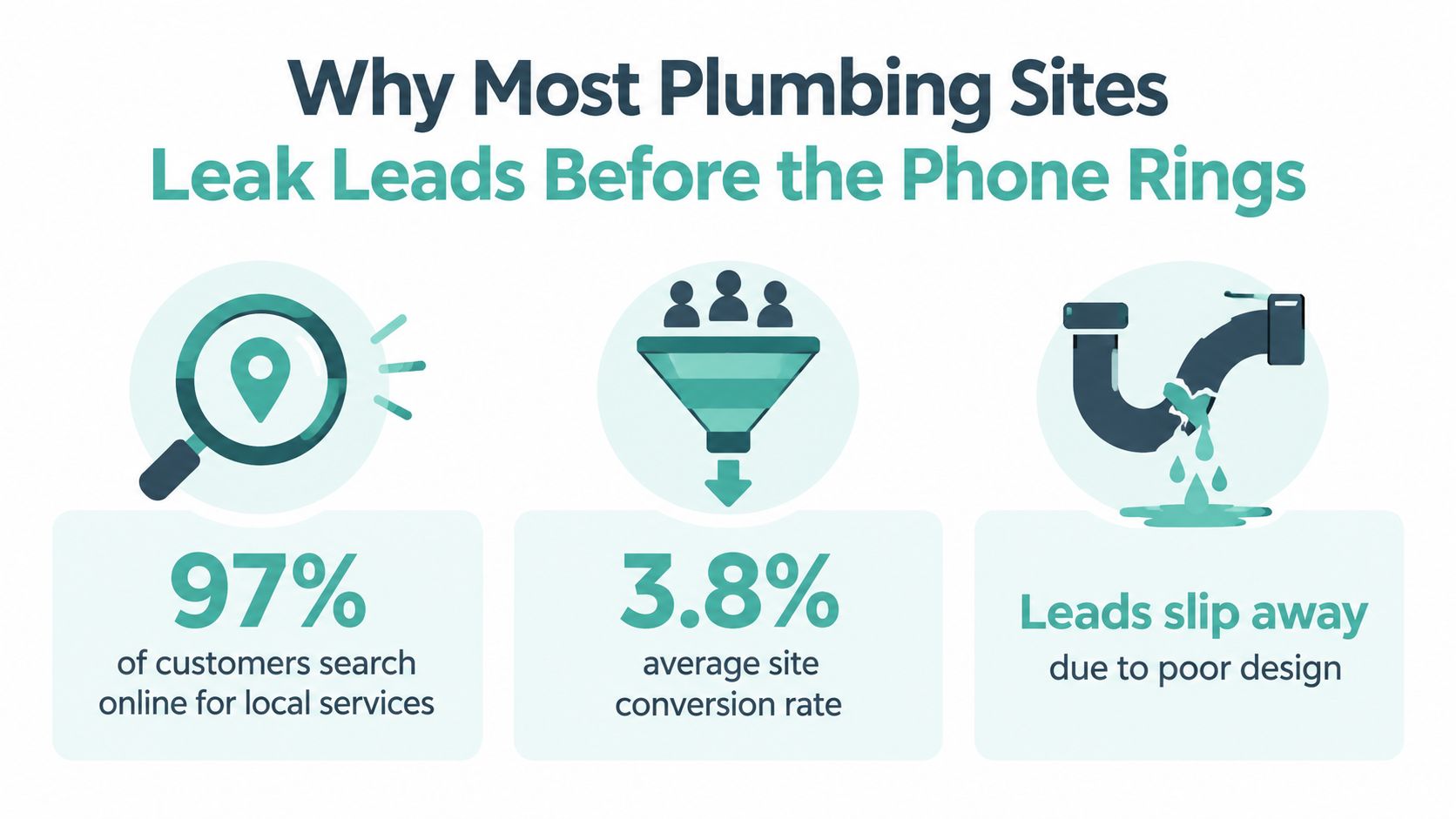
A plumbing website has to win a decision before a homeowner ever hears a dispatcher's voice. Ninety-seven percent of consumers search online before hiring a local plumber, yet the average plumbing company website converts only 3.8% of visitors into leads, while top-performing sites reach 8–12% through stronger design, calls to action, and trust signals, according to plumbing digital marketing benchmarks. That gap usually isn't caused by a lack of traffic. It's caused by a site that makes the wrong visitor work too hard.
The right approach to web design for plumbers starts with two separate decisions. An emergency caller needs a phone-first path with immediate reassurance. A planned-service researcher needs evidence, cost context, financing information, and enough technical detail to feel comfortable booking. Treat both visitors as if they're following the same funnel, and the site will usually underperform in both moments.
Table of Contents
- Why Most Plumbing Sites Leak Leads Before the Phone Rings
- The Mobile-First Information Architecture That Books Emergency Calls
- Emergency vs Planned-Service Pages The Real Two-Funnel Problem
- Service and City Page Templates Built for Google and AI Answers
- A Real Plumbing Site Rebuild and What Changed
- Lead Capture Flows and Answer Engine Optimization
- A 90-Day CRO Testing Plan for Plumbers
Why Most Plumbing Sites Leak Leads Before the Phone Rings
The leak usually sits between a qualified visit and a clear next action. A homeowner may arrive from a local search ready to call, then leave because the page hides the number, loads slowly, or gives no immediate proof that the company handles the problem. Web design for plumbers has to close that gap by assigning each page a job.
A generic contractor brochure rarely does that. It opens with a large image, a broad slogan, company history, and a contact button below the first screen. That structure suits a longer sales cycle. It fails a homeowner searching “burst pipe repair near me” while water is spreading across the floor.
The site needs two intent paths:
- Emergency callers need a visible phone number, immediate service confirmation, and evidence that the company handles urgent work.
- Planned-service researchers need an explanation of the repair, options, warranty details, financing information, and a clear way to request an estimate.
These visitors should not be forced through one generic funnel. An emergency page should prioritize click-to-call, location coverage, response expectations, and trust near the top. A water-heater or repiping page can give technical context more room, then guide the visitor toward a quote or consultation. The page's layout, schema, and conversion event should follow that intent.
The traffic-to-call gap
Plumbing search traffic is mobile-first and high intent. Independent local-search benchmarks report that 73% of local searches start on a mobile device, 76% of people who search “near me” on a smartphone visit a business within 24 hours, and mobile users abandon pages that take longer than 3 seconds to load 53% of the time, as summarized by local search statistics from Valve+Meter.
Page speed is only one part of the call gap. A slow hero image, oversized review widget, or theme loaded with unnecessary scripts can delay the phone number and weaken the emergency path. On planned-service pages, a short form shown before the company explains the work asks for commitment before trust has been earned.
Thin location pages create a separate problem. Replacing one city name with another does not give homeowners useful local evidence or give search engines a strong reason to treat each URL as distinct. Build every page around its intended visitor first, then choose its content, schema, layout, and conversion action accordingly. That approach keeps emergency callers moving toward the phone while giving planned-service researchers enough evidence to book with confidence.
The Mobile-First Information Architecture That Books Emergency Calls
A plumber's mobile page should answer four questions in order: Can you help with this problem, do you serve this location, can I trust you, and how do I reach you now? The page architecture should make those answers available without forcing an emergency visitor through a long scroll.
Stack the first screen around action
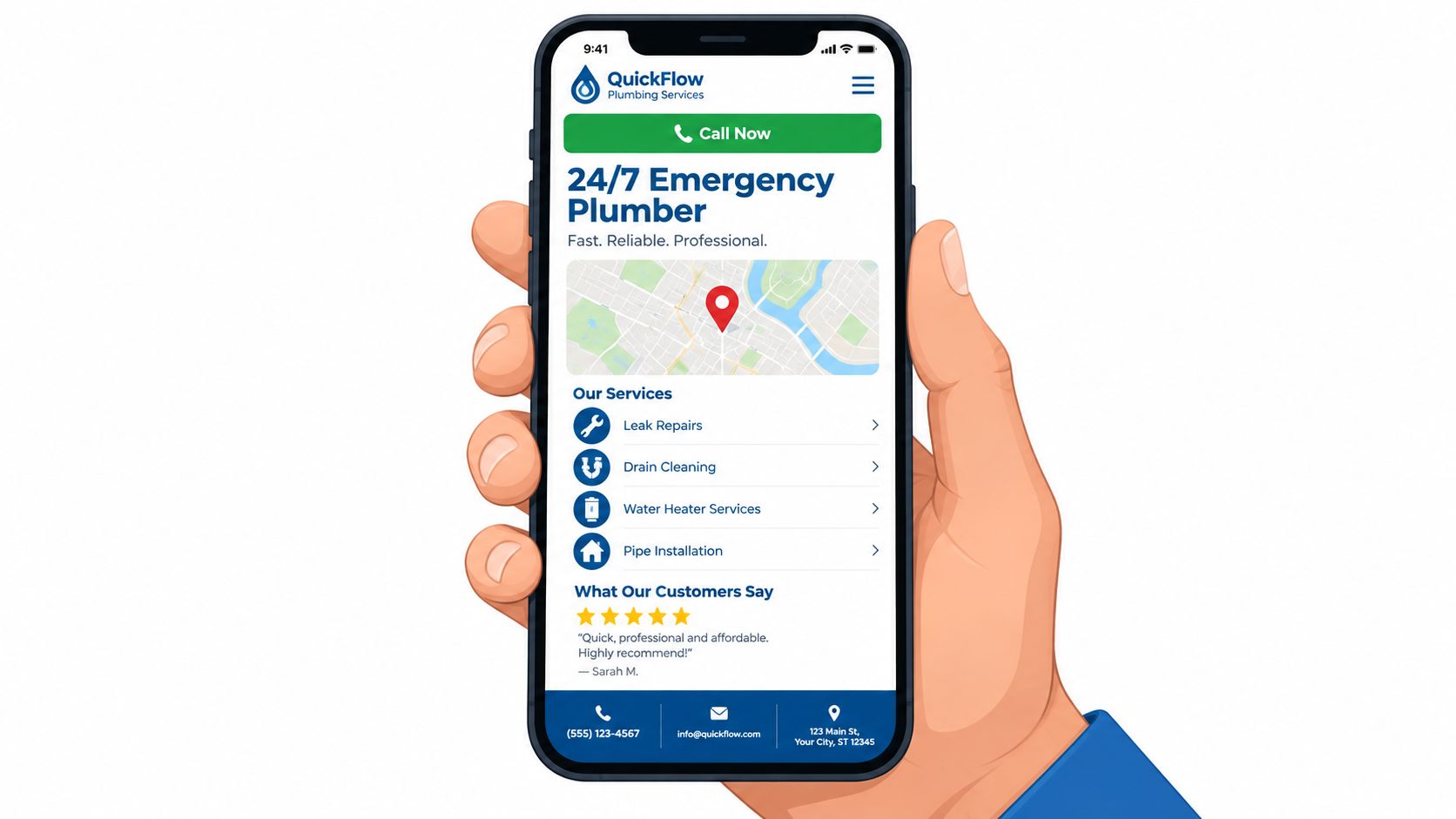
Start with a compact header. Keep the logo restrained and place a sticky click-to-call button in the primary position, using a properly formatted tel: link so iPhone and Android users can dial without copying the number. The phone number should remain visible as the visitor moves through the page, not disappear after the first scroll.
Below the header, add an emergency banner for burst pipes, sewer backups, gas-line concerns, or other urgent services. That banner should send the visitor directly to the emergency path, rather than dropping them onto a broad services page.
The hero needs one benefit-led headline, a visible phone number, and a short reassurance statement. A callback widget can appear after 10 seconds of idle scroll, but it should support the primary call action, not compete with it. Don't open with a carousel, a video background, or a multi-step form. Each adds friction at the moment the visitor is least patient.
Give planned researchers a clear secondary route
Under the hero, use a compact four-tile service hub for drain, water heater, leak, and sewer services. The grid is easier to scan than a long dropdown menu, and each tile can route to a dedicated page built around its own search intent.
Place trust anchors directly below the hero. A strong set includes the current Google review count, a visible Texas license number, a response-time promise, and warranty language where it applies. These elements serve different visitors, but they should all be easy to see. Emergency callers look for competence and availability. Planned-service visitors look for evidence that the company stands behind its work.
The footer should carry consistent name, address, and phone information, secondary service links, service hours, license and insurance details, and a short contact form. Don't make the footer do the work of the header, but use it to capture visitors who've finished researching and are ready to act.
Emergency vs Planned-Service Pages The Real Two-Funnel Problem
A page targeting “emergency plumber near me” shouldn't look like a page targeting “tankless water heater installation cost.” The query itself reveals the visitor's urgency, and the layout should respond accordingly.
| Dimension | Emergency-Intent Page | Planned-Service Page |
|---|---|---|
| Primary action | Tap-to-call phone CTA | Request an estimate or schedule service |
| Hero content | Immediate availability, problem confirmation, service area | Educational explanation and service outcome |
| Form treatment | No form above the fold | Short qualified form, with job type included |
| Content depth | Minimal first-screen path, supporting details below | Cost context, process, financing, warranty, and FAQs |
| Query signals | “now,” “24 hour,” “near me,” “burst pipe” | “cost,” “repair or replace,” “installation,” “vs” |
| Schema emphasis | LocalBusiness and Service | LocalBusiness, Service, and FAQPage where eligible |
| Primary CRO metric | Tracked emergency calls | Qualified form submissions and scheduled calls |
Emergency pages should remove decisions
An emergency page needs a sticky call bar, a single dominant CTA, inline confirmation that the company serves the visitor's area, and a fast mobile experience. There's no reason to place financing language above the fold when someone needs a shutoff valve or sewer backup response.
The page can still include credentials, recent reviews, and a short service explanation. Those signals should reassure the caller without interrupting the path to the phone. A concise after-hours notice is useful if it accurately explains how the call is routed.
Planned pages should earn the booking
A planned-service page has more room to educate. The hero can explain the result, followed by symptoms, options, project photographs, financing information, warranty terms, and answers to practical questions. A longer form can ask for the service type because the visitor is more likely to compare providers before contacting one.
For homeowners researching urgent water-heater problems, a resource such as Ring Hot Water's emergency hot water repair guide can help clarify the difference between an immediate failure and a planned replacement decision. The link belongs in supporting educational content, not in place of a clear local service path.
The core trade-off is simple. Emergency pages sacrifice detail for speed. Planned-service pages use detail to reduce uncertainty. One shared template usually gives emergency visitors too much to read and planned visitors too little reason to trust the company.
Service and City Page Templates Built for Google and AI Answers
A plumbing website needs two page systems, not one oversized services page and a stack of interchangeable city URLs. Service pages explain what the company does. City pages prove where and how it does that work.
Build the service template around a problem
A water-heater repair page should describe the symptoms homeowners recognize, the possible causes, the inspection process, repair-versus-replacement considerations, and what happens after booking. It should also provide pricing signals without promising a universal price when the final cost depends on the property and diagnosis.
Use this structure:
- Problem and symptoms: Explain what the visitor may be seeing or hearing.
- Process: Describe inspection, diagnosis, options, and completion.
- Proof: Add relevant reviews, job photos, licensing, and warranty details.
- Questions: Answer practical searches such as whether repair or replacement makes sense.
- Next step: Match the CTA to intent, with a call for urgent issues and a form for planned work.
Mark up the business with LocalBusiness schema, the offering with Service schema, and visible question-and-answer content with FAQPage schema when the page meets Google's requirements. Structured data should describe content users can see. It shouldn't be used as a substitute for useful copy.
Make every city page locally meaningful
A city page needs more than a headline that swaps one place name for another. Add neighborhood-specific language, genuine project evidence, a map, the same business name, address, and phone used in the Google Business Profile, and a clear list of services available in that area.
A differentiated page might explain common housing conditions, access challenges, or service patterns that the company has encountered. It can include a project photo from the area, a local review, and FAQs tied to that community. Don't fabricate local details to make a page look specific.
| Element | Service Page | City Page |
|---|---|---|
| Main job | Explain one plumbing service | Establish local relevance and coverage |
| Core content | Symptoms, process, options, pricing context | Neighborhoods, local proof, map, service availability |
| Internal links | Matching city pages and related services | Relevant service pages and emergency path |
| Schema | LocalBusiness, Service, eligible FAQPage | LocalBusiness, Service where relevant, eligible FAQPage |
| Primary risk | Combining unrelated services | Duplicated doorway-page copy |
The distinction aligns with guidance on location landing pages. A city URL should exist because it helps a real local visitor, not because the CMS can generate another indexed page.
Conversational questions deserve direct answers near the top of the page. For example, a page can answer “How much does tankless water heater installation cost in [city]?” by explaining the factors that affect the estimate, such as equipment selection, access, required modifications, and permitting, without inventing a dollar amount. That plain opening gives both homeowners and answer engines a usable response.
A Real Plumbing Site Rebuild and What Changed
A Houston-area plumbing site had the familiar symptoms of a business that had invested in a website but not in the path from search to booked work. The WordPress theme used a generic hero image, the phone number wasn't prominent above the fold, six city pages repeated nearly identical copy, and the contact form sat roughly two scrolls down.
The rebuild changed the architecture before changing the colors. The homepage received a mobile-first layout with a sticky phone button and a dedicated emergency route. Three core service templates were rewritten around distinct problems, and the six city pages were rebuilt with neighborhood-specific copy and project photographs rather than city-name substitutions.
The rebuild focused on measurable actions
LocalBusiness and Service schema were deployed across the site, while Google Business Profile categories were aligned with the service headers used on the pages. The form was reduced to three fields, and a callback widget gave visitors another path when they weren't ready to call immediately.
The 90-day outcome was tracked through CallRail, the client's CRM, and Google Business Profile reporting. Organic calls increased, form submissions increased, mobile bounce rate decreased, and direction requests from the profile climbed. The owner credited the largest lift to the combination of the sticky phone button and the dedicated emergency path, not to the visual redesign alone.
That distinction matters. A new color palette can improve perceived professionalism, but it rarely fixes a hidden phone number or a page that sends an urgent visitor into a generic funnel. The owner could see which calls came through emergency page groups, which forms completed in the CRM, and where mobile visitors abandoned the site.
Practical rule: Track the action that creates revenue, not just the visit that precedes it.
Trust signals need a visible hierarchy
Google says local rankings are primarily based on relevance, distance, and prominence. Prominence includes real-world and online reputation, including links from other websites and the number of reviews a business has, according to Google's local ranking guidance.
An independent analysis of 16,098 Google Business Profiles found review count was the strongest measured ranking factor. Top-three placement rose from 39.3% for profiles with 1–5 reviews to 73.0% for profiles with 201–500 reviews, as reported in Localo's local ranking factor analysis. That doesn't mean a review count guarantees a call, but it does show why review visibility belongs near the decision point.
| Trust Signal | Tier | Primary Intent Served | Impact Rank |
|---|---|---|---|
| Google review count and recency | Tier one | Both, especially comparison visits | 1 |
| Visible license number | Tier one | Emergency competence and planned reassurance | 2 |
| Clear response-time promise | Tier one | Emergency callers | 3 |
| Written guarantee | Tier two | Planned-service researchers | 4 |
| Financing information | Tier two | Planned-service researchers | 5 |
| Before-and-after photos | Tier two | Planned-service researchers | 6 |
| Named technician bios | Tier two | Home-entry reassurance | 7 |
| Association badges | Tier three | Limited standalone influence | 8 |
| Generic stock photos | Tier three | Rarely persuasive alone | 9 |
| Unverifiable awards | Tier three | Weak credibility | 10 |
Place the review widget directly below the hero or beside the first CTA, not only on a testimonials page. Put the license number in the header and footer, and repeat guarantee language within the first two scrolls of planned-service pages. Use real job photographs in service sections where the visitor is evaluating expertise.
For practical maintenance content that supports planned-service research, a resource such as the plumbing maintenance checklist from Bulls Eye Repair can be useful as an external reference. It should complement, not replace, the company's own service explanations and local proof.
Emergency callers need fast evidence of availability and competence. Planned-service researchers need confidence in workmanship, cost planning, and the people entering their home. The rebuild worked because it placed each signal where that visitor was most likely to need it.
Lead Capture Flows and Answer Engine Optimization
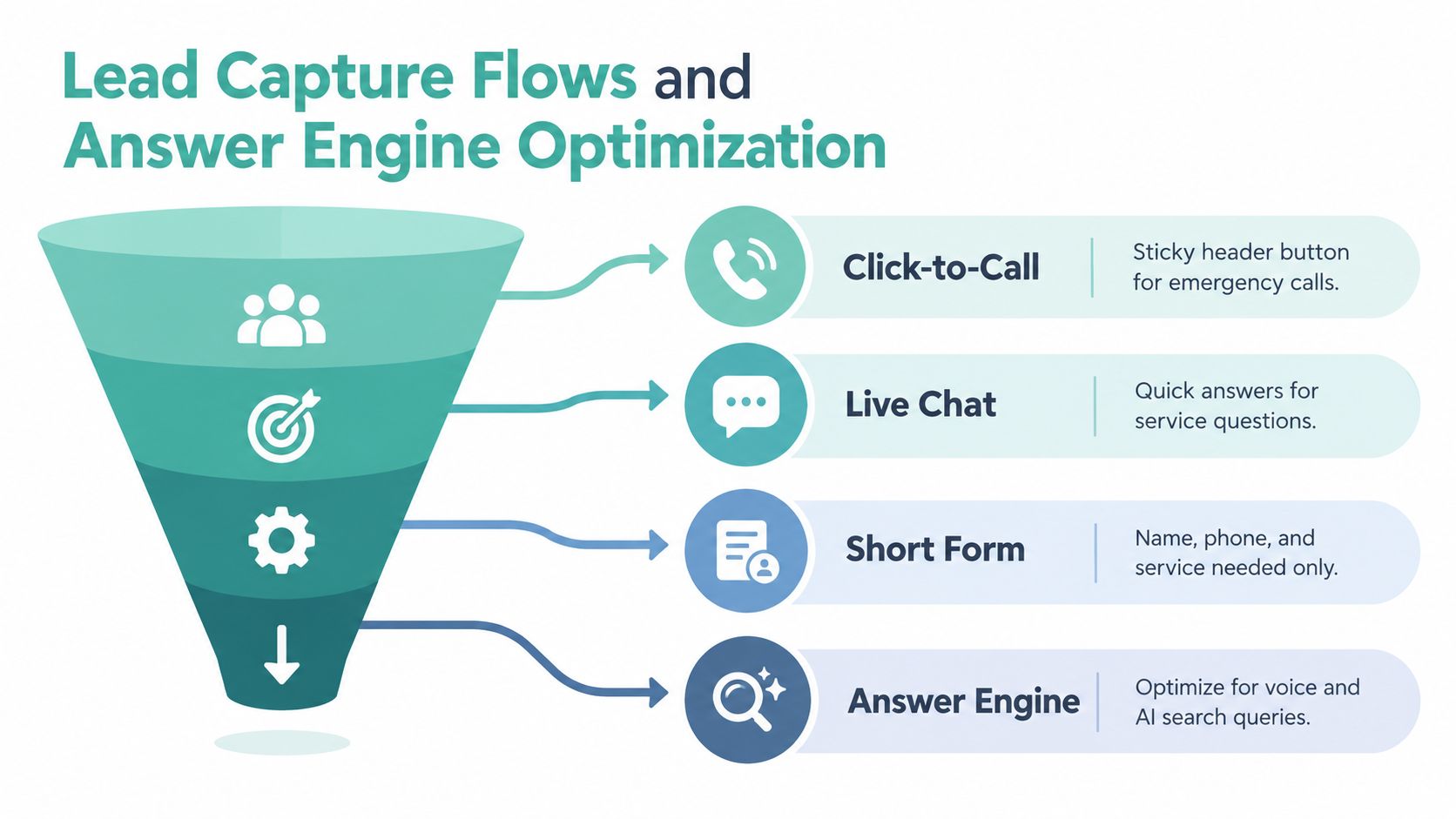
Plumbing lead capture should follow the visitor's intent instead of forcing every person into the same form. Calls usually carry the emergency workload, while forms are more useful for planned work and after-hours requests.
Four flows cover the main conversion moments
Click-to-call belongs in a sticky header and on every high-intent page. Use separate tracking numbers for emergency and scheduled-service paths when the dispatch operation can handle that distinction. Record each as its own conversion event in GA4 so a call from an emergency page isn't blended with a scheduled estimate request.
A three-field form works well for planned-service pages. Ask for the name, phone number, and ZIP code, then use the service page context to infer the job type. If the visitor lands on a water-heater installation page, don't make them select the service again.
A callback widget can appear after meaningful engagement, such as 45 seconds of dwell time. It should offer a simple request rather than opening a demanding questionnaire. A visitor who's still researching may prefer a callback, while an emergency caller should always see the phone CTA first.
An after-hours route needs operational accuracy. Tell visitors whether an on-call dispatcher answers, whether the request enters a queue, and what information the team needs. A form that promises a response the company can't deliver damages trust.
Structure answers for search and AI systems
FAQ content should come from real customer questions, including searches modeled on People Also Ask queries. Write each answer in a direct, declarative style, usually around 40–60 words, and place it visibly on the page before marking it up.
Use LocalBusiness and Service schema for business and service entities, and FAQPage schema for eligible visible FAQs. Keep the business name, address, and phone consistent across the site, Google Business Profile, and LocalBusiness markup. Entity-rich author bios can identify the plumbing business, its service territory, and the practical experience behind educational content.
A focused explanation of answer engine optimization can help teams understand why structured, direct answers matter. The important implementation point is simple: write for the homeowner first, then make the page's entities, questions, and answers unambiguous for search systems.
A 90-Day CRO Testing Plan for Plumbers
Conversion optimization works better as a measured pipeline than as a collection of design opinions. Start by instrumenting the site, test the highest-impact friction points, then use actual call and form evidence to decide what changes next.
| Sprint | Days | Focus | Primary Metric |
|---|---|---|---|
| Instrumentation | 1–30 | Call tracking, GA4 events, CRM mapping, heatmaps, baseline review | Call volume and qualified lead ratio |
| First tests | 31–60 | Two controlled tests on high-traffic pages | Form completion rate and emergency calls |
| Iteration | 61–90 | Deploy winners, retire losers, update content from call recordings | Qualified leads and mobile bounce rate |
Days 1 through 30 should remove guesswork
Install tracking numbers by page group and define the baseline for call volume, form completion rate, mobile bounce rate, and qualified lead ratio. Review heatmaps for the homepage and the top three service pages, then listen to recorded calls where consent and local requirements allow it.
Check whether emergency and planned-service calls are being classified separately. A site can appear to generate leads while the office still lacks a reliable way to tell which pages produce booked work.
Days 31 through 60 should test one hypothesis at a time
Run two tests on the highest-traffic pages. One might compare the current header against a sticky call button with a clearer label. Another might compare a five-field form with the required three-field version. Each test needs one hypothesis and one primary metric, otherwise the result becomes difficult to interpret.
Keep the rest of the page stable during the test. If the button, hero, form, and service copy all change at once, you won't know which adjustment affected behavior.
Days 61 through 90 should turn results into the next sprint
Deploy the winning variants, return losing versions to the backlog, and feed call-recording objections into new content briefs. If callers repeatedly ask whether a water-heater repair includes a warranty, answer that question on the service page. If planned-service visitors ask about financing, make the information visible before the form.
A useful conversion rate improvement process should connect testing to calls, forms, and qualified jobs rather than treating conversion as a purely visual score.
Use this checklist before launch:
- Mobile performance: The primary mobile render stays under 3 seconds.
- Emergency action: The click-to-call control is visible above the fold on every page.
- Intent separation: Emergency and planned-service pages use different templates.
- Structured data: LocalBusiness and PlumbingService schema are validated.
- Lead form: Planned-service forms use three fields or fewer where appropriate.
- After-hours handling: The route reaches a real dispatcher or accurately sets expectations.
- Planned-service proof: Financing and warranty information appear where relevant.
- Review visibility: The widget pulls fresh Google Business Profile data.
Watch for these red flags: one phone number shared by emergency and scheduled work, city pages that only swap the place name, no form on service pages, a stock-photo hero, missing schema, and a footer without license or insurance information. If three or more appear together, the site likely needs a structural rebuild rather than another cosmetic refresh.
Digital Skyrocket builds WordPress websites for plumbers around emergency and planned-service intent, with responsive layouts, local service pages, technical SEO, answer engine optimization, and conversion tracking tied to calls and forms. Visit Digital Skyrocket to discuss a site rebuild that makes the next plumbing search easier to turn into a qualified job.