A polished website can lose a potential client at several points before anyone submits a form or calls. Search engines may struggle to crawl an important service page, a mobile visitor may abandon a slow layout, an answer engine may fail to extract the right fact, or an interested prospect may encounter a broken form with no clear next step.
That's why a website audit checklist should be prioritized around business impact, not just technical issue counts. For a law firm, dental practice, roofing contractor, HVAC company, or other local service business, the practical question is simple: can the right people find the site, trust it, understand the offer, and contact the business without friction?
The workflow below covers crawlability, mobile performance, on-page SEO, local visibility, content, conversion paths, measurement, security, and answer-engine readiness. Record every finding with four details: the issue, its likely impact on qualified inquiries, the evidence supporting it, and the next action required. That format turns an audit from a long list of warnings into a fix queue your team can use.
Table of Contents
- 1. Mobile Responsiveness and Core Web Vitals
- 2. On-Page SEO and Keyword Alignment
- 3. Technical SEO and Site Architecture
- 4. Local SEO and Google Business Profile Optimization
- 5. Content Quality and Search Intent Alignment
- 6. Conversion Rate Optimization and Lead Capture Forms
- 7. Backlink Profile and Domain Authority
- 8. Website Security, SSL, and Trust Signals
- 9. Analytics, Tracking, and Reporting Infrastructure
- 10. Answer Engine Optimization and AI Search Readiness
- 10-Point Website Audit Comparison
- Turn Audit Findings Into a Fix Queue
1. Mobile Responsiveness and Core Web Vitals
Mobile usability is a business issue before it's an SEO issue. A prospective client searching for an emergency roofer, dentist, or attorney may be ready to call immediately, but a cramped layout, hidden phone number, oversized hero image, or shifting form can interrupt that decision.
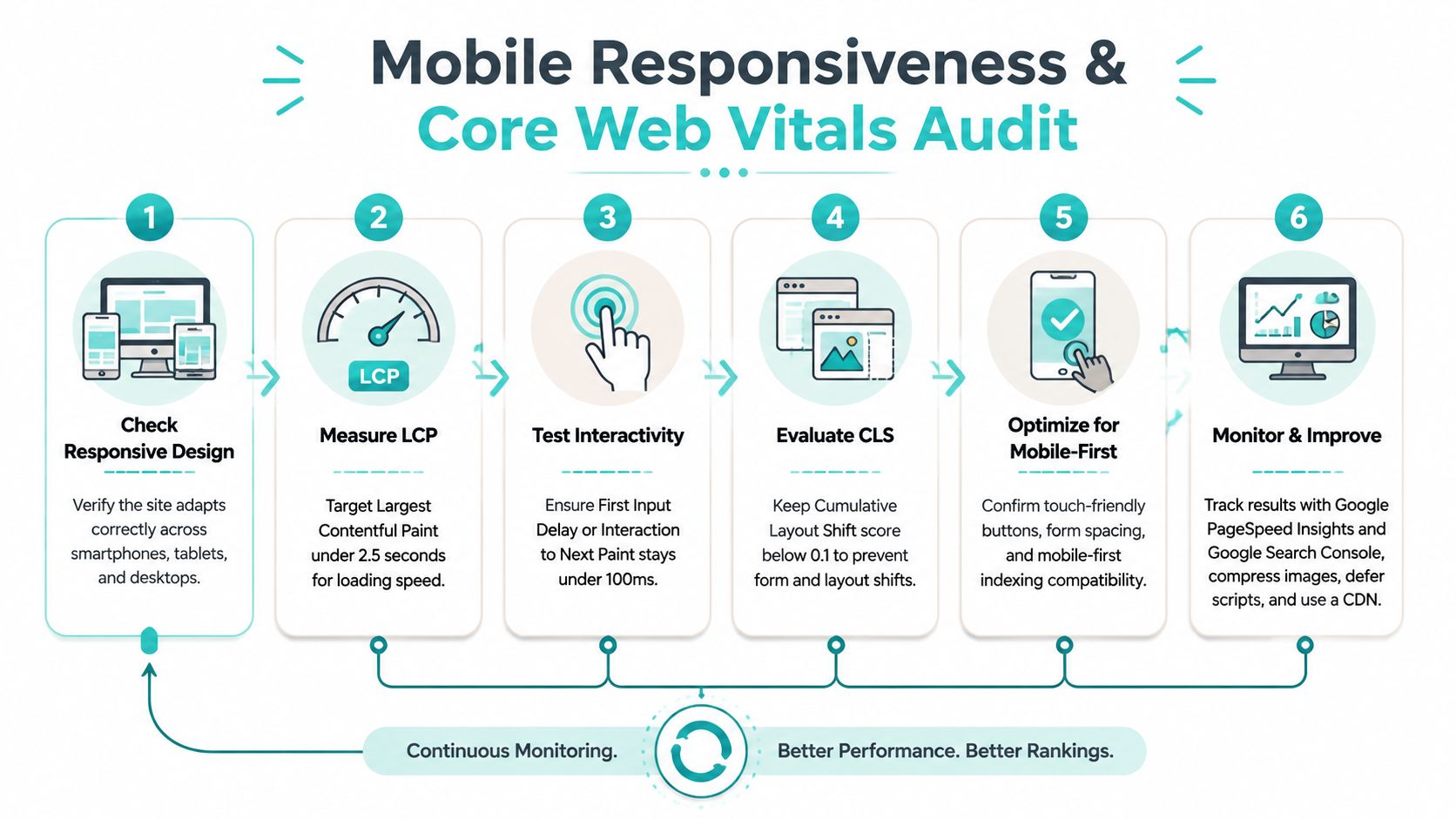
Google's Core Web Vitals provide a practical benchmark because Google evaluates them using real-user data. All three metrics need to pass at the 75th percentile over a rolling 28-day window: Largest Contentful Paint under 2.5 seconds, Interaction to Next Paint under 200 milliseconds, and Cumulative Layout Shift under 0.1. A site can appear fast in a lab test and still fail field data when real visitors experience delayed interaction or unexpected movement. Google's Core Web Vitals documentation explains the thresholds and field-data approach.
Start with the pages that generate calls and forms, not a random sample of URLs. Compare Google Search Console field data with PageSpeed Insights diagnostics, then inspect the page on a real phone and a throttled connection.
What to inspect first
- Responsive layout: Check navigation, service cards, phone links, forms, images, and buttons across phones, tablets, and desktop screens.
- Largest content: Compress hero media, serve appropriately sized images, and remove render-blocking resources that delay the main headline or offer.
- Interaction speed: Defer nonessential JavaScript, review chat widgets and tracking scripts, and identify long tasks that delay taps.
- Layout stability: Reserve space for images, banners, embeds, and late-loading elements so the page doesn't jump while someone tries to click.
- Mechanical performance: Review server response time, page weight, and media compression alongside Core Web Vitals. Some performance audits use 0.8 seconds or less for Time to First Byte and 1.5 MB or less for page weight as hard review thresholds. Webtonic's performance audit guidance provides these mechanical checks and common causes.
Independent field analyses from 2025 and 2026 place the share of origins passing all three Core Web Vitals at roughly half the web, with mobile pass rates lower than desktop in the cited analyses. The compiled Core Web Vitals field analysis supports treating mobile performance as a competitive filter rather than a cosmetic enhancement.
2. On-Page SEO and Keyword Alignment
A service page should match a real customer need, not merely contain a collection of keywords. A page targeting emergency AC repair should make the service, location, urgency, and next step clear. A personal injury page should reflect the questions and concerns people have before contacting a firm.
Review each important URL for one clear topic and one clear purpose. Check the title tag, meta description, H1, headings, opening copy, image alternative text, internal links, and calls to action. The primary phrase should appear naturally in the page's main heading, but forcing an exact phrase into every heading usually makes the copy less useful.
Match the page to the searcher
Use Google Search Console to compare the queries that already produce impressions with the language on the page. Ahrefs and Semrush can help identify related terms, but the final decision should come from intent. Someone searching for “emergency roof repair” needs a different page experience from someone researching roof replacement materials.
- Titles: Write one specific title for each service and location page.
- Descriptions: Use the meta description to clarify the service and value, rather than repeating a keyword.
- Headings: Keep one main H1 and use supporting headings to answer practical questions.
- Internal links: Link between related services and locations with descriptive anchor text.
- Structured content: Add FAQ markup only when the questions and answers are visible and useful on the page.
For a deeper page-level review, use this 10-point on-page SEO checklist. It's useful for catching missing metadata, weak alignment, and usability issues that a simple keyword scan may overlook.
The best on-page optimization makes the page easier to understand for both visitors and search systems. If the page answers the wrong question, better metadata won't rescue it.
3. Technical SEO and Site Architecture
Technical problems can stop a qualified prospect from reaching the page, form, or phone number built to generate a consultation. Audit the paths search engines and visitors use before polishing lower-impact details.
Start with Google Search Console. Use URL Inspection on priority service and location pages, check indexing status, and confirm canonical URLs identify the versions you want indexed. Follow with a crawl in Screaming Frog or Semrush Site Audit. Review broken links, redirect chains, duplicate URLs, missing metadata, orphaned pages, and crawl barriers that could hide revenue-generating content.
Organize the site around real client decisions
A firm with several offices or service areas needs relationships between pages, not a flat list of URLs. Group the architecture around services, locations, practitioners, proof points, and supporting resources. A visitor should be able to move from a broad service page to a specific need, relevant location, evidence of expertise, and a working contact route.
Avoid thin location pages that change only the city name. Give each page useful local information, clear service details, and a direct next step. That structure also helps answer systems identify which page addresses a particular question.
Review the following in priority order:
- XML sitemap: Include important canonical URLs, while excluding obsolete and redirected pages.
- Robots.txt: Check that public service pages, assets, and resources remain crawlable.
- Canonicals: Resolve conflicts among similar pages and parameter variations.
- Redirects: Replace chains with direct redirects to the final destination.
- Internal links: Link priority pages from relevant navigation, service hubs, and educational content.
- Breadcrumbs: Clarify the hierarchy for visitors and search engines.
- Schema: Use accurate LocalBusiness, Service, and FAQ markup only when the visible page supports it.
Use this sample sitemap for a website to compare the sitemap with the site's actual priorities and page structure.
Rank fixes by their effect on access and lead flow. A blocked contact page, unindexed service page, or broken location template comes before a minor metadata warning on an old blog post.
4. Local SEO and Google Business Profile Optimization
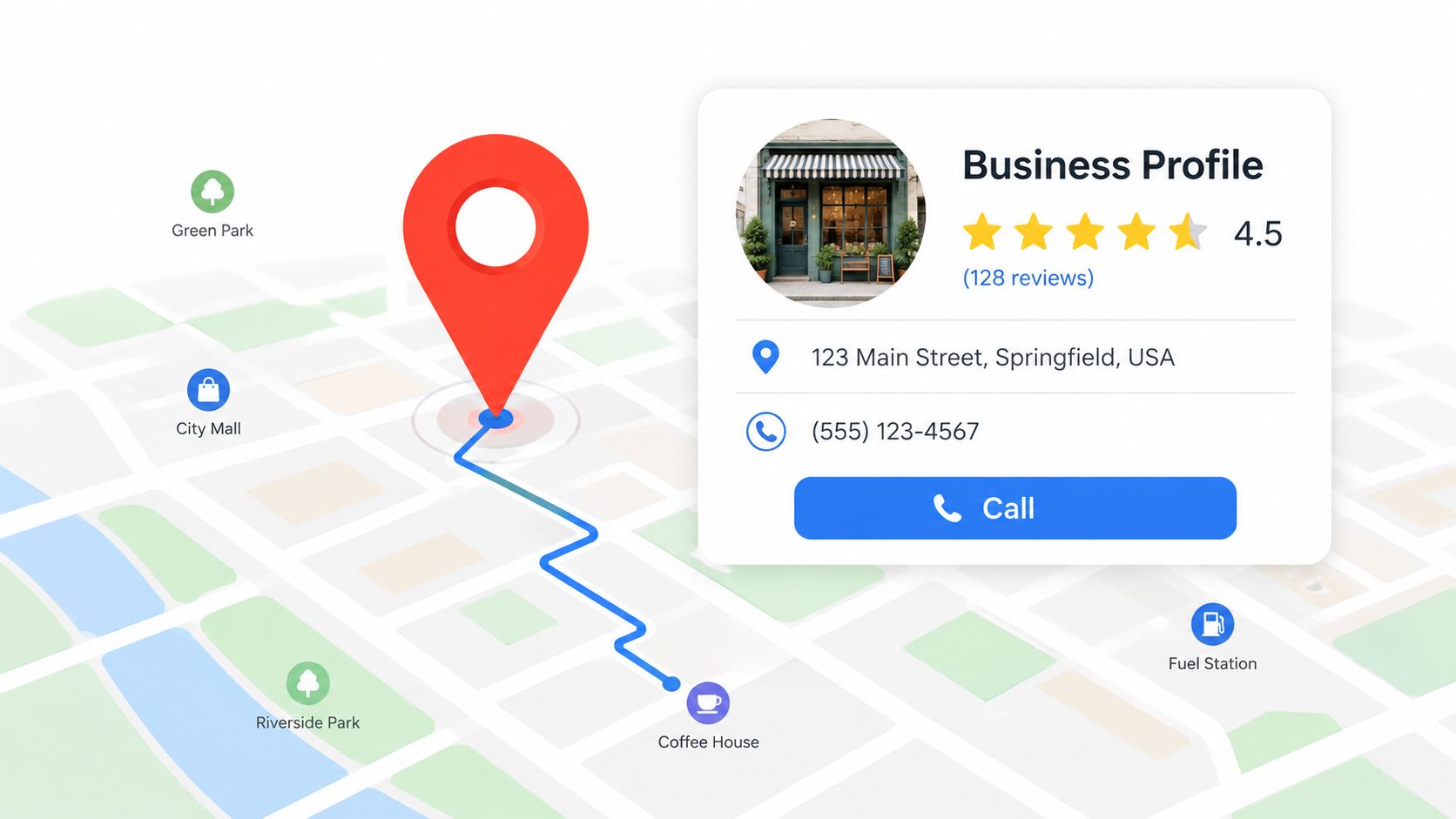
Local visibility depends on agreement between the website and Google Business Profile. Compare the business name, phone number, address where applicable, hours, services, service territory, and contact options. Any mismatch can send a prospective client to the wrong number, location, or service expectation.
Start with the profile's accuracy and coverage. Confirm every legitimate location is claimed and verified. Check the primary and secondary categories, listed services, description, photos, review responses, appointment or quote links, and service areas. Set coverage according to the territory the business serves. Expanding it beyond that territory may attract poor-fit inquiries and reduce trust.
Review the profile through a client's search
Search the firm's main services from its target market. Follow the profile's link to the website and confirm it reaches the relevant location or service page. Test the phone number, quote form, and appointment path. Inspect whether the images show the actual office, team, equipment, or completed work. Review responses for specific, professional replies rather than repeated templates.
Use this audit order:
- Business information: Match profile and website details precisely.
- Service areas: Reflect the territory for roofers, HVAC contractors, and mobile professionals.
- Photos: Replace outdated images with current visuals that help visitors recognize the team or location.
- Reviews: Request honest feedback from satisfied clients and respond professionally to both positive and negative reviews.
- Citations: Keep relevant directory listings, including the Better Business Bureau, Yelp, and industry associations, accurate.
- Location pages: Link each profile to a useful page with local context, services, proof, and a direct next step.
A profile visit should support a qualified call, estimate request, or consultation. Check those paths on mobile, then record whether profile views become measurable calls or form submissions.
5. Content Quality and Search Intent Alignment
Content quality affects whether a service website earns a qualified call, form submission, or consultation. Audit each priority page against the visitor's reason for searching, then check whether the page gives that visitor a credible next step.
Start with the searcher, not the keyword. Someone researching premises liability or comparing heating systems needs useful explanation. Someone choosing a local provider may need availability, credentials, service territory, pricing context, and a phone number. An urgent visitor should reach a focused service page, not a generic overview. Separate these needs in the site structure.
Test the page before editing it
Read the first screen of each important page. The opening should identify the problem, service, location, or decision quickly. Replace broad claims about quality and experience with details about the process, qualifications, timeline, risks, and next action. Confirm that the content answers the query directly enough to support both conventional search visibility and answer-engine extraction.
Use this audit sequence:
- Service pages: State what the business does, who it serves, where it operates, and how to start.
- Supporting guides: Answer recurring questions prospects ask before contacting the firm.
- Comparison content: Explain meaningful choices, such as a heat pump versus a furnace, without presenting a sales pitch as neutral advice.
- Proof: Add authentic reviews, credentials, photographs, outcomes, and case details where they support a decision.
- Connections: Link guides to relevant services and services to useful supporting resources.
- Refreshes: Update claims, examples, screenshots, and recommendations when the underlying service changes.
Check whether headings and concise passages make key answers easy for search engines and answer systems to identify. Then ask whether a real prospect would trust the page enough to call or inquire.
A page can rank and still fail to help someone choose. A persuasive page can also miss the query and attract the wrong visitors. Score both usefulness and intent alignment before assigning fixes.
6. Conversion Rate Optimization and Lead Capture Forms
A contact form that submits successfully but never reaches the CRM is a silent lead killer. The business sees traffic, yet no inquiry appears in the system. Other failures include phone links that are difficult to tap, vague CTAs, broken forms, and requests for information a prospect is not ready to provide.
Test every conversion path from the visitor's perspective. Submit each form on mobile and desktop, confirm that a success message appears, verify notifications reach the right team, and check that the lead enters the CRM and analytics system correctly. Call every important phone number, then test chat and booking tools. Record whether someone responds and whether the inquiry receives the intended follow-up.
Reduce friction without reducing qualification
Form length should match the sales process. A law firm may need enough detail to screen an inquiry, while a roofing contractor may only need contact details, property location, and a description of the problem. Ask for the information the team needs to respond, then collect details that can wait through conditional fields or a follow-up conversation.
- Primary CTA: Place a clear action near the top of important pages and repeat it at natural decision points.
- Button copy: Describe the next step, such as “Request a Roof Inspection” or “Schedule a Consultation,” instead of using generic wording.
- Trust signals: Position relevant reviews, certifications, credentials, licenses, or process information near the form.
- Error handling: Use inline validation and plain-language messages so visitors can correct mistakes quickly.
- Mobile completion: Make fields, labels, tap targets, and click-to-call links easy to use on a phone.
- Attribution: Record form starts, field abandonment, submissions, calls, chats, and confirmation-page visits.
Use this guide to increase conversion rate on a website when key pages receive qualified traffic but inquiries remain weak.
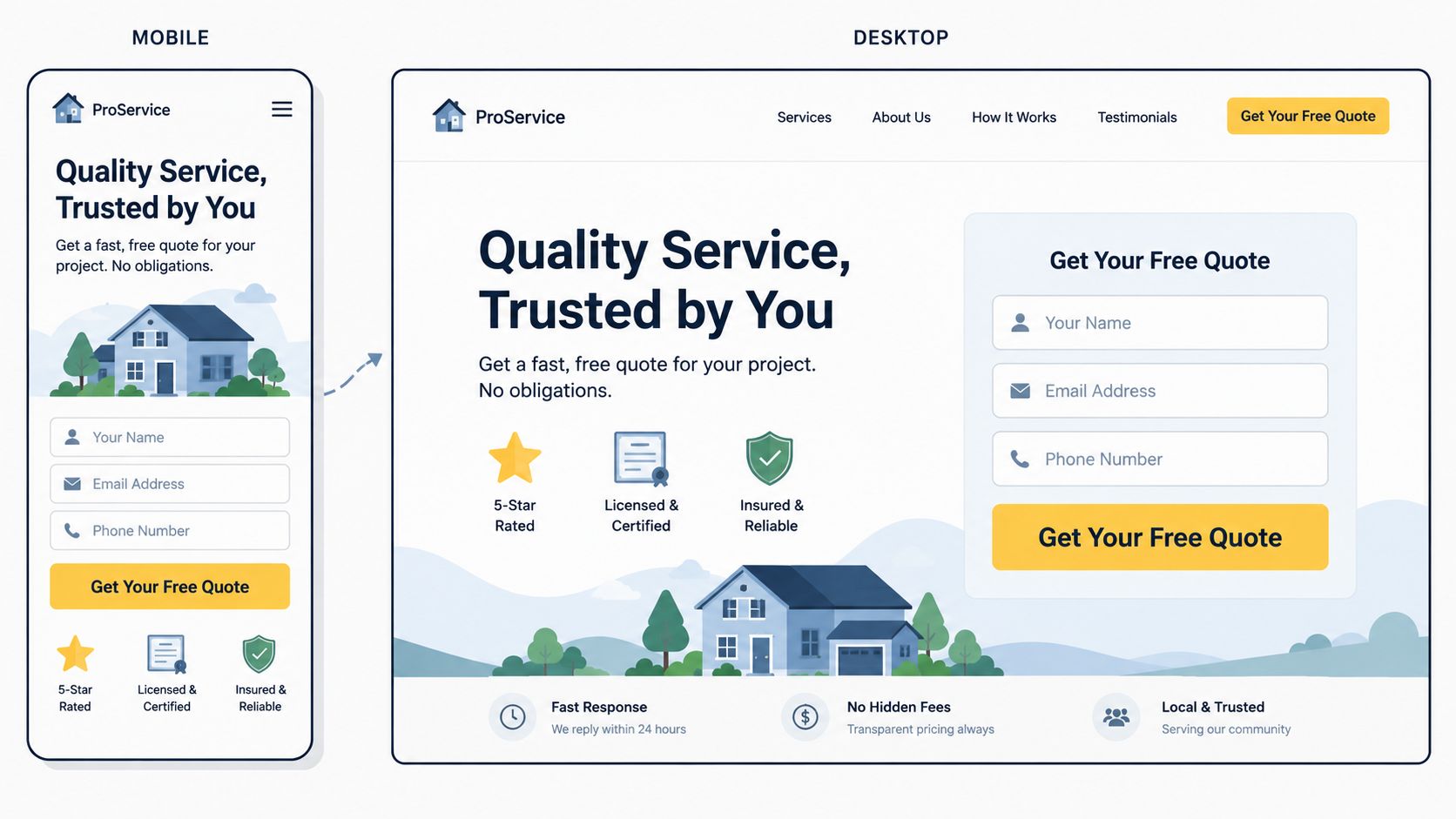
Judge the entire lead path, not the form's appearance. A successful test covers delivery, notification, attribution, follow-up, and a real response from the business.
7. Backlink Profile and Domain Authority
A strong backlink profile supports visibility, but it does not create qualified calls or consultation requests by itself. Audit links for relevance and business value first. Links from local organizations, professional associations, suppliers, and reputable publications can reinforce a service firm's credibility more effectively than unrelated directory listings.
Export the profile from Ahrefs, Semrush, or Moz, then review it by referring domain, topical relevance, anchor text, destination URL, and likely acquisition method. Flag links pointing to outdated pages, hacked or irrelevant sites, and patterns that resemble paid or manipulative campaigns. Check whether important service pages receive useful references, or whether authority is concentrated on the homepage.
The right question is simple: does this link help a potential customer verify the business or find a useful resource?
Build authority through real relationships
A roofing company can develop relationships with suppliers, property managers, real estate professionals, and local publications. A law firm might provide practical commentary or educational material for legal associations and community organizations. A dentist could publish a resource that local schools, employers, or health organizations would reasonably reference.
Prioritize actions that support both search visibility and customer decisions:
- Useful resources: Create original guides, checklists, calculators, or explanations that others can cite.
- Local relationships: Participate in relevant chambers, associations, and community organizations.
- Industry partnerships: Work with complementary businesses where a link reflects a genuine relationship.
- Citation cleanup: Correct inconsistent business details on reputable directories.
- Risk review: Investigate suspicious links before taking action. A tool's low-quality label alone does not justify disavowal.
- Competitor research: Review competitor referring domains for ideas, then earn comparable mentions through useful work rather than copying every source.
End the audit with an assigned plan. Name the pages worth strengthening, the organizations that could benefit from each resource, the outreach owner, and the expected connection to qualified inquiries. “Get more links” is not an executable task.
8. Website Security, SSL, and Trust Signals
A security warning can stop a qualified prospect before they call, submit a form, or request a consultation. HTTPS protects data in transit and sets the baseline for websites handling consultation requests, medical inquiries, case details, or payments.
Start with the paths a visitor and search engine can reach. Redirect every HTTP version to HTTPS, then confirm the secure URL is consistent in internal links, canonicals, sitemaps, and structured data. Check for mixed-content warnings, expired certificates, insecure embeds, outdated plugins, exposed admin areas, and weak access controls. A technical fix matters only when it also keeps the lead path available and credible.
Trust information should appear beside the decision, not only in the footer. A law firm can explain credentials, licensing, confidentiality expectations, and intake steps. A home service company can show certifications, insurance information where appropriate, warranties, and authentic project evidence.
Review the operational controls behind each contact point:
- Secure forms: Confirm submissions use HTTPS and reach the intended recipient.
- Privacy information: Explain how submitted information is collected, stored, and used, with legal review where needed.
- Access control: Require strong passwords and two-factor authentication for administrative accounts.
- Spam protection: Use a suitable tool such as reCAPTCHA without making the form difficult to complete.
- Monitoring: Run regular security scans with tools such as Sucuri or Wordfence.
- Recovery: Keep tested backups and document who can restore the site after an incident.
Accessibility supports the same trust decision. WCAG 2.2 Level AA provides concrete checks, including 4.5:1 contrast for normal text, 3:1 for large text, 200% zoom without horizontal scrolling for text resizing, and keyboard access for all functionality. This accessibility audit checklist outlines those measurable requirements. Record each failed check with its page, owner, and effect on forms or calls, then prioritize fixes that remove barriers from high-intent service pages.
9. Analytics, Tracking, and Reporting Infrastructure
Reliable tracking shows which website activity becomes a qualified call, form submission, or consultation. Without it, a service business can improve traffic while missing the search terms, devices, locations, and landing pages that produce real opportunities.
Audit the measurement path from first visit to CRM record. Check Google Analytics 4, Google Search Console, call tracking, chat events, appointment tools, and CRM handoffs together. A form submission should create the intended event, phone clicks should be recorded, calls should route to the correct location, and thank-you pages should not count repeat reloads as new conversions.
A roofing contractor may attract broad informational traffic but receive stronger leads from urgent repair searches. A law firm may need separate reporting for practice area, location, and intake status. A dental practice should distinguish appointment requests from general page engagement.
Build the audit around these checks:
- Lead events: Record forms, calls, chats, bookings, email clicks, and meaningful confirmation states.
- Source data: Use consistent UTM parameters for campaign links and review organic landing pages in Search Console.
- Segmentation: Compare device type, location, service, landing page, and source.
- Quality signals: Where lawful and reliable, connect inquiries with qualified consultations or accepted cases.
- Reporting: Create a dashboard covering rankings, organic traffic, leads, and cost per lead where relevant.
- Alerts: Notify the team about unusual traffic drops, tracking failures, or sudden ranking changes.
- Privacy: Check consent and data collection against applicable privacy obligations.
Review the setup after major site, form, phone, or CRM changes. A tracking plan that worked before a redesign may stop recording conversions after templates or integrations change.
The final audit output should identify which pages create opportunities, which channels send qualified prospects, and which gaps block confident decisions. If the owner cannot answer those questions, increasing traffic will not resolve the measurement problem.
10. Answer Engine Optimization and AI Search Readiness
A service website can rank well and still be absent from AI-generated answers. Audit whether search systems can identify the business, extract a useful response, verify its evidence, and connect that information to a qualified call, form submission, or consultation.
Check the pages that support commercial decisions first. They should be crawlable, internally linked, clearly written, and backed by accurate structured data. State who the firm serves, which services it provides, where it operates, who delivers the work, and how a prospect starts. Keep these facts in readable page text, not only in images, widgets, or interactive elements. AuditHQ's website audit checklist includes entity clarity, answer formatting, FAQ content, llms.txt, and AI citation tracking among considerations for businesses adapting content to answer engines.
Audit the answer path, not just the markup
Open priority service pages and test whether a visitor or answer system can find the key response quickly. Begin sections with direct topic sentences. Present real customer questions with concise answers, followed by the context a human needs. Explain qualifications, identify relevant authors or practitioners, link to supporting material, and review claims for accuracy. FAQ schema can aid interpretation only when it matches visible content.
Use this check list:
- Entity clarity: Keep the firm, professionals, services, locations, and relationships named consistently.
- Question coverage: Address conversational questions about cost factors, process, timing, eligibility, risks, and next steps without promising outcomes.
- Structured data: Apply suitable LocalBusiness, Service, Organization, Article, BreadcrumbList, or FAQ markup when the visible page supports it.
- Crawler policy: Review robots.txt and related controls deliberately. Decide which systems the business wants to permit rather than copying a default policy.
- Citation monitoring: Search answer engines for priority services and record whether the firm is mentioned, linked, or omitted.
- Source quality: Link to relevant supporting material, including this guide to scraping API vendors when explaining responsible collection of public search-result observations.
AEO supports technical SEO, local relevance, and persuasive service pages. Its practical test is whether clearer answers lead the right prospect to contact the business, rather than merely producing another impression.
10-Point Website Audit Comparison
| Item | 🔄 Implementation Complexity | 💡 Resource Requirements | 📊 Expected Outcomes | Ideal Use Cases | ⭐⚡ Key Advantages |
|---|---|---|---|---|---|
| Mobile Responsiveness and Core Web Vitals | High, front-end dev + continuous monitoring | Moderate, dev time, image tools, CDN, real-device testing | Improved mobile rankings, lower bounce, higher mobile conversions | Mobile-heavy local searches (roofing, HVAC, local law) | ⭐ Direct ranking signal; ⚡ fast UX gains that boost conversions |
| On-Page SEO and Keyword Alignment | Medium, content edits and meta tuning | Low–Moderate, SEO tools, copywriting time | Better SERP relevance and CTR for target queries | Service pages and geo-targeted keyword pages | ⭐ Improves relevance and CTR; relatively quick wins |
| Technical SEO and Site Architecture | High, developer expertise and planning | Moderate–High, dev hours, crawl tools, sitemap/schema work | Improved crawlability, indexation, fewer errors at scale | Multi-location sites, migrations, large service catalogs | ⭐ Strong long-term SEO foundation and scalability |
| Local SEO and Google Business Profile Optimization | Low–Medium, setup + ongoing management | Low, time, photos, review management tools | Higher Local Pack visibility, more calls and store visits | Brick-and-mortar and service-area local businesses | ⭐⚡ High ROI for local intent; fast visibility improvements |
| Content Quality and Search Intent Alignment | Medium, research and expert writing | Moderate, subject-matter experts, writers, editing | Higher rankings, conversions, backlinks, authority | Thought leadership, service pages, conversion-focused content | ⭐ Builds trust and durable organic performance |
| Conversion Rate Optimization and Lead Capture Forms | Medium, UX design, testing, analytics | Moderate, A/B tools, design/dev, copywriting | Increased qualified leads and form completions without extra traffic | Sites with traffic but low lead conversion | ⚡⭐ Direct revenue impact; measurable rapid gains via testing |
| Backlink Profile and Domain Authority | High, outreach and relationship building | High, PR, linkable assets, outreach tools | Higher domain authority and improved competitive rankings | Competitive niches needing authority (legal, contractors) | ⭐ Long-term ranking lift and referral traffic |
| Website Security, SSL, and Trust Signals | Low–Medium, SSL + policy + scans | Low, SSL cert, security tools, legal copy | Improved user trust, fewer warnings, small SEO boost | Sites handling sensitive data (law, medical, payments) | ⭐ Compliance and visitor confidence; prevents trust losses |
| Analytics, Tracking, and Reporting Infrastructure | Medium, GA4, event mapping, integrations | Moderate, analyst time, call-tracking, dashboards | Accurate attribution, data-driven decisions, ROI measurement | Businesses needing lead attribution and campaign optimization | ⚡ Enables optimization and proves investment value |
| Answer Engine Optimization and AI Search Readiness | Medium, structured content + schema | Moderate, content creation, schema implementation | Potential citations in AI answers; improved voice/conversational visibility | Brands targeting AI/voice discovery and long-tail queries | ⭐ Positions content for emerging AI channels and extractability |
Turn Audit Findings Into a Fix Queue
An audit becomes useful when someone can decide what to fix first. Record each finding with the affected URL, evidence, business consequence, owner, effort, and next action. Then label it by priority using a practical question: does this issue block discovery, prevent a qualified prospect from converting, create legal or security risk, or merely improve polish?
Blocking crawl and indexation problems belong near the top. So do broken forms, incorrect phone numbers, inaccessible key content, serious mobile failures, and tracking gaps that make lead performance impossible to evaluate. Security problems deserve immediate attention because an exposed or compromised site can damage trust and interrupt every marketing channel at once.
Prioritize by business impact
A minor metadata issue on a low-value blog post shouldn't outrank a broken consultation form on the page receiving qualified search visits. Likewise, a beautiful redesign won't compensate for a service page that search engines can't index or a phone link that fails on mobile.
A workable sequence is:
- First, remove blockers: Validate crawlability, indexation, redirects, mobile usability, forms, phone links, analytics events, and HTTPS.
- Next, protect local demand: Correct Google Business Profile details, service areas, location pages, citations, reviews, and local internal links.
- Then, improve relevance: Align titles, headings, service copy, content depth, internal links, and structured data with real search intent.
- After that, reduce friction: Clarify the offer, strengthen trust signals, simplify forms, improve CTAs, and test the full inquiry path.
- Finally, expand authority: Build useful resources, develop relevant local relationships, and monitor backlinks and answer-engine citations.
Start with a baseline review in Google Search Console, Google Analytics 4, PageSpeed Insights, a site crawler, and the business's lead-tracking system. Save screenshots, crawl exports, field-data results, form-test records, and conversion reports before making changes. Without a baseline, teams often mistake seasonal demand or tracking changes for an optimization result.
Use recurring checks after launches, migrations, major content updates, template changes, and plugin updates. The frequency should reflect the site's size, traffic, and change rate, but every important change should trigger a focused review of crawlability, performance, forms, tracking, and visible content.
For service companies that need coordinated implementation, Digital Skyrocket is a relevant option for website design, WordPress development, technical SEO, local SEO, answer engine optimization, analytics, and conversion optimization. Its stated focus is lead-generating websites for law firms, dentists, roofers, HVAC companies, and other service businesses, with reporting that connects search activity to lead activity. Businesses should evaluate fit based on service area, industry conflicts, internal capacity, and whether they want both a new website and ongoing SEO support.
A good audit doesn't promise that every warning will disappear or that every ranking will rise. It gives the business a documented set of decisions, evidence for those decisions, and a clear path from technical repair to more usable pages and better-qualified inquiries.
Digital Skyrocket helps service companies plan and build lead-generating websites, align technical SEO and AEO with local search, and improve forms, calls to action, and measurement. Visit Digital Skyrocket to discuss an evidence-based website audit and a coordinated plan for turning search visibility into qualified inquiries.