You've signed a new lease, the movers are booked, and the business address on Google is suddenly the most stressful line of text in your company. That's a familiar moment. Owners usually start by thinking this is a simple settings update, then realize a bad move can confuse customers, trigger verification problems, and shake local rankings right when calls need to keep coming.
For a personal address, changing Google details is usually quick. For a business, especially a local service company, a move affects your Google Business Profile, your website, your directory listings, your structured data, your review history, and the trust signals Google uses to decide whether to show you in local results. That's why a proper change address Google workflow needs more than a few clicks. If you run a trade business or local service company, the stakes are even higher because location accuracy directly affects lead flow and local visibility, which is one reason many owners lean on broader home services marketing support when they start planning a move.
Table of Contents
- Before You Change Your Google Address Read This
- How to Update Your Google Business Profile Address
- Moving a Service Area Business on Google
- Updating Personal Home and Work Addresses in Google Maps
- Your Post-Move SEO Checklist to Preserve Rankings
- Google Address Change FAQ
Before You Change Your Google Address Read This
You sign a lease, schedule movers, update the trucks, and submit the new address to Google on the same day. Two weeks later, calls dip, directions requests go to the old office, and Google asks for fresh verification while half your citations still show the previous suite number. That is how a simple address edit turns into a lead flow problem.
Start with the right question. Are you updating a personal Home or Work address in Google Maps, or are you changing a Google Business Profile tied to local rankings? Those are different jobs with different risk. A personal Maps edit is usually straightforward. A business address change can affect how Google connects your profile, website, reviews, citations, and map pin to the same real-world entity.
Treat the move like a local SEO migration. That means planning the Google edit around the full address ecosystem, not treating GBP as the whole job. I see businesses get into trouble when they update Google first and clean up the website, schema, directory listings, and major data sources later. That gap creates mixed signals, and mixed signals are exactly what trigger ranking volatility after a move.
Three decisions should be settled before you touch the address field.
First, confirm what kind of business setup you have. A staffed storefront with posted hours follows one path. A service area business follows another. If you serve customers at their location, but also have a public office, you need to set that up carefully or you can create guideline and visibility issues.
Second, make the new location match everywhere that matters on day one or as close to it as possible. Update the contact page, footer, location pages, embedded map, and LocalBusiness schema. If you work in a competitive category such as roofing, plumbing, HVAC, or other home services marketing for local lead generation, this cleanup is not optional. It is part of protecting the rankings you already paid to earn.
Third, prepare for proof. Google may accept the edit without issue, or it may require reverification. Have exterior signage photos, interior photos, utility documents, lease paperwork, and a clear street-level address ready before submitting the change. That preparation cuts delays and lowers the chance of getting stuck in a suspended or unverified state.
One more point that owners often miss. If the move changes your city, ZIP, or proximity to your core customer base, rankings can drop even if you do everything right. Local visibility is partly tied to distance. You cannot eliminate that trade-off, but you can reduce avoidable losses by keeping your business data consistent and cleaning up citations quickly after the move.
If you want a second opinion on the profile setup itself, this expert guide for local contractors is a useful companion resource.
How to Update Your Google Business Profile Address
The riskiest version of a Google address change is the one that looks simple. An owner updates the street address in GBP, assumes Google will sort out the rest, and then spends the next few weeks dealing with verification delays, mismatched citations, and a drop in local visibility. The edit itself takes minutes. Cleaning up the fallout takes much longer if you do it in the wrong order.
If customers visit a staffed location during stated hours, update the address inside Google Business Profile, not a personal Google Maps setting. Google's official process is straightforward: open Edit profile, go to Location, click the pencil icon beside the address, enter the full street address with suite details, and use Adjust if the pin lands incorrectly before saving (Google Business Profile address edit steps).
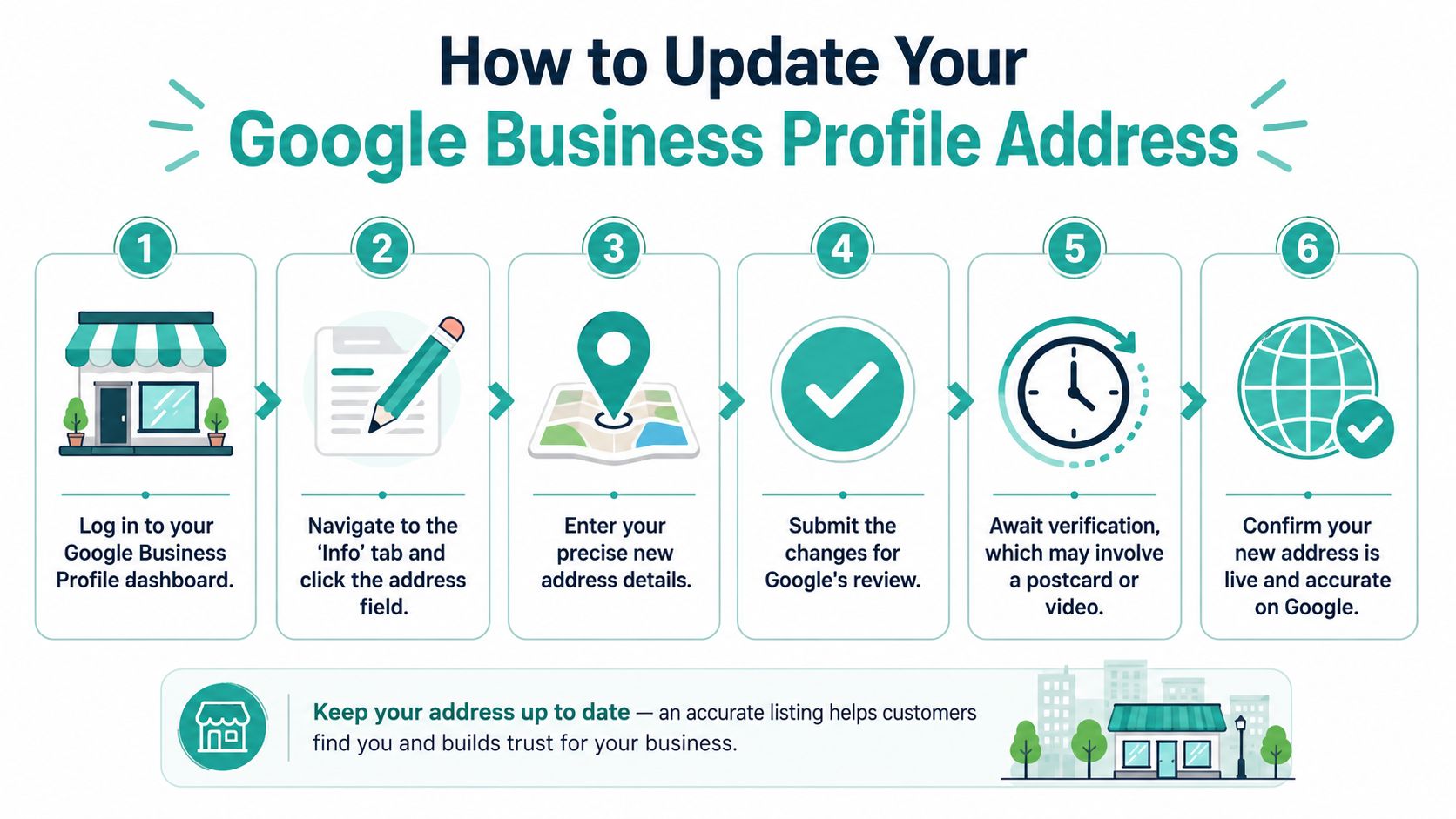
Single location storefront workflow
A clean move starts with discipline.
Before you save the new address in GBP, make sure the supporting assets are ready or already updated. That means your contact page, footer, location page, and embedded map should point to the new location. If you serve a competitive home-service market, your location signals affect more than branded searches. They influence map visibility, lead quality, and how quickly Google trusts the new setup. Teams working on digital marketing for HVAC companies usually learn this fast because even small local inconsistencies can drag on call volume.
Use this order:
- Keep the business name exactly the same. A move is not the time to add keywords, taglines, or a revised brand format.
- Keep the primary phone number the same if possible. Changing the phone and address together makes Google treat the edit with more skepticism.
- Enter the full physical address. Include suite, unit, or building details that customers and couriers rely on.
- Place the pin precisely. If Google guesses wrong, correct it so the marker sits on the correct storefront, not the road, back lot, or neighboring tenant.
Owners often try to bundle a rebrand into the move. That is how avoidable verification problems start. Change one variable at a time. If the business is relocating, let the address be the only major profile edit unless there is a legal reason to change something else at the same time.
Shared offices, PO boxes, and virtual offices create another category of trouble. If the location is not staffed and eligible under Google's business representation rules, do not use it just to keep a pin in a preferred city. That choice can trigger suspension, and suspension during a move is far harder to clean up than a normal edit review.
What multi-location businesses should do differently
Multi-location companies get into trouble through inconsistency, not just through bad addresses. One branch manager writes “Ste 200,” another writes “Suite 200,” and a third leaves the suite off entirely. Then the website, GBP landing pages, citation sources, and reporting tools all start reflecting slightly different records.
Standardize the input before anyone touches the profiles.
| Item | What to standardize |
|---|---|
| Business name | Match the current GBP name exactly |
| Phone number | Keep the existing local number unless there is a separate phone migration plan |
| Address format | Use one version of suite, street, and city formatting everywhere |
| Landing page | Send each profile to the correct location page |
| Map pin | Confirm the marker sits on the actual entrance or occupied unit |
Roll out changes in batches, not all at once. Update one location, watch what Google requests, confirm the website and citations reflect the same address, then move to the next branch. That slower approach usually saves time because it reduces cleanup and helps your team catch formatting mistakes early.
If you want a second set of eyes on the profile itself, compare your setup against this expert guide for local contractors.
How to handle verification without making it worse
Verification is where owners get impatient, and impatience creates extra work. Google may accept the edit quietly, or it may ask for proof that the new location is legitimate and customer-facing.
Prepare for that before submitting the change. Have exterior signage installed if possible. Take clear photos of the storefront, entrance, interior, and anything that ties the business name to the street address. Make sure your website shows the new address and that your business hours match reality. If the new location is not ready for walk-ins, do not publish walk-in hours yet.
If Google requests another verification step, respond to that request and stop making repeated profile edits while the review is pending. Multiple edits can complicate the record and slow approval.
Use this checklist if reverification is likely:
- Signage visible: The business name should be readable at the new location.
- Exterior photos ready: Capture the entrance, surrounding building features, and street-facing context.
- Hours accurate: Only show customer-facing hours the location can support.
- Business model aligned: If the move changed how customers are served, make sure the profile reflects that before verification.
If reviews are tied to the old address, request review handling through Google support after the move edit is submitted. Treat that as part of the address-change process, not as a separate cleanup task weeks later.
Moving a Service Area Business on Google
You sign a lease, move the trucks, update the website, and then Google asks a harder question. Do customers visit this address? For a service area business, that answer changes how the profile should be set up, and getting it wrong can cost you rankings, reviews, or the listing itself.
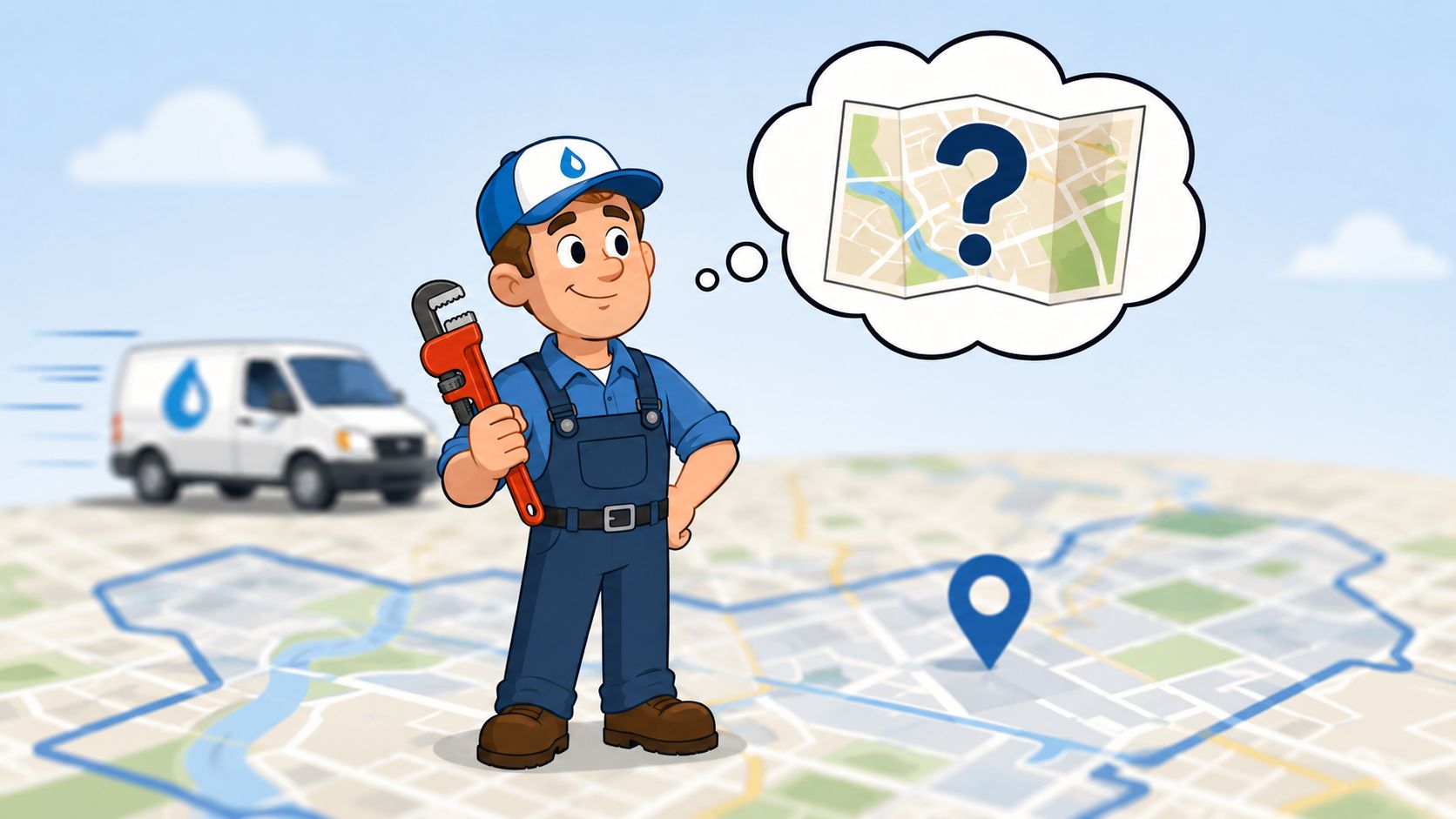
Know whether you are a storefront hybrid or true SAB
Google treats these models differently. A true service area business does not serve customers at the business location during posted hours. A hybrid business does both. That distinction matters because the profile must match how the business operates in real life.
If customers do not visit your location, hide the address and set service areas instead. Google's guidance for service-area businesses is clear on that point in its Business Profile address guidelines. Owners get into trouble when they keep an address visible just to hold onto a map pin, especially if that address is a shared office, coworking space, mailbox, or virtual office without permanent signage and staffed presence.
I have seen this go wrong more than once. The pattern is usually the same. The business moves, leaves the old address live for a few weeks, or swaps in a rented office that cannot pass scrutiny. Then the listing gets suspended or loses trust signals right when lead flow is already unstable from the move.
A storefront-to-SAB conversion also has a real trade-off. Hiding the address can reduce visibility for some location-modified searches, especially if the old address sat in a strong part of the city. That does not mean you should keep an address you cannot support. It means you should expect some turbulence and plan the rest of the migration properly, including citations, website location signals, and schema after the profile change.
Safe process for hiding the address and setting service areas
Use Google's normal edit path in the profile to update the business model and service area. The sequence matters.
- Confirm the business model first: If customers no longer visit the location, configure the profile as a service area business.
- Hide the public address: Remove the address from public display rather than leaving an outdated or non-compliant location visible.
- Set service areas based on real operations: Choose the cities, ZIPs, or areas your crews cover. Do not add distant markets just because you want to rank there.
- Keep the core business identity stable: During a move, avoid changing the business name unless there is a real-world rebrand. Big edits stacked together make Google re-evaluate the entity.
- Handle reviews and support requests as part of the move: If review history, duplicates, or location confusion show up after the change, deal with them immediately instead of treating them as cleanup for later.
Service areas are not a substitute for proximity. They tell Google where you work. They do not give you the same local relevance as a legitimate, customer-facing address in every city you add. That is why SAB moves need more than a profile edit. The businesses that hold onto rankings after a move usually support the change with matching website signals, cleaned-up citations, and consistent structured data once the new setup is live.
Accuracy protects the listing. Cleanup protects the rankings.
If you are converting from a storefront to an SAB, expect some short-term volatility. The goal is not to force Google to preserve every position from the old setup. The goal is to keep the profile compliant, preserve as much local authority as possible, and remove conflicting address data across the rest of the web before it drags the profile down.
Updating Personal Home and Work Addresses in Google Maps
Personal address edits are much simpler than business changes. If you searched “change address Google” because you just want to update Home or Work in Google Maps, you can usually do it in under a minute.
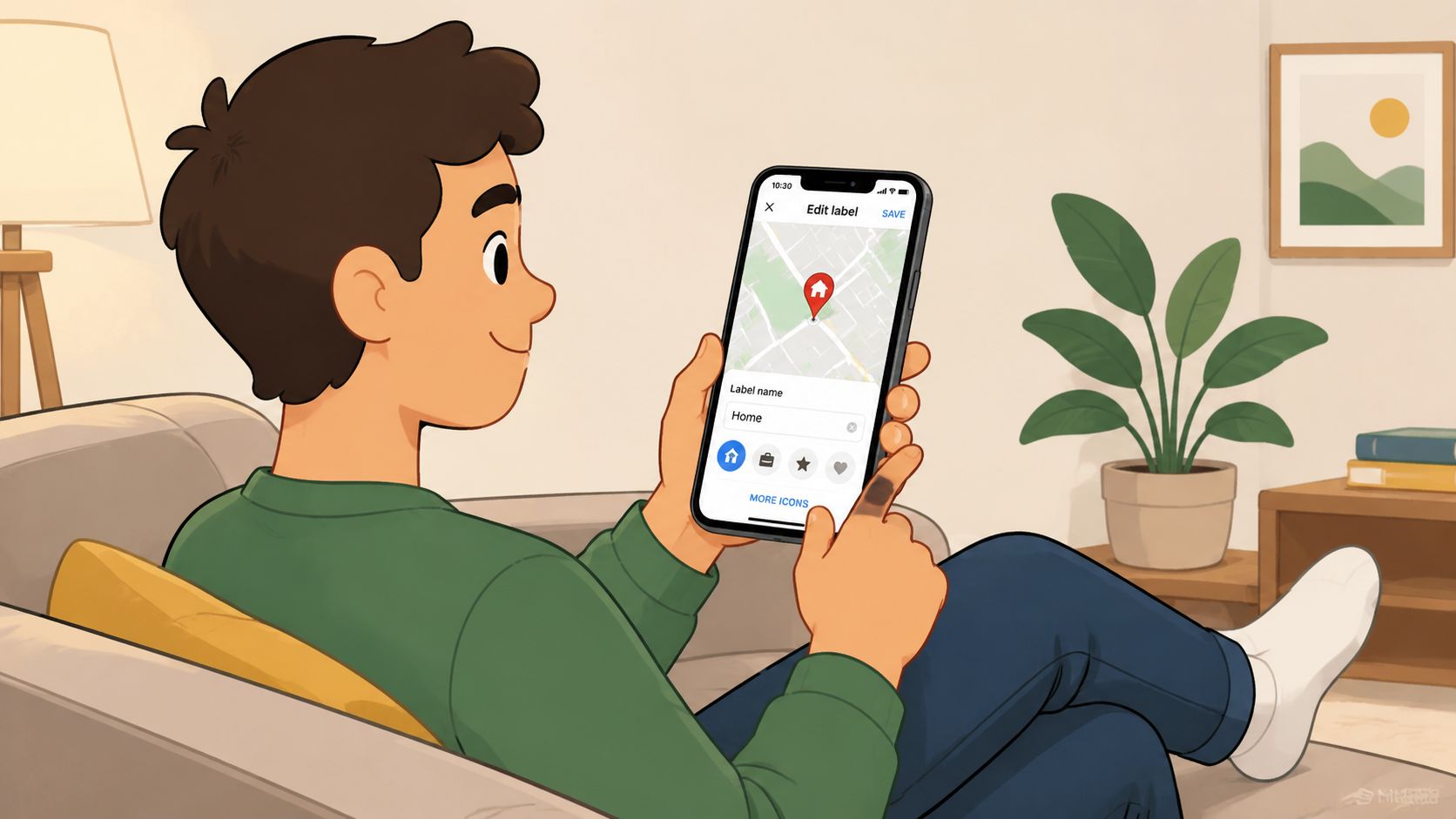
On mobile in Google Maps
The verified path is straightforward. To change a home address specifically within Google Maps, users must tap the Home option from the profile menu or go into Your data in Maps. That's the setting tied to your saved personal place, not your business listing (Google Maps home address steps).
If Maps already has an old label saved, delete or overwrite it with the new address. Make sure you're signed into the right Google account before editing. Many people have multiple accounts on one phone and end up changing the wrong profile.
On desktop in Google Maps
Desktop is just as easy. Open Google Maps while signed in, click the three-line menu in the top left, go to Your data in Maps, and edit the saved Home or Work entry.
If the street string is correct but the map placement is off, adjust the pin so navigation sends you to the right spot. That matters more than people think, especially in apartment complexes, rural properties, and shared drive entrances.
Billing address is different
There's one wrinkle people miss. Your saved Maps address is not the same thing as your Google Payments billing or legal address. For payment methods, Google's support process says you need to edit the card inside Payment methods, or for legal address changes use the Google Payments Center settings and complete any verification Google requests (Google Payments billing address update steps).
Saved places, business listings, and payment profiles live in different parts of Google. Changing one doesn't automatically fix the others.
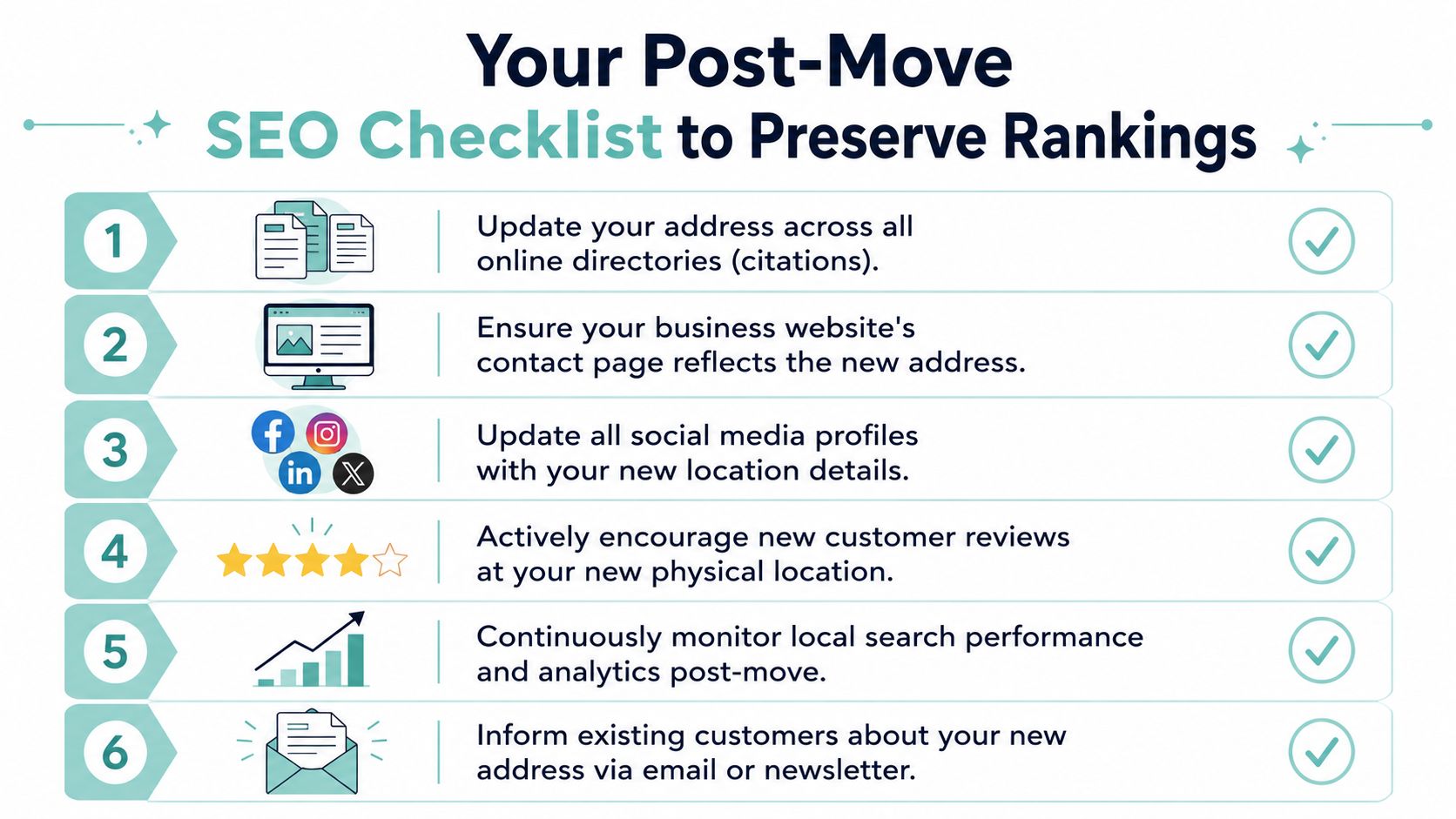
Your Post-Move SEO Checklist to Preserve Rankings
Changing your Google Business Profile is only half the job. A move isn't finished when the new address appears in Google. It's finished when your entire digital footprint tells the same story.
Your website has to match your profile
Start with your own site because it's the property you control completely. If your GBP shows the new address but your site footer, contact page, schema markup, and embedded map still show the old one, you've created conflicting location signals.
Review these pages and elements first:
- Contact page: Replace the full address, map embed, directions text, and location references.
- Footer and header: Check every template, not just the homepage.
- Schema markup: Update LocalBusiness or relevant structured data so search engines see the same business details.
- Location pages: If you have city pages tied to the old office, revise nearby-landmark references and local cues.
- Forms and automations: Confirm confirmation emails and CRM notifications don't still include the old office.
A lot of owners stop after the contact page. That leaves old address data buried in schema, image alt text, PDF brochures, or staff bios. Search engines and AI systems don't care that the mismatch was accidental. They only see inconsistency.
Citations and third-party listings need a real audit
Most “how to change address Google” guides fall short in this regard. They tell you how to edit the profile and ignore the ecosystem around it. But your Apple Maps, Bing Places, Yelp, Yellow Pages, chamber pages, niche directories, and old local citations all matter.
Verified AEO data says a single outdated listing on a third-party site can trigger a 15 to 25% reduction in AI-generated listing accuracy because AI systems prioritize cross-platform entity consistency (AEO consistency and listing accuracy data). That means one stale citation can feed bad information into customer-facing answers and local discovery tools.
If you want a broader framework for auditing these signals, this local SEO optimization guide is a useful companion reference. It's a good checklist mindset, especially after a move.
Use a simple audit sheet with three statuses:
| Platform type | What to check | Status options |
|---|---|---|
| Core maps | Address, pin, phone, hours | Updated / Pending / Wrong |
| Major directories | Exact NAP and category | Updated / Pending / Wrong |
| Industry listings | Address and service area wording | Updated / Pending / Wrong |
| Social profiles | Bio, buttons, contact info | Updated / Pending / Wrong |
| Data sources on your site | Schema, footer, contact modules | Updated / Pending / Wrong |
For service businesses, this cleanup often belongs inside a wider marketing plan for service companies because the move affects rankings, calls, and conversion paths at the same time.
Keep monitoring after the move
The last step is observation. Watch branded searches, direction requests, phone calls, form submissions, and ranking patterns around the old and new area. You're looking for signs that Google still connects the business to the previous location or that a citation mismatch is muddying the signal.
What works is patient cleanup. What doesn't work is making repeated edits across multiple systems without a source of truth.
Google Address Change FAQ
How long does a Google address change take to show up
It depends on the type of change. Personal saved places in Google Maps usually update quickly. Business profile changes can take longer if Google reviews the edit or requires verification.
For storefront businesses, the timeline gets longer when the move is bundled with a business name or phone number change. As noted earlier, that can force a re-verification cycle and delay reinstatement.
Can you keep your Google reviews after moving
Usually, yes, if the business entity is the same and the move is handled as a move rather than a brand-new listing. The critical part is preserving the same core business identity during the address change and using the support route associated with move intent when review transfer is needed.
If the move also includes a major rebrand, a new phone number, or a shift to an ineligible location type, review continuity gets harder. That's why clean sequencing matters.
What if Google rejects the new address
First, check whether the new location is eligible under Google's business guidelines. Rejections often happen because the address is incomplete, the pin is off, signage is missing, the location isn't staffed, or the business is trying to use a mailbox, PO Box, or virtual office.
Then verify your evidence:
- Website alignment: Your site should already show the new address.
- Storefront proof: Have exterior photos and signage ready.
- Pin placement: Make sure the map pin lands on the actual location.
- Business model accuracy: If you're really an SAB now, don't keep forcing a storefront address.
If you still hit a wall, stop making repeated edits and gather documentation before contacting support. Random retries rarely solve a qualification problem.
Do I change my address in Google Account too
If you're a business owner, maybe, but that's separate from the business listing itself. Your Google Account, Google Maps saved places, Google Payments profile, and Google Business Profile don't all update each other automatically in the way many users assume. Treat each one as its own setting unless you've confirmed the exact sync behavior for that product.
Should I announce the move anywhere else
Yes. Update your website, email signature, booking confirmations, directory listings, and customer communication channels. Customers often rely on the last place they saw your address, not the newest one.
If your business is moving and you want the address change handled like a real SEO migration instead of a risky profile edit, Digital Skyrocket helps service companies rebuild the full location signal across their website, local SEO, and answer engine presence so rankings and qualified leads don't disappear during the move.