You just checked your Google Business Profile and the reviews you expected to see are missing. A customer swears they left one yesterday, your star count dipped, and now you're staring at Maps wondering if Google broke something or if the review is gone for good. That's the right moment to stop guessing and start triaging.
google reviews not showing up is usually one of four things, and they require different responses. It's either a timing or moderation delay, a policy or spam filter hit, a duplicate or wrong-profile issue, or a larger review-loss event that affects the account itself. Owners waste the most time when they treat all four like the same problem.
Table of Contents
- What It Feels Like When Reviews Disappear
- Quick Checks to Run Before You Escalate
- How Google Moderation and Spam Filters Hide Reviews
- Duplicate Listings and Reviews on the Wrong Profile
- Reaching Google Support and Recovering Lost Reviews
- Why Review Visibility Ties Into Local SEO and Reputation
- A Weekly Routine That Prevents the Next Disappearance
What It Feels Like When Reviews Disappear
The call usually starts the same way. A business owner says, “We got a review notification, but it's not there,” or, “Our review count dropped overnight,” or, “The customer sent a screenshot, and I still can't find it.” That's not a branding issue. That's an operational one.
The panic is real because reviews affect trust fast, and missing ones feel personal. But this problem is rarely random. Google's own help page says reviews can sit in a checking process for a few days before they appear, and reviews can also be removed for spam or inappropriate content, which means a disappearance is sometimes moderation, not a display bug. Google Business Profile help on missing or delayed reviews
The four buckets that matter
If you want the quickest path to a fix, sort the symptom first.
- Timing and moderation delay. The review may be submitted, but Google hasn't published it yet.
- Policy and spam enforcement. Google filtered it because the content or account looked problematic.
- Duplicate or wrong-profile submission. The review exists, but it landed on another listing.
- Account-level review loss. A purge, merge, or broader visibility issue hit multiple reviews at once.
Practical rule: if one review is missing, assume timing or moderation first. If several reviews vanish together, think profile conflict or account-level loss before you assume a bug.
A lot of owners burn an hour refreshing the same screen when the issue lives somewhere else. The point is to match the symptom to the bucket, then stop wasting energy on the wrong fix. If the review was submitted recently, that changes the urgency. If the business has duplicate listings, that changes the next move completely.
Quick Checks to Run Before You Escalate
Start in Google Maps and Search, not in your feelings. Open the verified Business Profile, then compare what you see there with what you see in a signed-out browser window. If the count looks different across devices or sessions, you may be dealing with caching, profile mismatch, or a review that hasn't fully published yet.
Check the profile, the account, and the search result
Use this sequence in under five minutes.
- Confirm the exact listing. Make sure you're looking at the verified profile, not a duplicate or an old version of the business.
- Check signed-out Search and Maps. Public visibility can look different from what the owner dashboard shows.
- Ask which Google account left the review. Customers sometimes post from a different personal account than the one they mention on the phone.
- Search the business name in quotes. That often surfaces duplicate profiles, relocated listings, or stray map entities.
- Compare the review count on mobile and desktop. If the numbers disagree, you're not looking at a simple “customer changed their mind” problem.
These checks matter because they separate false alarms from real losses. A customer may have left the review successfully, but on another profile. A review may also exist in moderation while the owner dashboard shows nothing yet.
Don't escalate a five-minute delay like it's a crisis. Escalate only after you've ruled out the obvious profile mismatch and reviewer-account confusion.
Document what you find while it's fresh. Save the reviewer's name, the date they submitted it, the exact wording if they'll share it, and screenshots from Maps or Search. If the review later shows up or disappears again, that evidence is what support will ask for first.
How Google Moderation and Spam Filters Hide Reviews
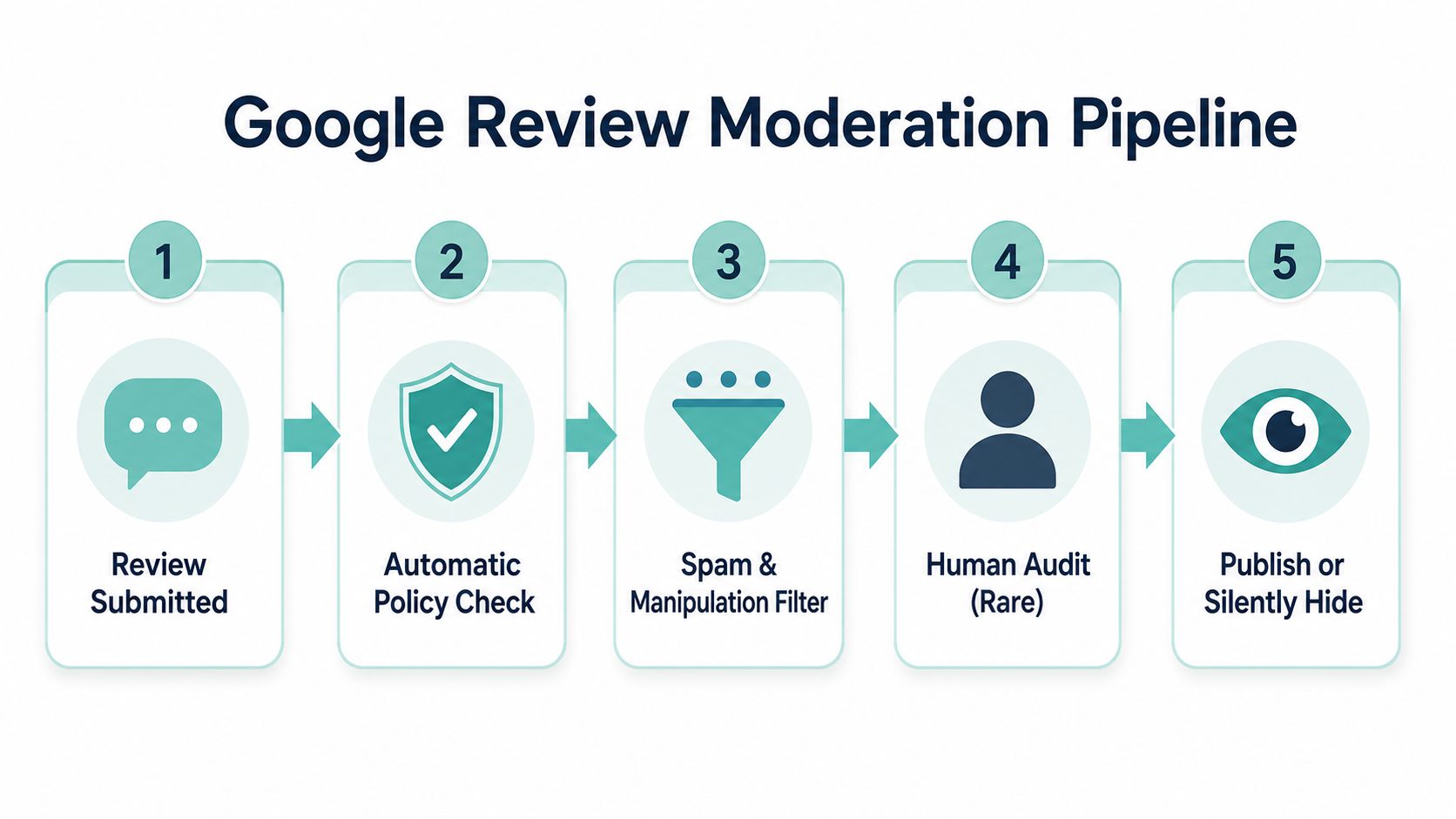
Google does not publish every review the moment a customer hits submit. The review can sit in moderation, get filtered, or disappear entirely if the system sees spam signals, abusive language, promotional wording, or signs that the account or the timing looks off. Google's own help pages and outside visibility guidance both point to the same reality, reviews can be delayed, hidden, or removed when they trip policy checks or look suspicious. practical review visibility guidance
What tends to trip the filter
The filter is usually triggered by obvious patterns. Reviews with links, obvious sales language, copy-pasted phrasing, or text that reads like ad copy are far more likely to get held back. Fresh accounts can also raise flags, especially if they post from an unusual location or drop several reviews in a short burst.
Google is not just reading words. It is watching behavior. A short, specific review from a normal customer account usually has a much better chance of staying visible than a review that looks coordinated, commercial, or detached from a real visit.
What this means for recovery
If the review is sitting in moderation, waiting is often the correct move. Review visibility guidance usually puts the processing window at 24 to 72 hours, and some spam or manual review cases can take 3 to 5 business days before they settle. Review visibility timing guidance
If the wording looks risky, stop asking Google to publish it and fix the pattern on future reviews. The filter reacts to the shape of the submission, not your intent.
Owners should also stop treating every missing review like a settings problem. The issue can be the review text, the reviewer account, or the moment it was submitted. If you are diagnosing one missing review, inspect the wording first. If reviews keep getting filtered over time, the problem is bigger than one customer and usually points to a pattern Google does not trust.
Duplicate Listings and Reviews on the Wrong Profile
This is the cleanest “lost review” explanation, and it happens more than owners think. The customer did leave the review, but Google attached it to a different version of the business. That can happen after a move, a rebrand, a name tweak, or a duplicate listing created by accident.
Confirm the canonical profile first
Start with the public version of the business in Maps, then compare it to the verified profile in your Business Profile Manager. Search the business name, address, and phone number together. If more than one listing appears, you've probably found the split.
The fix is not to argue with Google about visibility in the abstract. It's to identify which profile should be canonical, then remove or merge the duplicates and request migration of the legitimate reviews to the right entity. Google community guidance on missing reviews points owners toward the exact profile in Maps or the public listing, then toward duplicate cleanup or review migration through support when reviews landed on the wrong profile. Google help-community guidance on reviews not showing up
A clean NAP foundation helps here, because mismatched business details create confusion fast. If your name, address, and phone number aren't aligned, duplicates become harder to spot and easier to defend. NAP consistency matters for local listings
What to say when you request migration
Use direct language. Don't ramble.
“Our verified Business Profile is [business name, address]. We found duplicate listings, and the customer's review appears to have been attached to [other listing details]. Please remove the duplicate or migrate the legitimate reviews to the canonical profile. We can provide screenshots, profile IDs, and customer confirmation if needed.”
That message works because it tells support exactly what you want: merge, remove, or migrate. It also makes clear that the review is not missing because of opinion or moderation, but because it landed on the wrong entity.
If you can prove the duplicate exists, stop there and act. The review isn't lost in the normal sense. It's attached to the wrong listing, and that's fixable if you move quickly.
Reaching Google Support and Recovering Lost Reviews
Once you've ruled out the timing delay, moderation filter, and wrong-profile issue, escalation is the right move. Don't spread the problem across five channels at once. Use the Business Profile “Contact us” path, the help community for pattern confirmation, or the review notification email if you still have it. Each one serves a different purpose.
Send the support request like an operator
Be specific, and keep the message tight.
“We manage the verified profile for [business name]. Reviews from [reviewer names or initials] submitted on [dates] are not showing publicly. We've confirmed the correct profile, checked for duplicates, and documented the missing reviews with screenshots. Please review the profile and advise whether the reviews were filtered, delayed, or attached elsewhere.”
Attach what you have. That means screenshots from Maps, the reviewer's confirmation email or screen if they'll share it, and any proof that the review was posted from a real customer account. Screenshots matter because they give Google something concrete to compare against the live listing.
Know what recovery looks like in the real world
Do not assume every missing review comes back. Google's help-community guidance says that after a review-loss event, the missing portion may be around 5% that does not return, and practitioners who tracked the February and October 2025 purge events reported recovering about 10 to 30 percent of clearly policy-compliant reviews when they had screenshots and reviewer history. Google help-community post on missing reviews
That's the hard truth. Some reviews are recoverable, some aren't. The difference is usually evidence, profile hygiene, and whether the review violated policy in the first place.
Keep following up until support gives you a real answer, not a generic one. If the issue keeps repeating across locations or after profile cleanups, bring in a reputation management partner before the loss becomes normal.
If you're stuck in a cycle of disappearing reviews, revisit your listing setup and support history. How to delete a Google Business Page is useful context when the business has old or conflicting entities that won't die cleanly. A broken profile structure can make support cases drag on far longer than they should.
Why Review Visibility Ties Into Local SEO and Reputation
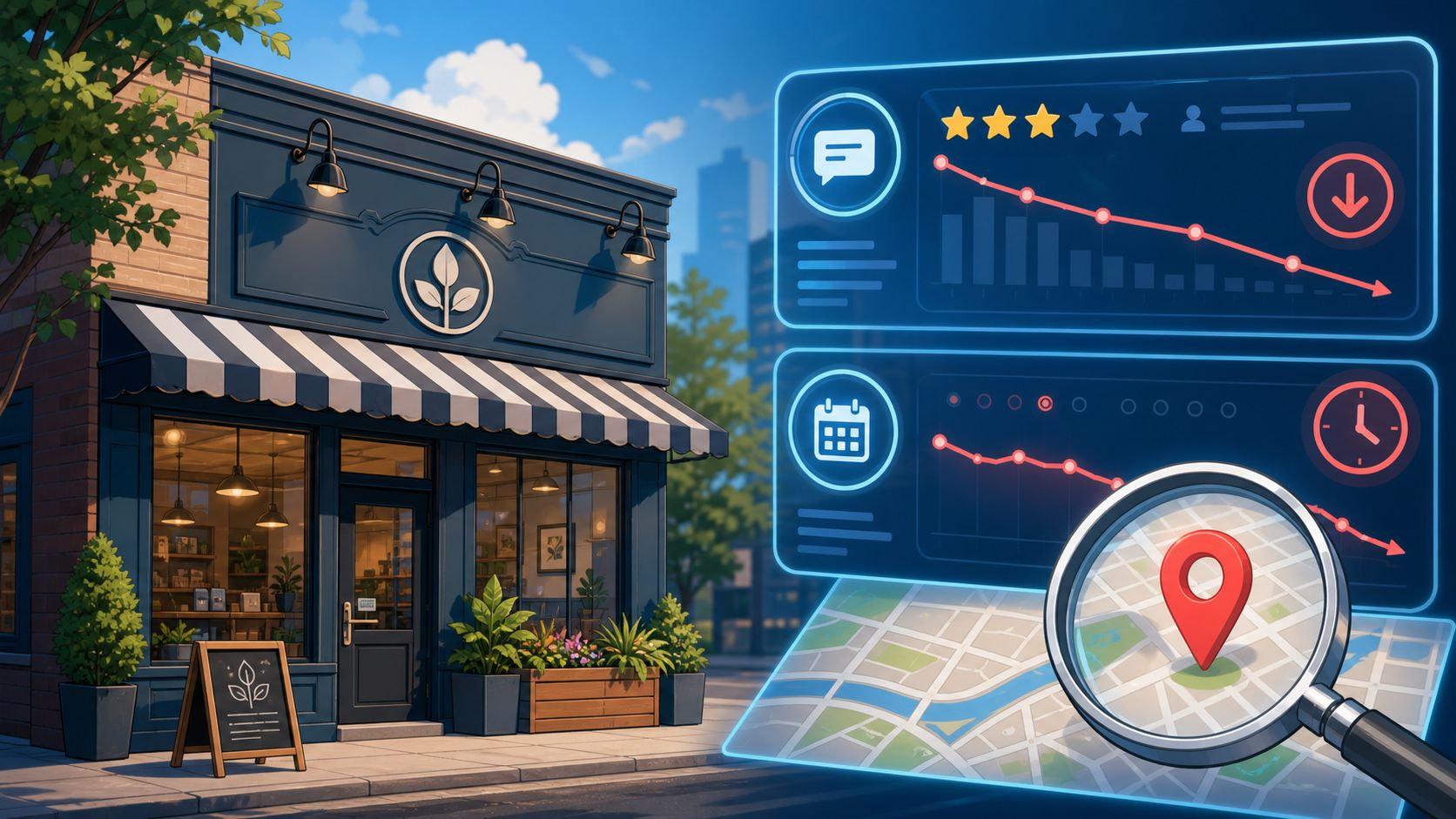
Missing reviews don't just bruise ego. They change how a business looks in Maps, Search, and the quick comparison customers do before they call. Review count, recency, and response activity all shape trust at the listing level, and a drop in visible reviews makes a business look quieter and less proven than it really is.
Few reviews is not the same problem as missing reviews
A business with too few reviews has a content and reputation-building problem. A business with reviews that vanish has an operational problem. Those are different fixes.
If you only have a small review base, you need a steady acquisition plan. If reviews are disappearing, you need profile cleanup, moderation awareness, and monitoring. Confusing those two wastes time and leaves the leak open.
Customers also compare you to competitors without saying a word. They open your profile, scan the latest reviews, then jump to the next listing if yours looks stale or incomplete. That's why missing reviews hurt more than owners expect, especially when the visible count no longer matches the customer experience.
If you want a practical view of how local visibility and reputation intersect, the article on get recommended by AI search is a useful read because it shows how broader trust signals can shape discovery behavior beyond a single profile.
A Weekly Routine That Prevents the Next Disappearance
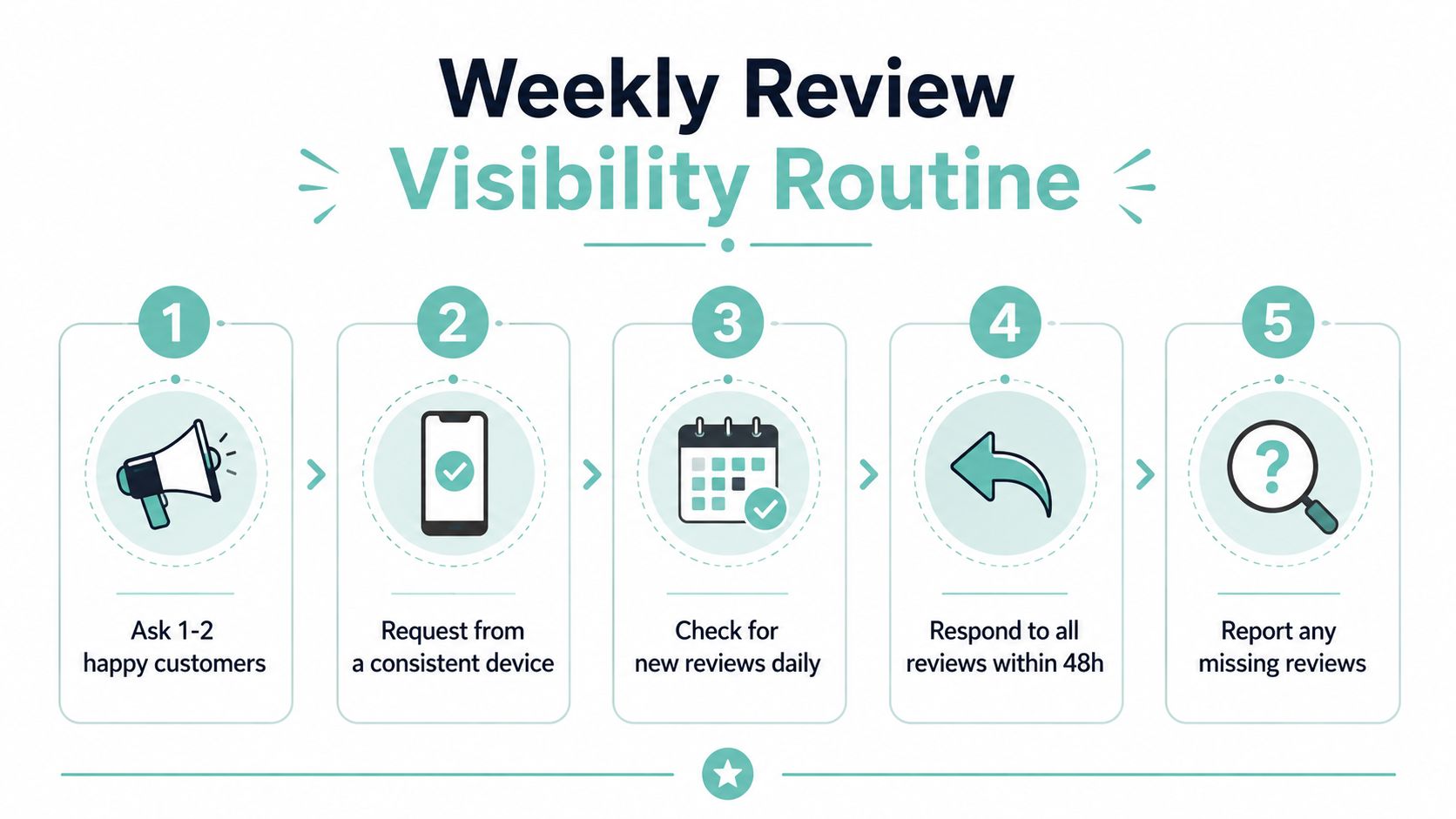
The fix is not to obsess over every review. It's to build a light routine that keeps the profile clean and the review flow predictable. Ask happy customers to post from the same device or account type where possible, avoid any review-gating language, and respond quickly so flagged content doesn't sit unattended.
Keep the routine short and repeatable
- Ask consistently. Request reviews from real customers at a natural point after the job, sale, or visit.
- Use a stable workflow. Send review requests the same way each time so submissions don't look random or suspicious.
- Respond fast. A quick reply shows the profile is active and monitored.
- Check visibility weekly. Compare the live count in Maps with what you expected to receive.
- Log missing items immediately. Capture names, dates, screenshots, and the exact profile involved.
The goal is not perfection. The goal is to catch a problem while it's still small. That weekly five-minute check is usually enough to spot a delay, a duplicate listing, or an abrupt loss before it turns into a messy support thread.
If your local presence is spread across multiple directories, keep your listing data aligned too. Local citation building helps reduce the profile confusion that often sits behind review visibility issues. And if you need a cleaner system for review generation, get more Google reviews is a solid reference point for building a simple, customer-friendly ask.
When the pattern starts repeating, stop handling it ad hoc. A local SEO or reputation partner should step in when duplicate cleanup, review migration, and support escalation start consuming real time every week.
Digital Skyrocket helps service businesses clean up the search and reputation problems that sit behind issues like missing Google reviews. If your listing structure is messy, your local visibility is unstable, or you want a stronger system for reviews and SEO, visit Digital Skyrocket and talk with a team that builds websites and local search foundations the right way.