
You're probably reading this because your site feels slow on your phone, a tool just flagged it in red, or calls have dipped and you don't know why. You tap your own service page from a parking lot, wait for the headline, wait again for the phone button, and wonder how many customers gave up first. That's the right question. Learning how to improve site speed for a lead-generating site isn't about chasing a perfect lab score. It's about shortening the time until a mobile visitor can see your number, tap to call, or start a form.
Table of Contents
- Why Slow Pages Lose Leads and Which Targets to Hit
- How to Audit Your Site Speed in Five Steps
- Quick Wins a Non-Technical Owner Can Ship This Week
- Developer Fixes Ranked by Payoff
- Monitoring and Validating Speed Gains Over Time
- Turn Faster Pages Into More Calls and Forms
Why Slow Pages Lose Leads and Which Targets to Hit
A service business often loses the lead before the phone ever rings: the searcher taps your result, watches a blank hero, and hits Back while the call button is still loading. For lead capture, the clock that matters ends when a mobile visitor can see the number, tap to call, or start the form.
Google's mobile analysis linked earlier HTML response and parsing delays to bounce behavior, with DOM-ready time standing out as the strongest bounce signal in Google's mobile page speed and load time research. DOM-ready time is the point where the browser has received and parsed your HTML. The practical order is clear: get HTML to the browser quickly, keep scripts from blocking first render, and make the call control part of what appears early.
The Three Metrics in Plain Terms
LCP (Largest Contentful Paint) is when the biggest above-the-fold block renders, often your headline, hero photo, or call button. INP (Interaction to Next Paint) is the lag between a tap on Call, Email, or a form field and the next visible response. CLS (Cumulative Layout Shift) counts the jumps when a late banner, font, or widget moves text under a reader's thumb.
| Metric | What it measures | Good | Needs improvement | Poor |
|---|---|---|---|---|
| LCP (Largest Contentful Paint) | Time until the largest above-the-fold element renders | ≤ 2.5 s | Above 2.5 s and up to 4.0 s | Above 4.0 s |
| INP (Interaction to Next Paint) | Delay from a tap or click to the next visible update | ≤ 200 ms | Above 200 ms and up to 500 ms | Above 500 ms |
| CLS (Cumulative Layout Shift) | Unexpected movement of visible content | ≤ 0.1 | Above 0.1 and up to 0.25 | Above 0.25 |
| TTFB (Time to First Byte) | Server response before any HTML arrives (diagnostic) | First byte leaves enough room for LCP to finish at or below 2.5 s | A noticeable share of the 2.5 s LCP budget is gone before render starts | First byte is near or above 2.5 s, so LCP cannot pass |
TTFB is a diagnostic rather than a Core Web Vital. If the server spends too long sending the first byte, every later step starts late, and I treat it as a hosting, cache, or backend clue before blaming images.
Practical rule: Judge speed by when a visitor can act, not by when every last script finishes loading.
These are field metrics, shaped by real visits on real phones and networks. Google frames Core Web Vitals as user-experience signals used by ranking systems, so relevance and content quality still decide whether the right page ranks. Measure mobile and desktop separately, because a page that feels fine on office Wi-Fi can fail customers on cellular. A clean homepage lab score can also hide a service template where the phone number renders late.
How to Audit Your Site Speed in Five Steps
Start with the visit that pays you: a person on a phone trying to find your number or form. Audit for the moment that becomes possible, on cellular, before you trust a green lab score from the office desktop.
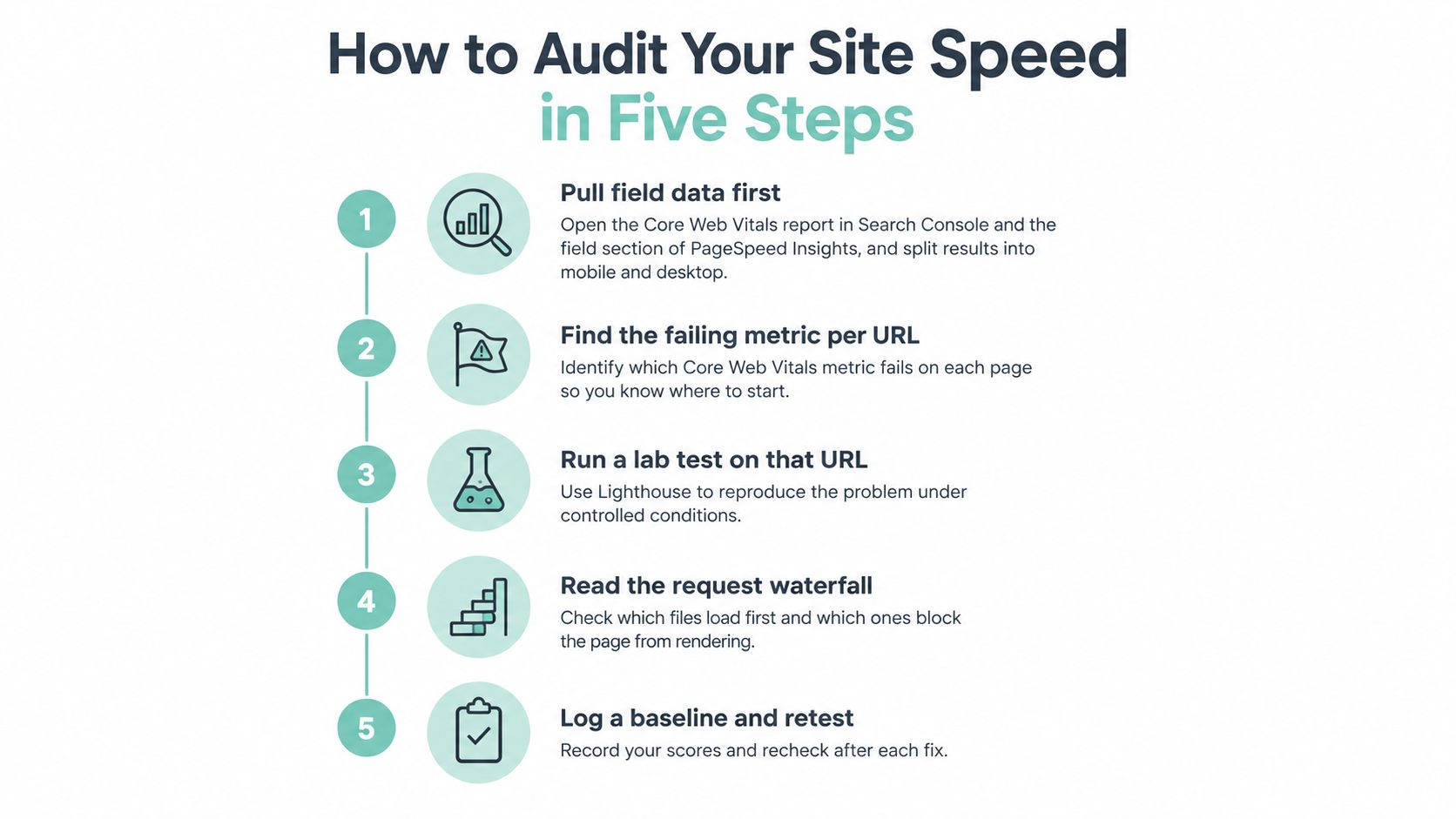
Steps 1 and 2 Start With Field Data
- Pull field data first. Open the Core Web Vitals report in Google Search Console and the field section of PageSpeed Insights. Split mobile and desktop, then judge each URL group by whether real visitors hit the Good thresholds at the 75th percentile in Google's guidance on understanding Core Web Vitals reports.
- Find the failing metric per URL group. Search Console groups similar pages, so do not audit one URL alone. A service template failing LCP usually points to hero media or slow server response. An INP failure usually traces to chat widgets, tag managers, review carousels, or booking scripts.
Steps 3 to 5 Reproduce and Rank the Problem
- Run a throttled lab test. Use WebPageTest or the Performance panel in Chrome DevTools on a mid-range mobile profile. Save the waterfall after every change so you compare evidence, not memory.
- Match symptoms to causes. Heavy main-thread JavaScript keeps the phone busy after the page looks ready, so a tap can sit with no visible response. That is why INP needs its own profiling pass instead of a glance at total load time. Slow TTFB points to hosting or missing page caching. Images and embeds without reserved space point to CLS.
- Rank fixes by traffic and lead value. Put the homepage, top service pages, and contact page ahead of archive and blog URLs. A slow page nobody visits can wait. A slow page that should produce calls cannot.
One trap: averages hide the tail. Passing most visits still fails if the 75th percentile misses one metric, and one metric fails the page. Treat Lighthouse as a diagnostic from one device, one network, one run.
End with a one-page audit sheet: URL group, device, failing metric, suspected cause, owner, target date, and the first lead element that must be visible. If you are already working through crawl, indexing, and on-page checks, pair it with a structured technical SEO audit checklist so speed work stays in the same queue. Retest with throttling first, then confirm in field data that real mobile visitors reach the number or form sooner.
Quick Wins a Non-Technical Owner Can Ship This Week
Most speed debt on small business sites comes from content choices, not exotic code. Big photos, autoplay video, and widgets nobody uses add up faster than any single line of CSS. You can remove a surprising amount of that weight yourself.
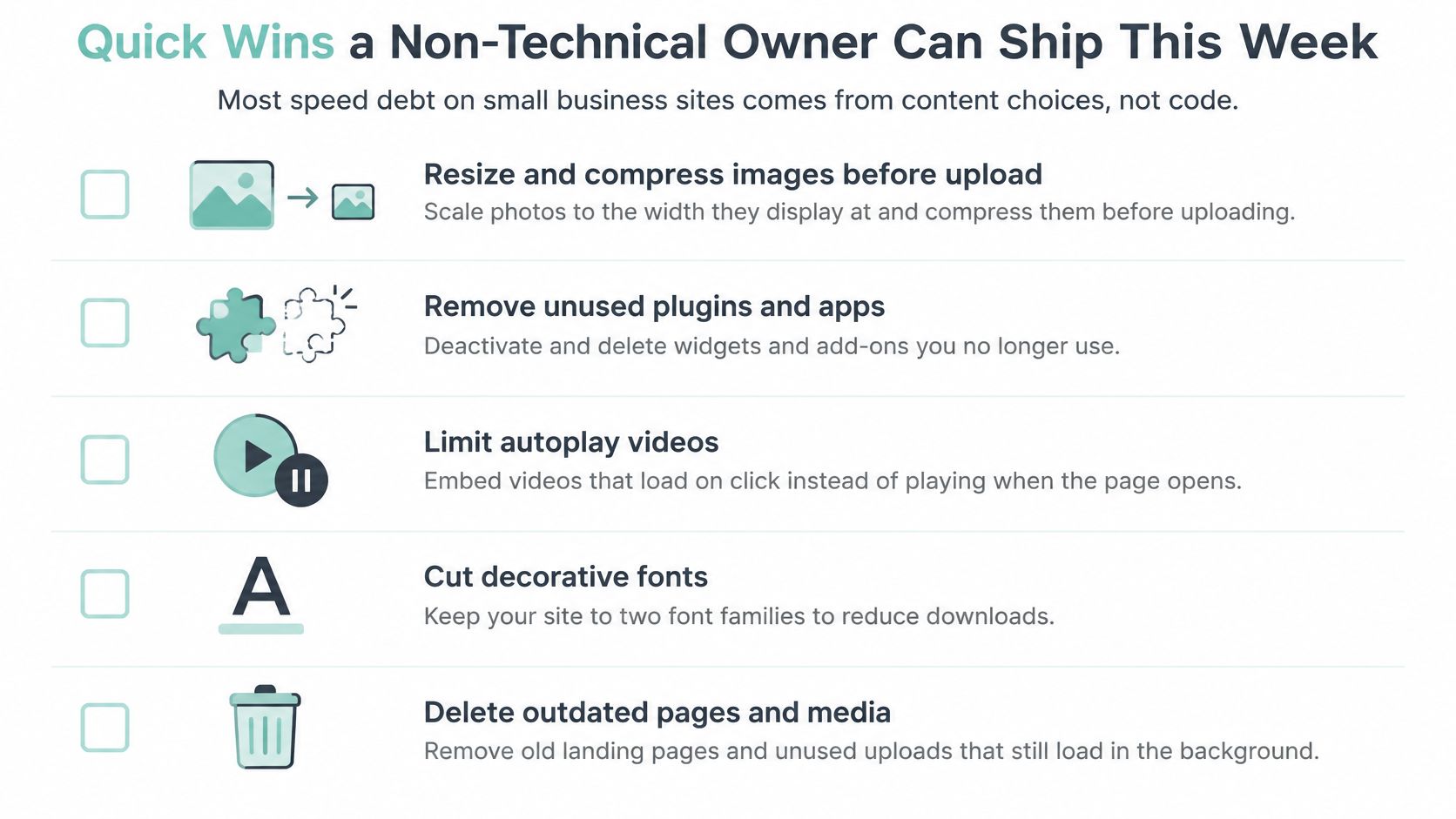
An Owner-Level Checklist
- Resize and compress images before upload: A 3,000-pixel photo placed in a 1,200-pixel slot downloads far more than it displays. Export at display width and use WebP where your CMS supports it.
- Remove autoplay hero videos and sliders: A background video can load before your headline renders, and sliders push the content visitors need most further down.
- Audit plugins and tags: List every chat widget, review carousel, social feed, and old tracking pixel. If nobody reads its reports, remove it.
- Delay chat and booking widgets until a click: Loading them on interaction protects INP and keeps the first tap responsive.
- Reserve space for images and embeds: Set dimensions in the editor and stop pop-ups from inserting above existing text, which reduces layout shifts.
- Ask your host two direct questions: Is server-level page caching on, and what's the current PHP version? Crowded shared plans often show slow first-byte times.
- Put contact details in the first screen: Your phone number and main call-to-action belong where a mobile visitor sees them without scrolling.
If a widget doesn't help a visitor call, book, or trust you, it's not free. You're paying for it in load time.
A typical case looks like this. A plumbing company's homepage opened with a large slider and a chat widget that loaded first, pushing the phone number below the fold on mobile. The page wasn't broken, but the fastest path to a call was hidden behind decoration. Removing the slider and deferring chat until a visitor tapped it put the headline and phone number back in the first screen. No redesign, no new platform, just fewer competing elements.
That's the trade-off to keep in mind. These wins won't fix slow hosting or heavy JavaScript bundles, but they clear the clutter that makes deeper fixes hard to measure. Ship them, retest the same pages, and then decide whether you need developer time.
Developer Fixes Ranked by Payoff
The clock that matters is the time until a mobile visitor can see your phone number or form. Developer work pays off when it shortens that clock on real devices, so rank fixes by how much weight and execution time they remove from the critical path.
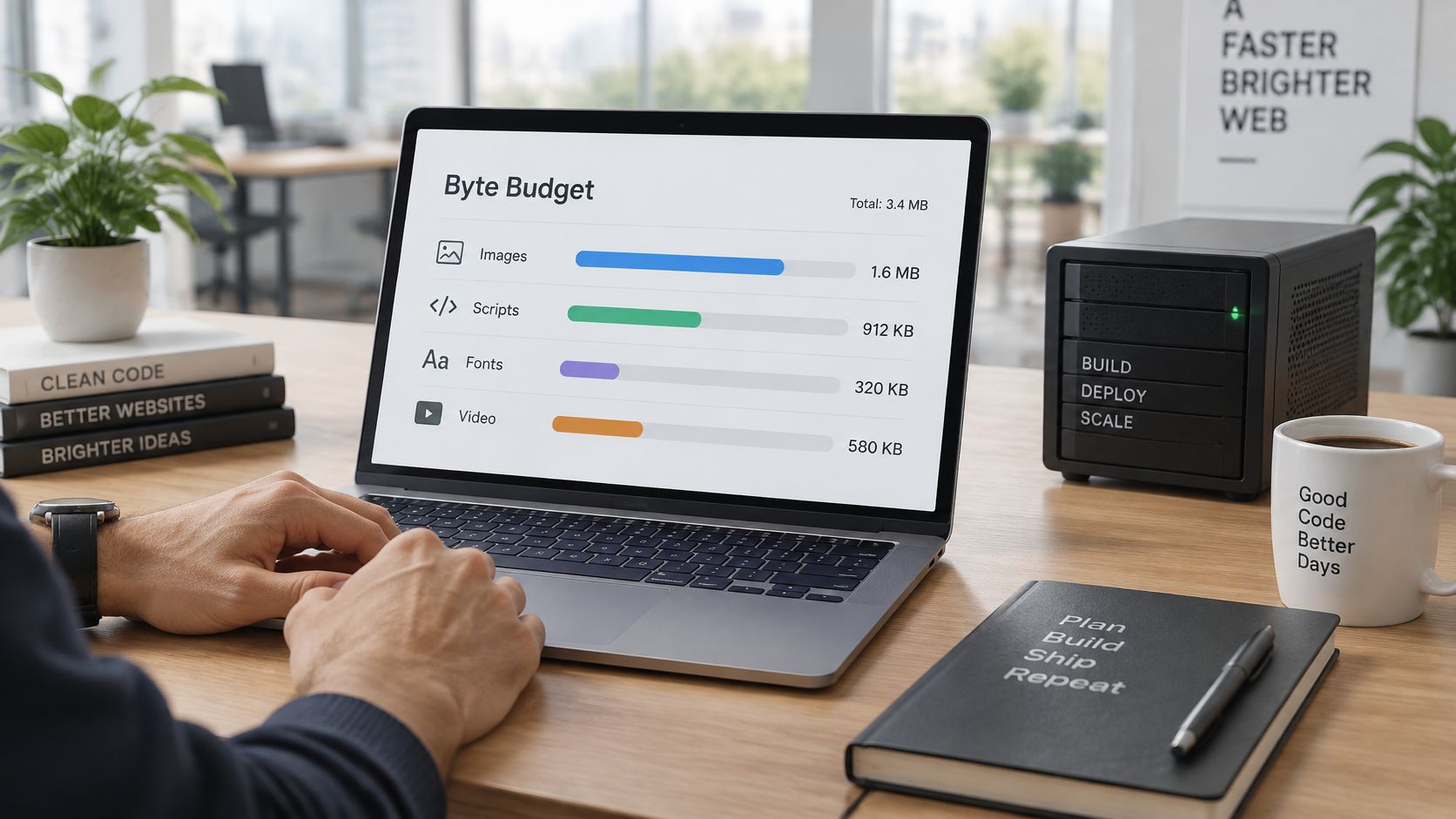
HTTP Archive measured the 2024 median mobile homepage at approximately 2,311 KB in the HTTP Archive 2024 page weight almanac. The five largest resource categories break down like this, with smaller asset types such as video, audio, and tag payloads accounting for the rest of the total:
| Resource | Median mobile weight | Primary fix |
|---|---|---|
| Images | about 900 KB | AVIF or WebP with srcset, lazy-load below the fold only |
| JavaScript | about 558 KB | Defer noncritical scripts, split bundles, cut third-party tags |
| Fonts | about 111 KB | Self-host, subset, limit to the weights you actually use |
| CSS | about 73 KB | Inline critical CSS, remove unused rules |
| HTML | about 18 KB | Server-side caching to lower time to first byte |
| Other assets | remainder of the 2,311 KB | Video, embeds, and tag payloads; audit each one on its own |
Treat these figures as reference points for setting your own budgets. A service business homepage does not need to match the median; it needs to get the call-to-action on screen fast.
Fixes 1 to 4 Address Delivery First
- Hosting. Move to managed hosting with server caching if first-byte time stays slow across repeat tests. Pick a TTFB target that fits your stack, then verify it in field data split by device.
- CDN. Serve images, CSS, and JavaScript from edge locations close to visitors. Cache HTML on brochure pages where content rarely changes, and stay careful with personalized or form-heavy pages.
- Caching. Set long lifetimes on fingerprinted static files and short ones on HTML. Test cold-cache and repeat views, because a fast second visit doesn't help a first-time mobile lead.
- Images. Convert oversized images to AVIF or WebP, add responsive srcset variants, set width and height, and preload only the actual hero image with fetchpriority high.
Delivery fixes usually cost less than the browser-work fixes below and often recover most of the lead-time problem on their own.
Fixes 5 to 8 Reduce Browser Work
- Fonts. Self-host, subset to the characters you use, apply font-display swap, and keep to two weights. Every extra variant is another blocking request.
- Critical CSS. Inline the rules needed for above-the-fold content and load the rest asynchronously. Remove unused CSS before shipping a full framework for a simple service page.
- JavaScript. Defer noncritical scripts, split large bundles, remove unused code, and load maps and video embeds on interaction. Audit analytics, chat, maps, and review widgets individually.
- HTTP/2 and HTTP/3. Confirm your host or CDN serves them. They help pages with many small requests, though heavy images and long tasks will still slow the page.
Two traps undo good work. Lazy-loading the LCP image delays the largest element you're trying to show first, so lazy-load below the fold only. A small third-party script can also hurt INP even when its transferred bytes look minor, because execution time matters more than download size.
Weight reduction pays off unevenly. Field reports consistently show lighter mobile pages passing the Core Web Vitals assessment at higher rates than pages carrying several megabytes, with hosting quality, device capability, and rendering order all shaping the result. Judge every developer change the same way: did the phone number and form appear sooner on a mid-range phone in field data? Set route-level budgets, capture a production waterfall before and after each release, and keep the changes that move field metrics. Changes that only improve a lab score are a distraction from the leads you're trying to win.
Monitoring and Validating Speed Gains Over Time
Speed regresses without warning. A new review widget, a heavier hero photo, or a tag added for a campaign can undo last month's work before anyone notices, until calls soften. You need a cadence, not a one-time cleanup.
A Cadence You Can Actually Maintain
| Check | Frequency | Tool | Regression to watch for |
|---|---|---|---|
| Core Web Vitals field report | Weekly | Search Console | A URL group moves from Good to Needs Improvement or Poor |
| Mobile lab test on key pages | After each release | PageSpeed Insights or WebPageTest | LCP above 2.5 s on a throttled mobile profile |
| Real-user monitoring | Continuous | Analytics RUM or CrUX dashboard | Regression by device or country |
| Third-party script audit | Monthly | Browser DevTools network tab | New tags or widgets added by marketing or agencies |
| Page weight budget check | Each deploy | Build pipeline or site audit tool | A route exceeds its set budget |
| Conversion check | Monthly | Analytics goal tracking for calls and form submits, compared by page group | Call and form rate falls on pages that got slower |
The 2025 Web Almanac reported median home-page weights of 2.9 MB on desktop and 2.6 MB on mobile, with pages between 2 and 3 MB showing median LCP of 2.7 seconds on desktop and 3.2 seconds on mobile, and even mobile pages under 1 MB averaging 2.6-second LCP, in the HTTP Archive 2025 page weight almanac. The lesson is direct. A weight that passes on desktop can miss the 2.5-second LCP target on phones, and file size alone doesn't determine speed. Server response, render-blocking resources, image priority, fonts, and JavaScript execution all matter, so segment every check by device and page group.
A regression means a template moves from Good to Needs Improvement at the 75th percentile, or a new tag adds long tasks on a service page. Don't react to one noisy day. Do react when the field trend moves and a lab test reproduces it.
For conversions, compare calls and form submissions on faster and slower page groups over at least two months before drawing a conclusion, because seasonal demand and ad spend can mask the effect. Pairing this review with visitor reporting in Google Analytics helps you connect page groups to actual inquiries instead of raw sessions. Speed is also only part of reliability: a fast page that's intermittently down loses the same leads, which is why a guide to monitoring site reliability is worth adding to your routine alongside performance checks.
Keep the alert rule simple. Flag any key page whose mobile 75th-percentile LCP crosses 2.5 seconds, and send the owner one sentence per metric each month. If the report needs a decoder, nobody will act on it.
Turn Faster Pages Into More Calls and Forms
A faster page that still hides the phone number won't produce more leads. The clock that matters is time to contact details: how long a mobile visitor waits before the phone number, click-to-call button, or form fields become visible and usable.
Start by timing it. On a real phone, record when those elements appear on each service page, and log that number beside the field metrics you're already tracking. Now every page has one before-and-after figure tied to revenue, not just a technical score. Pages where the call button arrives late move to the top of the list, even if their overall load time looks acceptable.
Fix the Call Path, Then Test It
- Move the call button into the first viewport: Every service page should show a tap-to-call action without scrolling. Add a sticky mobile call bar that stays visible while the visitor reads.
- Shorten forms: Keep only the fields you need to qualify and respond. Use inline validation so an error appears immediately and doesn't stall the next tap.
- Avoid heavy form plugins: A form that adds long tasks can hurt INP at the exact moment a lead tries to convert.
- Protect the contact block: Confirm it isn't pushed down by a banner, slider, or chat launcher, using the owner fixes covered earlier.

Then run a controlled comparison. Pick the single page that generates the most inquiries, apply the audit findings, owner wins, and developer fixes to it, and compare calls and form submissions over 60 days against a similar page left unchanged. That gives you evidence for rolling the template out further, instead of redesigning everything on a hunch. If you're also refining headlines, offers, and form flow, work through practical ways to increase your website conversion rate alongside the speed test, but change one template at a time so you know what caused the result.
Faster is not the goal by itself. Faster to a visible, tappable next step is the goal.
Small gains are worth chasing. Google reported that a 0.1-second improvement in mobile load time was associated with an average 8% increase in retail conversions and a 10% increase in travel conversions, with a 10.1% increase in mobile conversion rate and an 8.3% decrease in mobile bounce rate in the broader findings, in Google's Milliseconds Make Millions research. Those were particular industries and datasets, not a guaranteed lift for your site. Earlier Google research also found that as mobile load time rose from one second to 10 seconds, the predicted probability of bouncing rose by 123%. The direction is consistent enough to justify measurement, especially when your own test can confirm it.
If you'd rather have one team handle the build, performance tuning, and conversion work together, many East Texas businesses start with web design in Tyler, TX. Whichever route you choose, keep the standard the same: measure on mobile, fix the failing metric, and prove the change in calls and forms.
Digital Skyrocket builds and optimizes lead-generating websites for service businesses, combining web design, technical SEO, and conversion work so faster pages turn into qualified inquiries. If your service pages are slow on mobile or your phone number is buried behind heavy design elements, visit Digital Skyrocket to talk through an audit and a practical fix plan for your site.