Last month's lead report lands on your desk, and the pattern is hard to explain. Traffic hasn't collapsed, but the phone barely rang. The website looks acceptable at a glance, yet mobile pages load slowly, the contact form sits below the fold, and visitors leave before they understand why they should call. That's the point when a visual refresh stops being enough.
A reliable website redesign process treats the site as a revenue system. It protects search equity, carries proven conversion mechanics into the new build, and creates a measurement loop that shows whether the investment produces better inquiries. The work is less glamorous than choosing a color palette, but it's what keeps rankings, links, traffic, and lead flow from disappearing during launch.
Table of Contents
- When a Redesign Stops Being Optional
- Discovery, Benchmarking, and Goal Setting
- Information Architecture and Content Strategy
- Design, Development, and Performance
- SEO Preservation and Pre-Launch QA
- Launch and the First 90 Days of Optimization
- Redesign Checklist and Long-Term Mindset
When a Redesign Stops Being Optional
A service business can tolerate an old-looking website for a while. It can't tolerate a site that makes qualified visitors work to become customers.
The warning signs usually appear in the numbers and in everyday operations:
- Form fills decline: Organic visitors still arrive, but fewer people submit an inquiry.
- Bounce rates rise: Visitors leave quickly because pages are slow, unclear, or poorly matched to their search intent.
- Service pages fall behind: The business has changed, but the copy still describes an older offer and no longer matches what buyers search for.
- The CMS blocks progress: Simple content updates require a developer, so important pages remain stale.
- Mobile friction grows: Buttons, menus, forms, and proof points become difficult to use on smaller screens.
A redesign becomes necessary when the structure no longer supports the business. A site might have attractive photography and polished typography, but if the navigation hides profitable services or the primary call to action competes with five weaker options, the visual improvement won't repair the lead path.
Practical rule: Don't approve a redesign because the homepage feels dated. Approve it because the current site can't reliably help the right visitor find, trust, and contact the business.
The commercial risk is larger than a poor first impression. Existing pages may hold rankings, backlinks, indexed content, and conversion history. Replacing them without a plan can erase assets that took years to build. That's why a redesign isn't a paint job. It's a controlled transfer of value from the old website to the new one.
The sequence matters, too. Neutral industry guidance breaks a 30 to 75 page redesign into discovery, strategy, information architecture, UX and wireframing, visual design, development, content migration, QA, launch, and post-launch support. That guidance estimates 18 to 26 weeks for a site of that size, while a 10 to 20 page small business website is usually estimated at 8 to 12 weeks, and a 100-plus page build can need 16 to 24 weeks or more (website redesign timeline guidance).
Those ranges aren't promises. They're a useful reminder that sequencing research, content, engineering, and testing protects the pipeline more effectively than rushing toward a new homepage.
Discovery, Benchmarking, and Goal Setting
Design shouldn't begin with a mood board. It should begin with evidence.
Before anyone sketches a wireframe, capture the current site's performance and search footprint. Export analytics data, crawl the website, review Search Console, and record the pages and pathways that already generate value. Search-focused guidance recommends documenting impressions, clicks, click-through rate, organic sessions, organic users, bounce rate, conversions, URLs, internal links, and metadata before redesign work starts (search-focused redesign checklist).
Build the baseline before changing anything
At minimum, collect the following:
| Metric | Why It Matters | Tool |
|---|---|---|
| Organic sessions and users | Shows the current contribution from search | Google Analytics |
| Landing pages | Identifies pages that attract qualified visitors | Google Analytics and Search Console |
| Conversion rate and lead volume | Connects visits to business outcomes | Analytics and CRM |
| Average session duration and pages per session | Reveals engagement patterns and weak journeys | Google Analytics |
| Bounce rate | Flags mismatched intent or poor experience | Google Analytics |
| Keyword rankings, impressions, clicks, and CTR | Protects existing search visibility | Google Search Console and rank tracker |
| Core Web Vitals and LCP | Establishes a performance baseline | PageSpeed Insights and Chrome UX Report |
| Backlinks and referring pages | Identifies URLs whose authority must be preserved | Ahrefs, Semrush, or another crawler |
A benchmark dashboard should make the old site measurable before the new site makes it different. Guidance on successful redesigns specifically recommends documenting page load times, bounce rates, conversion rates, and average time on site, while inventorying the pages and keywords that produce relevant traffic, inbound links, and leads (redesign benchmarking guidance).
Interview the people closest to the lead flow
Analytics tells you where visitors struggle. It rarely tells you why. Interview owners, intake staff, salespeople, customer-facing employees, and recent customers. Ask which questions prospects repeat, which services produce the best-fit inquiries, and where conversations stall after someone submits a form.
Review heatmaps and session recordings for mobile and desktop behavior. Then conduct a competitor teardown that focuses on service clarity, proof, calls to action, local relevance, and search coverage rather than copying colors or layouts.
For teams assessing local search assets, benchmarking law firm citations offers a useful methodology for thinking about citation consistency and the quality of local business data. It belongs in discovery because inconsistent business information can complicate local visibility and customer trust.
The final deliverables should be concrete: a discovery brief, a benchmark dashboard, and a prioritized problem list. Tie three to five measurable targets to leads, qualified calls, form completion, or revenue opportunity. A broader market opportunity assessment can help turn search demand and competitor observations into that prioritized decision set.
Information Architecture and Content Strategy
The new structure should reflect how buyers search, evaluate, and contact a business. It shouldn't merely rearrange the old navigation.
Start with a full URL inventory. Export every indexable page, its organic traffic, conversions, backlinks, title, canonical, status code, and primary query theme. Group current URLs into proposed destinations, then mark each page as preserve, consolidate, rewrite, redirect, or retire.
Turn search intent into page groups
Keyword research is useful here because it clarifies the questions behind visits. A commercial service term may deserve a dedicated service page. A broad educational query may belong in a guide that links toward that service. A location modifier may require a local landing page, but only when the business can provide useful, distinct information.
A practical hierarchy might contain:
- Core service pages: Explain the offer, audience, process, proof, and next step.
- Supporting topic pages: Answer related questions and link users toward a relevant service.
- Location pages: Serve meaningful geographic demand without producing interchangeable copy.
- Proof and decision pages: Address pricing context, results, credentials, FAQs, and objections.
- Conversion destinations: Give campaigns and high-intent visitors a focused path to contact.
Audit existing content for traffic, conversions, backlinks, and keyword overlap. Two pages competing for the same intent may be weakening both. Consolidation can create a stronger destination, but deleting a page without checking its search value can remove a source of qualified visits.
Design journeys, not just menus
Information architecture includes navigation, breadcrumbs, internal links, page hierarchy, and the relationship between informational and commercial content. A visitor arriving from Google may never see the homepage, so every important landing page needs enough context to explain the offer and guide the next decision.
Map the paths explicitly. A problem-awareness article might link to a diagnostic service page. That page might link to proof, process details, and a consultation form. A high-intent visitor may need a shorter route from service page to call or form. The right structure depends on the business, but every grouping should answer one question: what should a qualified visitor do next?
A visual sitemap makes those decisions visible to stakeholders. Use a sample sitemap for website planning as a practical reference, then adapt the hierarchy to actual services, locations, search intent, and conversion paths.
The trade-off is between breadth and maintenance. More pages can cover more specific intent, but thin or overlapping pages create editorial work without necessarily creating demand. A smaller set of strong, clearly differentiated pages often gives users and search engines a cleaner understanding of the business.
Design, Development, and Performance
A redesign can preserve search equity and still lose revenue if the new interface makes contacting the business harder. Wireframes should therefore show how page intent becomes layout, while a design system keeps that logic consistent across service, location, article, and landing page templates.
A primary page usually needs a clear value proposition, supporting evidence, service detail, objection handling, and an obvious next step. The order can change by page type, but the hierarchy should remain easy to follow. A visually striking hero that pushes the phone number below the fold or hides the form may improve appearance while reducing leads.
Build a system that can change
Component-based development keeps headers, buttons, testimonial blocks, forms, alerts, and calls to action consistent. It also lets the team improve one shared component instead of editing every page manually. After launch, that structure supports controlled conversion improvements rather than another costly rebuild.
Build for mobile first. Test navigation, tap targets, form fields, typography, image crops, and sticky contact options on actual devices, not only in a resized desktop browser. Lazy-load media below the fold, compress images, remove unnecessary third-party scripts, and select infrastructure that supports edge caching where appropriate.
Set performance targets before development is complete. These are engineering targets for a disciplined build, not claims about an individual website:
| Metric | Target | Why It Matters |
|---|---|---|
| Largest Contentful Paint | Under 2.5 seconds | Helps the main page content appear quickly |
| Interaction to Next Paint | Under 200 milliseconds | Keeps interactions responsive |
| Cumulative Layout Shift | Under 0.1 | Prevents content from jumping during use |
Redesigns commonly add heavier scripts, larger media files, animation libraries, and third-party tools. The 2025 HTTP Archive and Web Almanac data reported good Core Web Vitals on 48% of mobile pages and 56% of desktop pages (compiled web design performance statistics). That result makes performance review a build requirement, not a final polish task.
Mobile performance also affects commercial results. The same compilation reports that mobile-optimized sites can see up to 40% higher conversion rates than non-optimized sites, while overall website conversions dropped by 6.1% in 2025. Put performance checks into code review and connect them to form completions, calls, and qualified enquiries. A conversion-focused web design approach helps tie layout decisions to measurable actions instead of surface polish.
SEO Preservation and Pre-Launch QA
Traffic losses during redesigns usually begin before launch. The team changes URLs, removes content, alters internal links, or replaces metadata without documenting what the old site was doing.
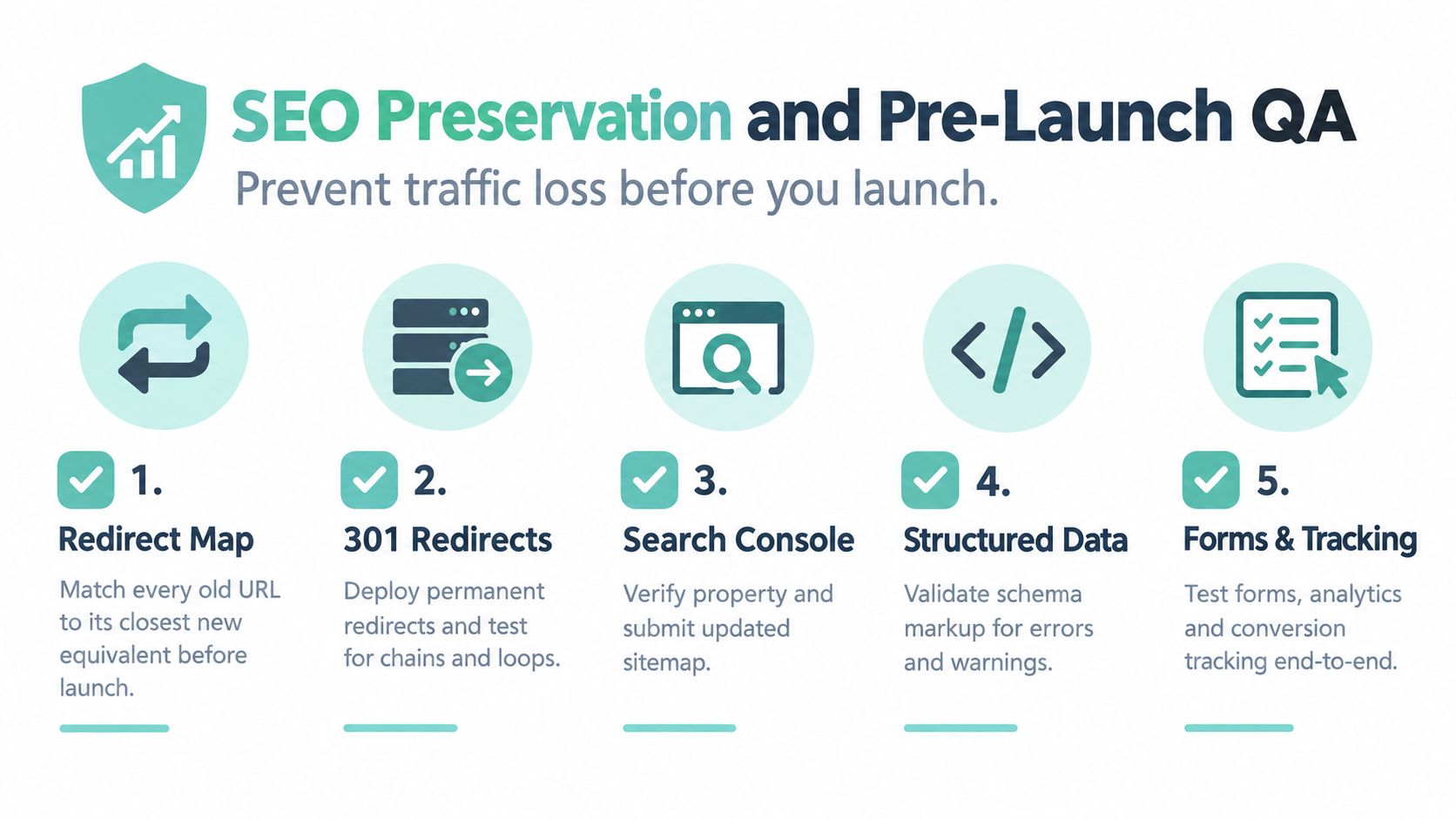
Create the redirect map while the architecture is still being finalized. Match each old URL to the closest new equivalent, preserve the existing URL where intent and content remain stable, and use a 301 redirect when a URL must change. A redirect should lead directly to the final destination, not through a chain of intermediate URLs.
Protect the search signals
Run a content audit before deleting or consolidating anything. Pages with valuable traffic, rankings, conversions, or inbound links need an intentional destination. Preserve title tag patterns when search intent hasn't changed, and revise meta descriptions only when the page's content or promise changes.
On staging, inspect:
- Internal links: Find links pointing to old URLs, broken pages, or orphaned content.
- Canonical tags: Confirm each important page identifies the correct preferred URL.
- XML sitemaps: Include the new indexable URLs and exclude redirects, duplicates, and errors.
- Robots.txt: Make sure staging restrictions won't accidentally reach production.
- Structured data: Validate organization, breadcrumb, and relevant content-type markup.
- Metadata: Check titles, descriptions, headings, image alternatives, and social sharing fields.
A practical redesign SEO strategy checklist reinforces the need for redirects, content and keyword audits, structured data, canonical tags, metadata preservation, and staging tests. For teams planning authority work after the migration, a resource on backlink building sites can help organize future link acquisition without treating new links as a substitute for preserving existing value.
Test the complete experience
Crawl staging as if it were live. Test mobile rendering, forms, phone links, thank-you pages, analytics events, tag firing, schema validation, redirects, and Core Web Vitals. Verify that the Search Console property is available and that the sitemap can be submitted after release.
Treat staging like production. A broken form there is a broken form waiting for launch day.
Launch and the First 90 Days of Optimization
Launch day is a controlled operating window, not a ribbon-cutting ceremony. Keep the old URL inventory, redirect map, benchmark dashboard, analytics annotations, and rollback plan accessible to everyone responsible for the release.
In the first 30 days, watch Search Console closely. Look for crawl errors, index coverage changes, ranking movement on redirected URLs, broken canonicals, and orphaned pages. Crawl the live site after deployment and compare it with staging. If a redirect chain appears or a valuable page is missing, fix it before the issue becomes a wider visibility problem.
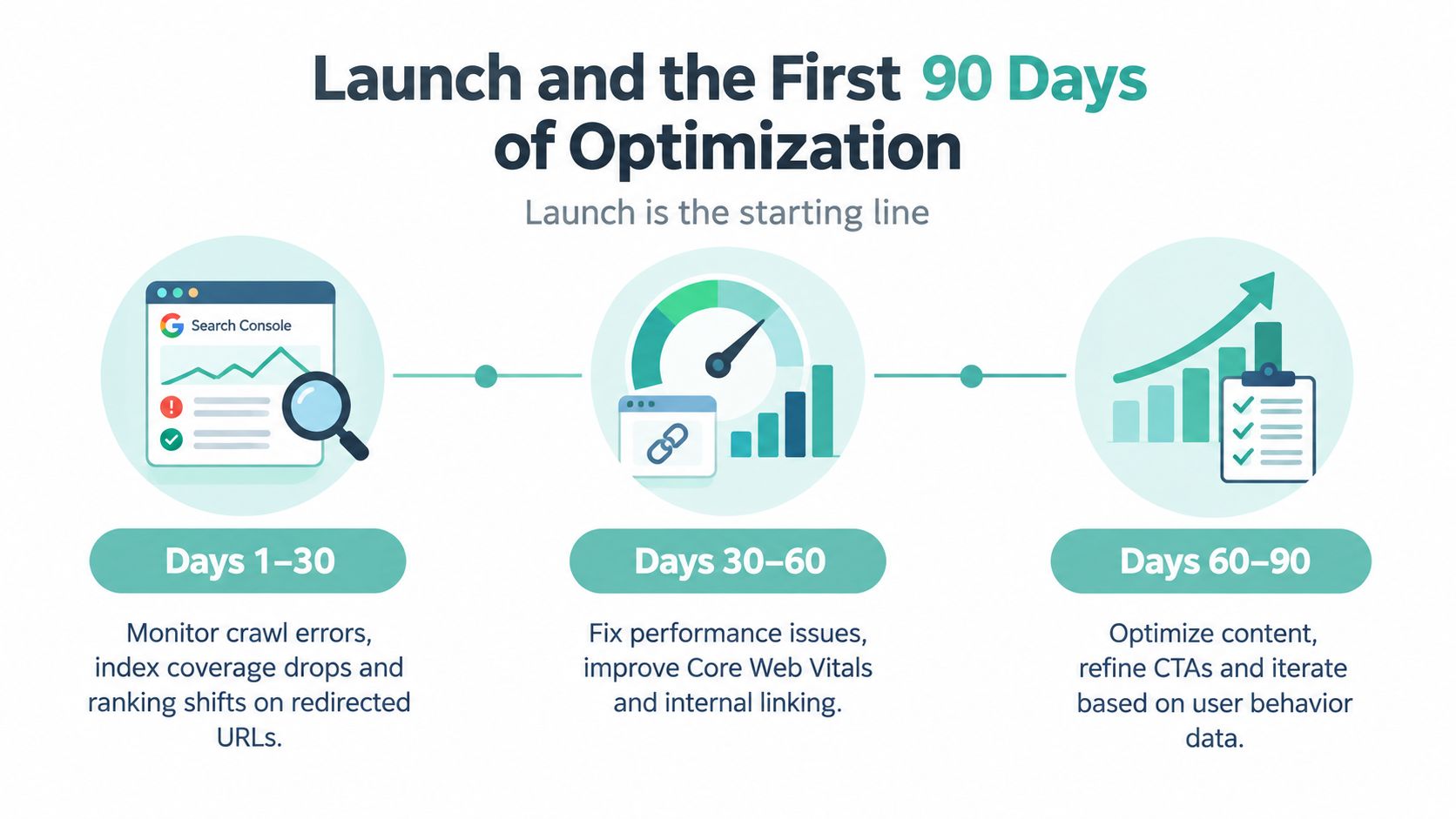
Days 1 to 30 focus on stability
Compare organic traffic, conversions, lead quality, form completion, and phone activity with the pre-launch baseline. Some fluctuation is normal after a major change, but a sudden fall concentrated around mapped URLs deserves investigation. Review page templates, tracking, redirects, and indexability before blaming demand.
Performance deserves the same attention. Check field data as it becomes available, review lab tests for critical templates, and inspect the pages that receive the most search traffic. A technically elegant homepage doesn't compensate for a slow service page that generates most inquiries.
Days 30 to 60 focus on conversion friction
Once crawl and tracking issues are under control, use analytics, heatmaps, and session recordings to identify hesitation. Test a stronger hero message, a shorter form, clearer CTA placement, or more visible proof. Each test should start with a written hypothesis, such as, “Visitors aren't recognizing the service quickly enough,” rather than a vague desire to make the page feel more modern.
A conversion-focused redesign guide recommends side-by-side comparison of conversion rate, bounce rate, time on page, funnel completion, and goal completions, with daily conversion monitoring during the first four weeks after launch (post-launch conversion measurement guidance). Use the same definitions before and after launch, or the comparison will mislead you.
Days 60 to 90 focus on compounding improvements
Expand testing to pricing explanations, service pages, and landing pages supporting paid campaigns. Review which new pages earn links and strengthen internal links from relevant content. Keep a shared backlog that records the observation, hypothesis, change, result, and next action.
The redesign earns its return when this loop continues. A launch can transfer search value and remove friction, but only ongoing measurement reveals which messages and pathways produce the best inquiries.
Redesign Checklist and Long-Term Mindset
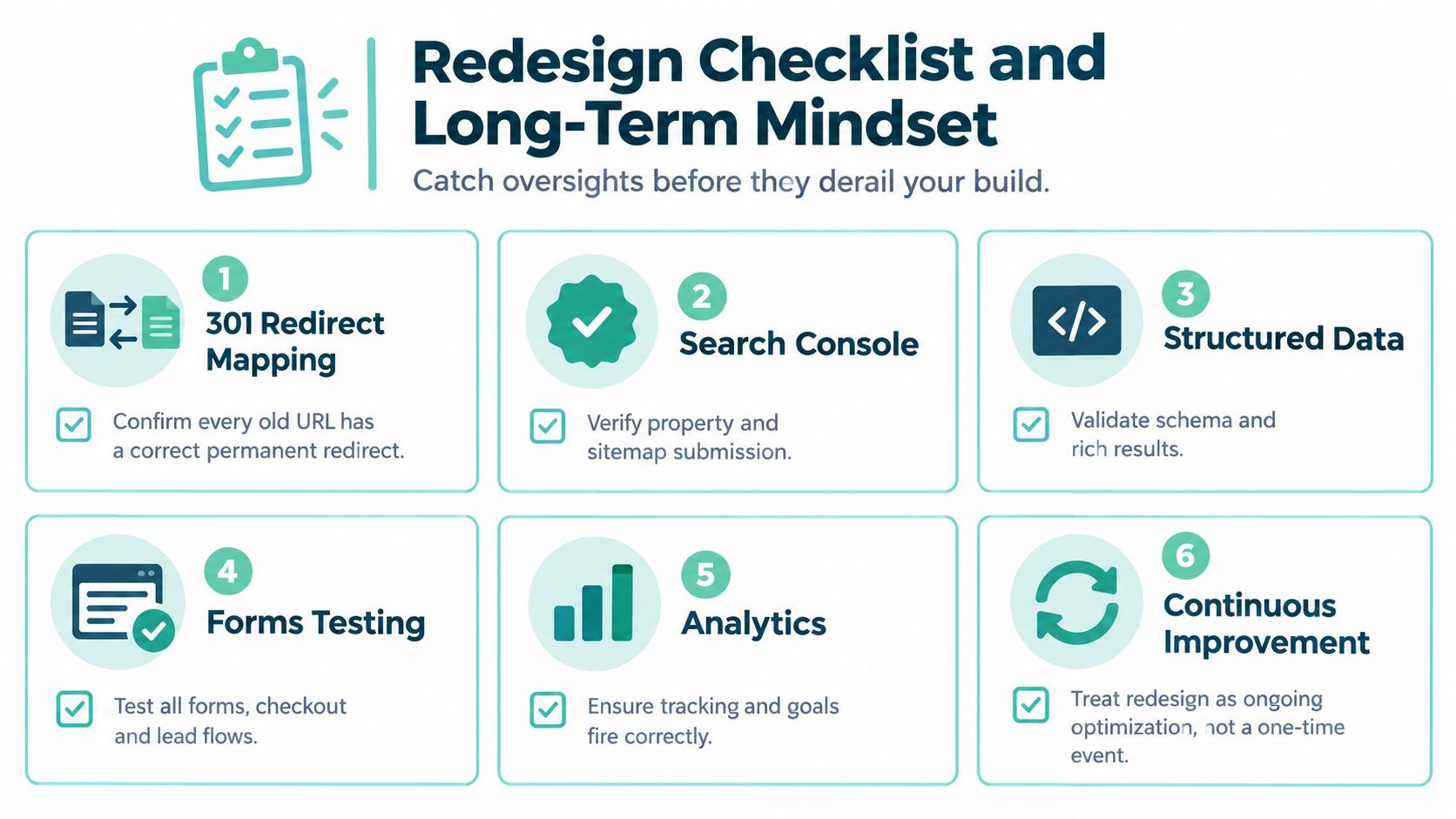
A checklist won't replace strategy, but it catches the omissions that turn a promising build into an expensive regression. Before launch, one person should own each verification rather than assuming the whole team has checked everything.
Confirm the release essentials
- 301 redirect mapping: Confirm every changed old URL points to its closest new equivalent.
- Search Console: Verify the property and prepare the updated sitemap submission.
- Structured data: Validate schema and review rich-result eligibility for errors.
- Forms and lead flows: Submit every important form on staging and confirm notifications, thank-you pages, and CRM handoffs.
- Analytics: Trigger calls, forms, downloads, and other conversion events to confirm tracking fires correctly.
- Rollback plan: Document who can restore the prior version and how the team will identify the need.
The checklist protects the release. The operating model protects the following months.
Make improvement part of ownership
Search visibility changes as competitors publish, services evolve, links appear, and user expectations shift. Schedule content audits, recurring Core Web Vitals reviews, tests on primary conversion paths, and a strategic review tied to business goals rather than aesthetic trends.
A redesign contract or internal roadmap should identify who owns those reviews, what gets measured, and how decisions reach production. A 12-month roadmap gives the business a place to record technical maintenance, content improvements, local search work, conversion tests, and new service opportunities without waiting for the next crisis.
Digital Skyrocket is one option for service companies that want website design, responsive WordPress development, technical SEO, AEO, analytics instrumentation, and ongoing conversion refinement handled as a connected program. The agency works with service businesses including law firms, dentists, roofers, and HVAC companies, and combines redesign work with baseline and ongoing reporting.
The right long-term question isn't whether the site still looks current. It's whether the site still earns visibility, explains the offer, and turns qualified attention into measurable inquiries. Launch is the new baseline, not the finish line.
If your service business is planning a redesign, Digital Skyrocket can help benchmark the existing site, protect its search value, rebuild the conversion path, and measure what happens after launch. Visit the agency to discuss a redesign plan built around qualified leads, technical SEO, and ongoing optimization.